




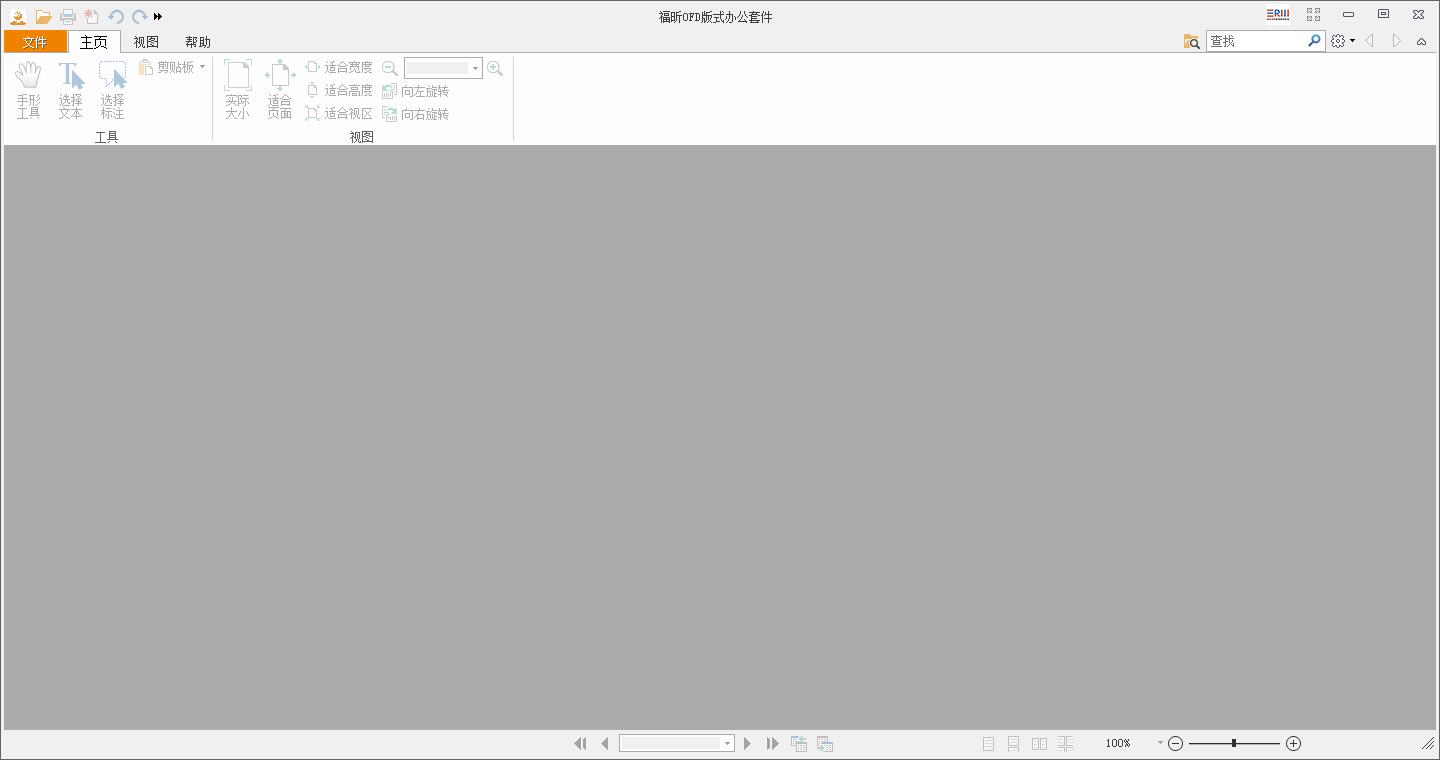
Introduction to Foxit OFD Layout Office Suite Software
Foxit ofd format office suite is an ofd format office software launched by Foxit. It expands the support for ofd format on the basis of Foxit PDF Reader. It can open pdf and ofd files, and can also convert pdf and other formats. It has the function of converting documents into OFD format, and supports functions such as official document semantics, electronic signatures, red printing, security control and auditing. It is very suitable for use by the party, government, military, public security, procuratorate, law and other government agencies and enterprises that use the national format standard OFD.
Introduction to the functions of Foxit OFD Layout Office Suite
1. Reading navigation:
It has a variety of navigation functions (outline, bookmarks, semantic tree, text search, etc.) to facilitate positioning and reading of files and improve reading efficiency;
: Linear transmission and paging loading enable rapid opening of large files;
Supports viewing file attributes, metadata and other information;
Full screen, screen-fitting, single/double page, and continuous page reading modes allow you to read documents as you like.
2. File operations:
Satisfies basic file operations and can create, open, merge, append, and split single/multiple files;
Attachments and pages are operable, and security settings can be set for attachments;
Convert easily and support mainstream file format conversion functions (text, PDF, pictures, etc.).
3. File editing:
Convenient editing, supports typewriters and text boxes, supports editing of semantics and annotations of electronic official documents, and supports the selection and copying of text and pictures;
Advanced functions, upgraded office, support graphic annotation, proofreading, text annotation, content masking, screenshots, etc.;
Handwritten signature approval, with the function of fidelity of signature content, covering domestic handwriting hardware equipment;
Provides commonly used stamp styles and custom stamp functions, and supports border operations such as seam sealing, pre-stamping, text positioning stamping, and batch stamping.
4. File generation and export:
OFD documents can be generated by scanning, and the pictures in the documents can be compressed without distortion, with a distortion-free compression ratio of up to 80%, which can effectively improve transmission efficiency and reduce storage costs;
Content can be exported in multiple formats (pictures, text, metadata, etc.), and it also supports the export of file attributes and file semantic trees.
5. File printing:
Provides rich printing settings, supporting the combination printing of content, annotations, masking, signatures and other elements;
Supports personalized printing settings such as odd/even pages, reverse order printing, grayscale printing settings, etc.;
Complies with official document printing standards and supports red printing and decryption printing functions;
Fully compatible with mainstream printers and supports advanced printer property settings.
6. Security control:
Controlled online/offline file reading supports document encryption and signature, making document use more secure;
Supports the visual stamping and blind stamping, display, and verification functions of the national secret electronic official seal, and supports security audits;
The reading range, reading time limit, editing, copying, and printing can all be controlled, and it will be destroyed after reading;
Supports content masking and dynamic watermarks, and file applications can be bound to users and hardware;
Supports secret labeling and steganographic embedding functions, and can trace the source of screenshots, photos, and printed/copied documents.
7. Integrated interface:
Provides a complete plug-in interface: official document processing system, official document exchange system, streaming software, electronic seal, handwriting pad and other basic applications;
Supports multiple application integration methods such as B/S and C/S. It is simple to use and easy to integrate, shortening the business launch cycle and improving enterprise efficiency.
Installation steps of Foxit OFD layout office suite
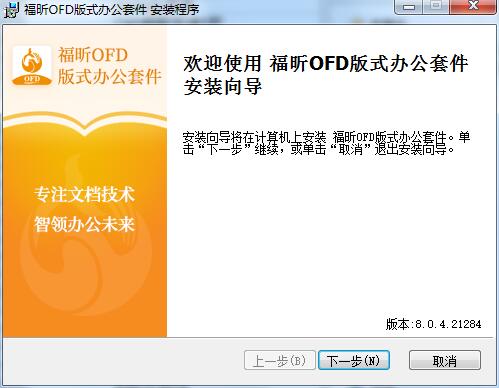
1. Download the installation package of the official version of Foxit OFD Office Suite in Huajun Software Park, unzip it, double-click the FoxitOfficeSuite_v8.0.4.21284.msi program, enter the installation wizard, and click Next
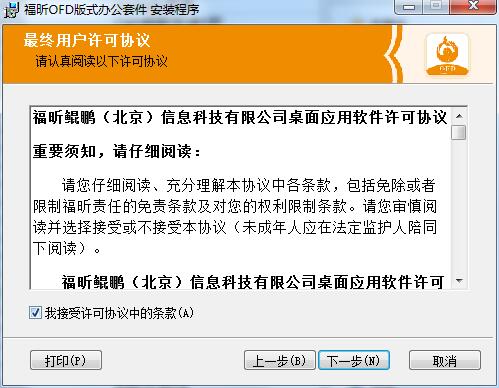
2. Read the following End User License Agreement, check "I accept the terms in the license agreement", and click Next
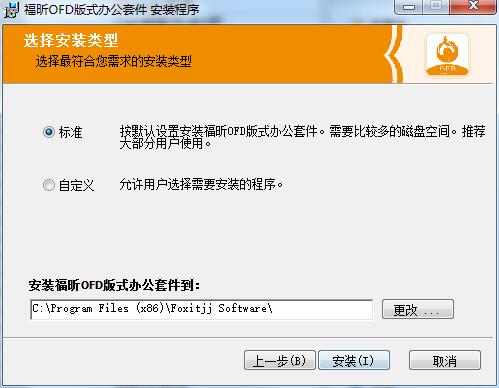
3. Select standard installation, click "Change" to select the installation folder, and click Install
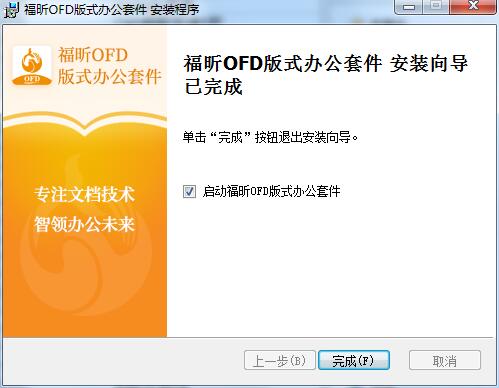
4. The installation of Foxit OFD Layout Office Suite is complete, click Finish to exit the installation wizard
Foxit OFD Layout Office Suite Update Log
1. The details are more outstanding!
2.BUG gone without a trace
Huajun editor recommends:
This software is powerful and easy to operate. I hope you will like it. In addition, this site also hasSecSeal Security Viewer,frp format reader,frp file reader (ONEView Demo),DynaDoc Free Reader,winmail.dat reader (winmail reader)Waiting for software, welcome to Huajun Software Park to download!











Useful
Useful
Useful