

If you are looking for software to use, go to Huajun Software Park! software release AI product list

Hello, if there is a need for software inclusion, please package the software and attach the software name, software introduction, software-related screenshots, software icon, soft copy, business license (if you do not have a business license, please provide the front and back of the corresponding developer ID card and a photo of yourself holding the ID card), and send it to email http://softwaredownload4.com/sbdm/user/login

Close >>

Send to email:news@onlinedown.net

Close >>

Location: Home pagePC softwareOther categoriesMobile phone management miflash line brush tool
miflash line brush tool

miflash line brush tool v151028 free version

QR code
  • Software licensing: shareware
  • Software size: 25.97MB
  • Software rating:
  • Software type: Domestic software
  • Update time: 2024-12-30
  • Application platform: WinAll
  • Software language: Simplified Chinese
  • Edition: v151028 Free version

Mobile phone management word-of-mouth rankings

Download the service agreement at the bottom of the page

Software introduction Related topics FAQ Download address

Recommended for you:- miflash line brush tool

Basic introduction
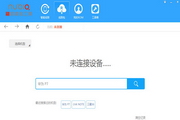
miflash line brush tool section first LOGO
The miflash flash tool is used to help Xiaomi users quickly flash fastboot. The miflash wire flash tool supports wire flashing of all Xiaomi devices, and also supports the flashing of all Xiaomi systems. The software supports device downgrade and upgrade operations, whether it is a beta system or an official version.

miflash line brush tool

Instructions for using the miflash line brush tool:

Instructions for using the miflash line brush tool:

To operate on the device, when it is turned off, press and hold the volume down + power keys at the same time to enter Fastboot mode and connect the tablet USB to the computer.

After the complete package is downloaded, double-click to run the decompression, open the complete package folder, and copy the address bar address as shown below.

After downloading the flash tool, unzip and install it (if you encounter a system security prompt, please choose to allow installation), open MiFlash.exe and paste the copied content into the blue area.

Click the yellow circled part to refresh, the flashing program will automatically identify the phone, click the down arrow next to Browse, select Advanced Settings - select the fastboot flash script as flash_all.bat in the ROM path, click the red circled part to start flashing.

Wire flashing will clear all user data, including built-in storage data. Please use Xiaomi Mobile Assistant to back up before flashing the phone. Be sure to proceed with caution.

Then wait, as shown in the picture below, the flashing has been successful and the Xiaomi device will automatically turn on.



FAQ

miflash line brush tool

miflash line brush tool v151028 free version

close