




How to use cyder2
1. After installing cyder2, click "Get software sources from Cydia" to copy the source list to Cyder2.
2. Select the corresponding software source in "Software Package", right-click, and then select "Download" or "Download Dependencies"
3. In the "File Manager", the downloaded software package is displayed, and the right side is the location where the file needs to be transferred. After the transfer is completed, just restart the iPhone twice and the software will be automatically installed.
cyder2 operation method
1. Open cyder2, select "Software Sources" in the upper left corner, where I have added commonly used sources, then right-click anywhere in the source list below and select "Refresh All".
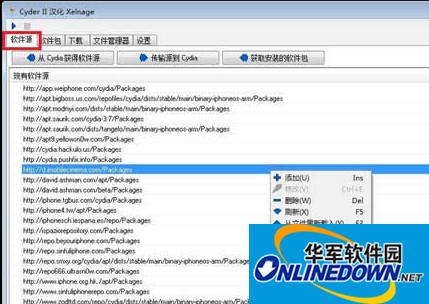
2. Since there are many sources, the refresh time will be relatively long. Please wait patiently. After the refresh is completed, the interface as shown below will be displayed. Some sources may not be refreshed, and a yellow exclamation mark will be displayed before the source name.
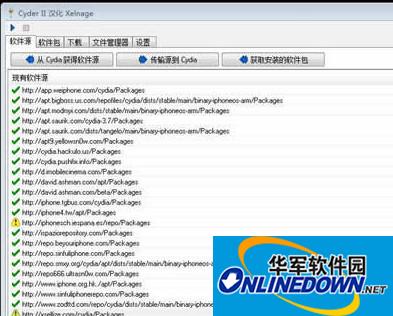
Note that some of the source addresses here are different from the addresses added in Cydia.
3. Click "Software Packages" in the upper left corner, where you can see the DEBs in each source. You can view it by source and category.

4. Let's take installing iFile as an example. Enter "iFile" in the filter, then press Enter. Find "iFileCracked" in the list below.
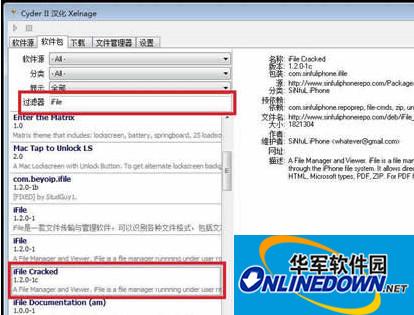
5. Select "iFileCracked", right-click the mouse and select "Download Dependencies". Note that you must choose to download dependencies here, because some DEBs need to depend on other DEBs, such as iFile, which depends on many DEBs.
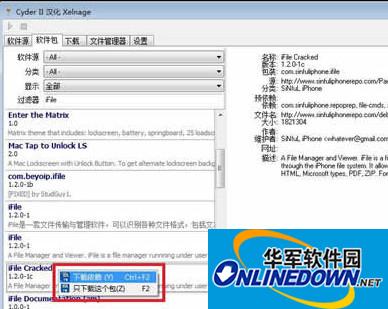
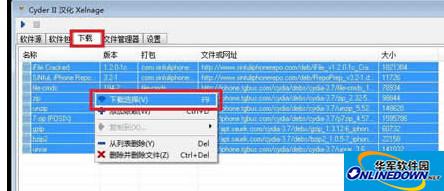
6. Then click "Download" in the upper left corner, select all DEBs, right-click and select "Download Selection".
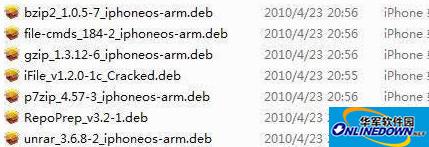
7. After all DEBs have been downloaded, open the "CyderIIarchives" folder on your computer. All the DEBs you just downloaded are here.
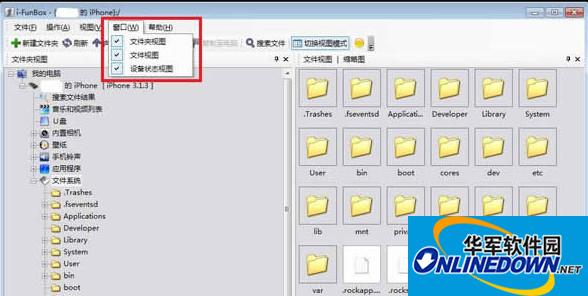
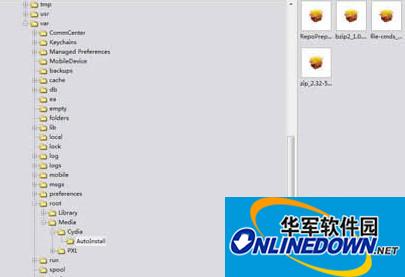
8. Next, we use iFunBox to upload the downloaded DEB to iPhone. Open iFunBox and select all three options under "Window" on the menu bar. Then click "File System" under iPhone. The left window will display the iPhone's file structure.
9. Copy all the DEBs shown in Figure 7 to the "/var/root/Media/Cydia/AutoInstall" folder. It may be as shown in the figure below that there is no "Cydia" folder under the "Media" folder. You can right-click to create a new folder in the right window, and also create a new "AutoInstall" folder under the "Cydia" folder.
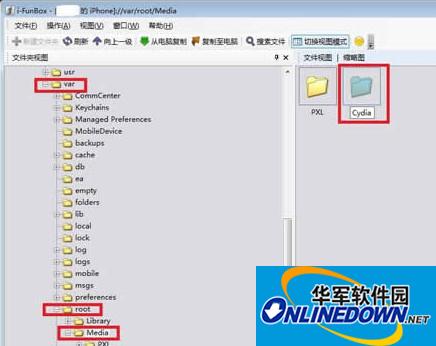
10. Copy all DEBs shown in Figure 7 to the "AutoInstall" folder. The full path is as shown on the left side of the figure below.
Restart your iPhone after uploading all DEBs. If you rely on a lot of DEBs, you may need to restart your iPhone multiple times.
cyder2 update log
1: Optimized performance
2: We are serious about solving bug problems
Huajun editor recommends:
The editor of Huajun Software Park recommends that you download cyder2. The editor has personally tested it and you can use it with confidence. In addition, Huajun Software Park provides you withHourglass inspection machine,Cloud instant mobile assistant,EaseUS iPhone data migration software Mac version,Xixinding mobile phone positioning software (Windows version),Cloud Control MasterIt’s also a pretty good software. If you need it, you might as well download it and give it a try. The editor is waiting for you in the wind and rain!




Useful
Useful
Useful