





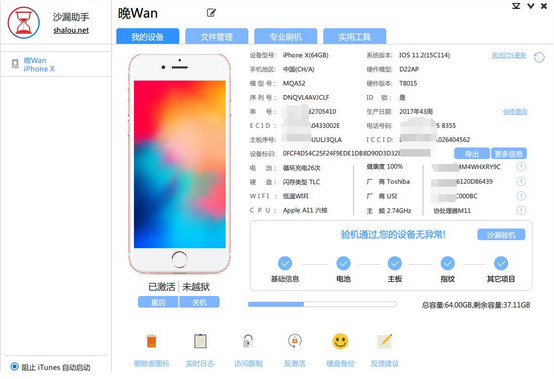
Advantages of Hourglass Machine Inspection Software
Intelligent machine inspection, one-click diagnosis
The Sandglass inspection machine can detect more than 20 items with one click, with clear reports and accurate data.
Professional flashing, stable and safe
Hourglass Tester has three flashing modes: one-click flashing, diagnostic flashing, and batch flashing; no operation is required during the flashing process, and the problem can be fixed with one click, saving worry and effort!
Ringtone management, hardware backup
The millions of music library of Hourglass Test Machine can be imported with one click, and data backup is performed from the bottom level, everyone who knows it understands.
Practical tools, convenient and efficient
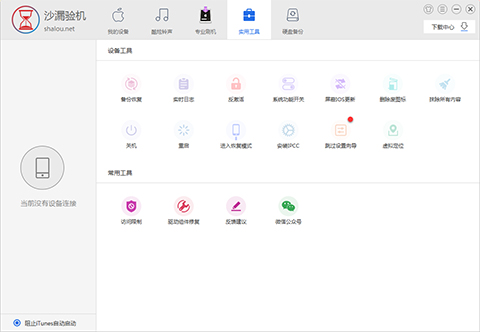
Hourglass Tester has backup and recovery, real-time logs, activation and deactivation, one-click to turn on and off white spots, block iOS updates, delete waste icons, erase all content, one-click shutdown and restart into recovery mode, crash analysis, skip setup wizard, modify positioning... many functions are waiting for you to discover!
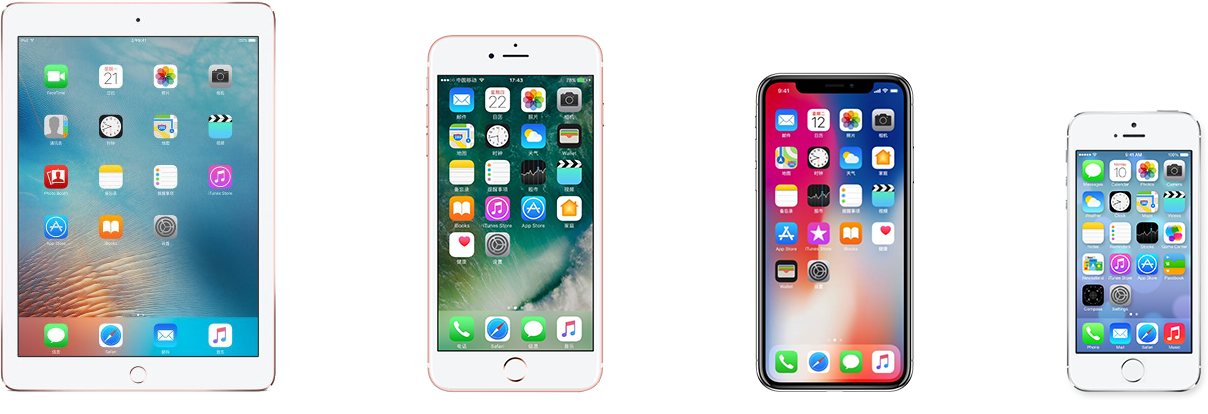
Hourglass inspection support equipment
Compatible with all IOS devices and systems
iPhone / iPad / iPod Touch
Hourglass inspection machine testing project
Hourglass machine inspection, the world’s original, machine inspection artifact, compatibleAll iOS devices iPhone / iPad / iPod Touch can detect hands There are dozens of contents in the phone, which can help users detect the authenticity of the phone. The specific contents of the test are as follows:
Serial number, device model, area code, regulatory model, model number, CPU motherboard, motherboard serial number, baseband, hard drive, five-code matching, WiFi address, cellular address, Bluetooth address, jailbreak activation, sales area and model, fingerprint, LCD screen, camera, battery... more are waiting for you to discover!
Hourglass inspection machine installation steps
1. Download the latest version of the Sandglass Machine Inspection installation package from Huajun Software Park. After unzipping, double-click the exe program.
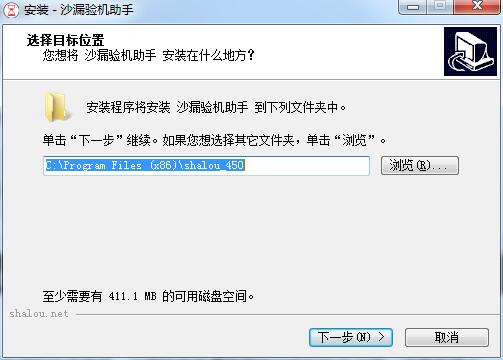
2. Enter the installation wizard, click "Browse" to select the installation folder. Generally, it is installed on the C drive of the computer by default. It is recommended to install on the D drive. Click Next.
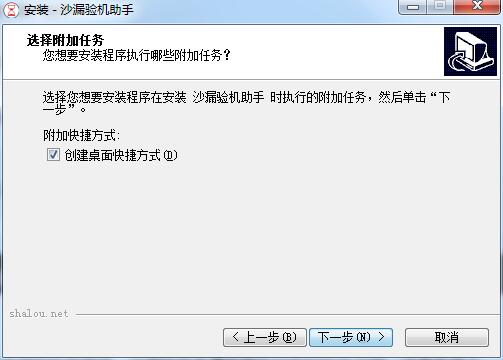
3. Select additional tasks, check Create desktop shortcut, and click Next
4. The installation program is ready, click Install
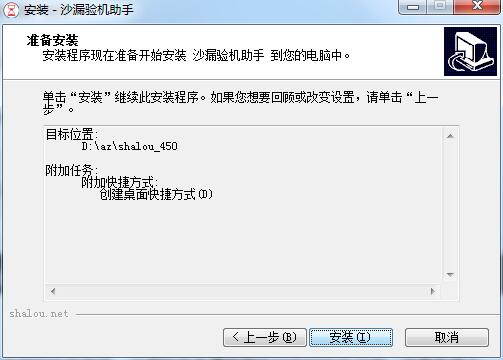
5. The hourglass inspection machine is being installed, please wait patiently.

Installation summary:First, download the software installation package for the Sandglass Machine Tester from this site, unzip it, open the exe file, and enter the installation wizard. Follow the steps to install according to the prompts. During installation, you can choose the default installation location or customize the installation location. After checking the corresponding shortcut, enter the installation program. After a short wait, the installation will be completed and enjoy this software.
How to use hourglass inspection machine
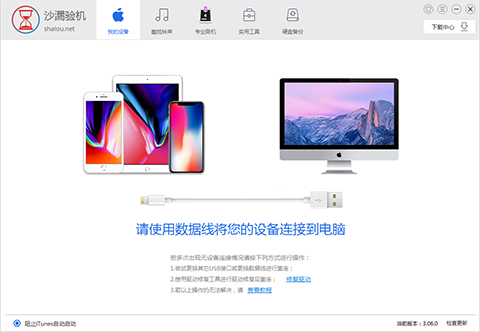
First, open the Hourglass Test Assistant, connect the phone to the computer using a data cable, and click "Trust this computer";
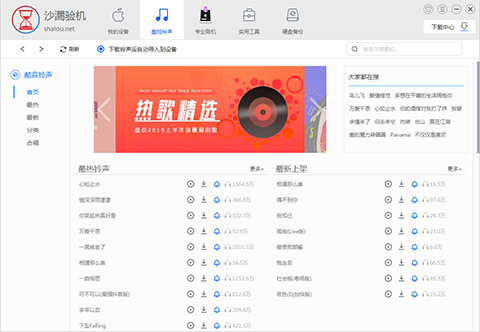
Here is the cool ringtone interface, where you can download your favorite ringtone and set it as your mobile phone ringtone;
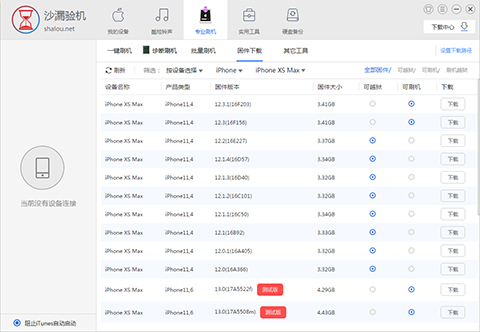
Professional flashing here provides you with many options such as one-click flashing, quick flashing, etc.;
There are many convenient and practical gadgets in Utility Tools;
Hourglass Inspection Frequently Asked Questions
1. Is the hourglass inspection reliable?
Generally speaking, the hourglass machine test is reliable, but nothing is absolute. After all, it is just an auxiliary software. To be the most authentic and reliable, you have to have an official machine inspection, but this does not mean that the hourglass machine inspection is useless. The hourglass machine inspection also has its own value. It is free to use and has powerful functions. The machine inspection is not 100% accurate, but it is still very reliable.
2. Why did the Sandglass machine fail to flash?
There are many reasons for flashing failure. Please check whether the connection is stable, whether the data cable has insufficient power supply, replace the computer interface, and use the original data cable to try flashing again! Remember to flash the phone with caution.
Comparison of similar software for hourglass machine inspection
Which one is more accurate, the hourglass tester or the AISI tester?
Hourglass inspection machine andAisi test machineBoth are Apple's machine inspection and flashing software. The editor has used both softwares. In fact, I personally think they are comparable. The principles are to inspect the machine through the detection of hardware and comparison of serial numbers. Hourglass Tester is compatible with all iOS devices iPhone/iPad/iPod Touch can detect dozens of items of content in the phone, allowing users to detect the authenticity of the phone.
爱思验机是对比它读出来现有机器的串号,然后与机器的出厂值进行比对,一样就绿色,就正常。 If it is different and not green, it is judged as disassembly.
As a machine inspection software, Aisi Machine Inspection’s influence is unparalleled in the country, and it even has the momentum to overwhelm the official software iTunes. Except for the screen that cannot be detected and whether the motherboard has been dismantled and repaired, other accessories can basically be queried and inspected very accurately. If you want to have a more intuitive and in-depth experience, you can download both software and experience it.
Aisi AssistantDownload address:http://softwaredownload4.com/soft/517812.htm
Hourglass inspection update log
1. Increase the localization of regional information
2. Fix interface display issues
3. Fix DLL initialization problem
Huajun editor recommends:
The editor of Huajun Software Park has compiled and collected software that you may like, such as:Hourglass inspection machine,Cloud instant mobile assistant,Crazy Apple Repair Master (iMyFone Fixppo),Xixinding mobile phone positioning software (Windows version),Cloud Control MasterYou can download it from this site.




Useful
Useful
Useful