




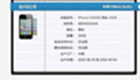
iPhone serial number query by the first floor civil engineer instructions:
When querying, be sure to enter the correct serial number and model number, and do not fill in "/A" for the model number.
How to view serial number and model number:
1. On the back of the box, Part No - model number, Serial No - serial number
2. In the machine, go to Settings-General-About this machine-Serial number and model
Some models will automatically give the model number after entering the serial number. Please be sure to check with the machine. If it is inconsistent, the one on the mobile phone shall prevail.
iPhone serial number query by First Floor Tumuren v7.1 update log:
Improve iPhone 6 network support instructions
Support iPad Air 2, iPad mini 3 query






Useful
Useful
Useful