





Rapoo Highlights
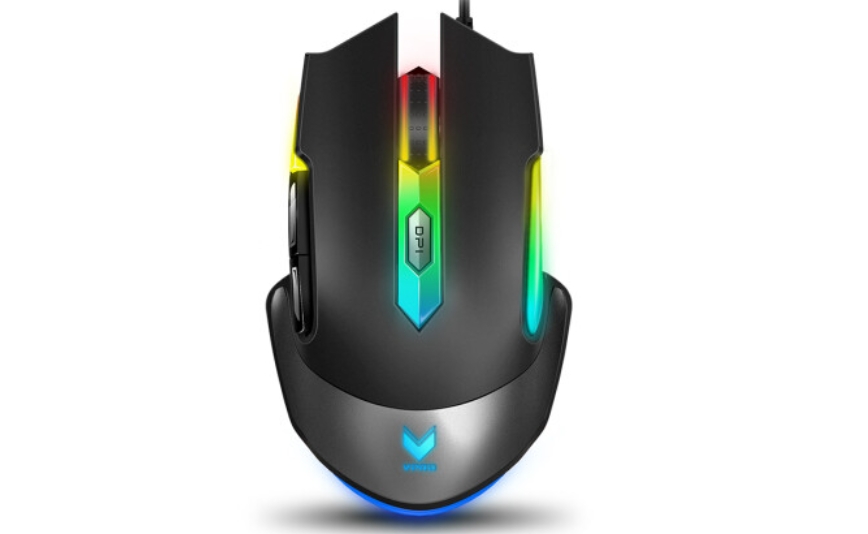
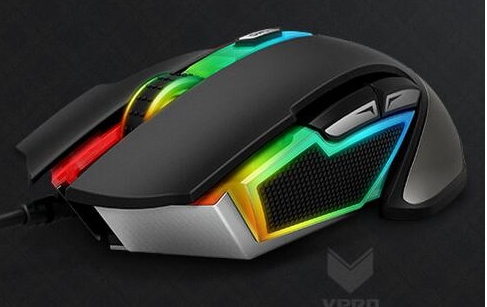
Streamlined appearance and comfortable grip
The Rapoo V302 mouse is made of skin-like matte material and is designed to fit the hand shape. The finger groove design makes the fingers more natural and comfortable.
The texture design of vulcanized rubber material on both sides not only improves the touch and layering, but also ensures the comfort of long-term use.
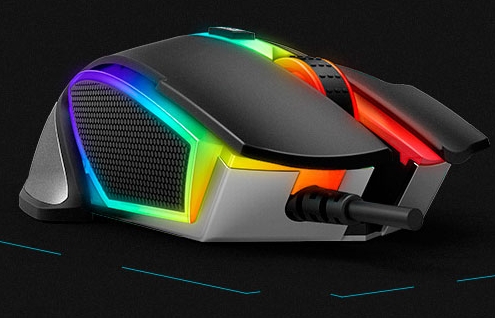
Symphony 16.8 million colors intelligent breathing lamp
Equipped with a Symphony RGB intelligent magnetic induction breathing light system, users can customize the color and lighting mode through the driver software.
In the phantom mode, lighting can be managed in three areas in a centralized manner, and there are 6 lighting modes to meet users’ personalized color matching needs.
Rapoo features
Streamlined appearance design
The Rapoo V302 mouse adopts a streamlined appearance design, combined with a skin-like matte grip, and is designed to fit the shape of the hand, providing users with a more comfortable experience.
The finger groove design allows fingers to be placed more naturally, reducing fatigue caused by long-term use.
The rubber texture design on both sides not only improves the touch and layering, but also effectively releases wrist pressure, ensuring that users can still remain calm and precise during intense operations.
Symphony·16.8 million colors intelligent breathing lamp
The Rapoo V302 mouse is equipped with a Symphony RGB intelligent magnetic induction breathing light system. Users can freely set the color and lighting mode through the driver software.
In the illusion mode, the three areas of the mouse can manage lighting effects respectively. Users can also choose from 6 preset lighting modes to easily create their own color matching and actual effect modes.
Professional·P3320 optical game engine
The Rapoo V302 mouse is equipped with the original P3320 optical game engine, with an image processing speed of up to 5300 frames/second and a tracking speed of 80 inches/second, providing users with e-sports level precise control.
The engine also supports 20G instant acceleration and four-level USB return rate adjustment of 120/250/500/1000 to ensure that users can get the best control experience in various scenarios.
Rapoo function
Professional P3320 optical game engine
Equipped with the Original Phase P3320 optical game engine, it has e-sports-level performance with an image processing speed of 5300 frames/second and a tracking speed of 80 inches/second.
Provides 20G acceleration and supports four-speed USB return rate adjustment of 120/250/500/1000 to ensure precise control.
14 levels of DPI adjustment
Users can choose 7 levels of one-click switching between 500 and 7000 DPI to meet the accuracy requirements in different scenarios.
Whether it is daily office work or gaming competition, you can find the DPI setting that suits you best.
Onboard memory, ready to use
Built-in memory to save mouse configuration (macro, DPI settings, breathing light mode) in game mode.
It supports centralized management of seven programmable controller function keys and 7 sets of environment variables for users to switch, making it easy to quickly adjust settings in different working modes.
Rapoo FAQ
Driver cannot be installed
Problem description: When trying to install the Rapoo V302 mouse driver, you may encounter an installation failure.
Solution:
Check operating system compatibility: Make sure your operating system version is compatible with the driver software. If it is not compatible, you may need to wait for driver updates or install an older version of the operating system.
Turn off security software: Some security software (such as anti-virus software, firewalls, etc.) may prevent driver installation. Try temporarily turning off these security software and then try installing the driver again.
Change the installation path: Try to choose a folder path without Chinese name and special symbols for installation.
An error occurred during installation
Problem description: During the driver installation process, you may encounter various error prompts.
Solution:
Read the error message carefully and perform the corresponding operations according to the prompts.
If the error message is related to file corruption, try downloading the driver file again and installing it.
If the problem persists, you can contact Rapoo official customer service for help.
Rapoo update log:
1: Optimized performance
2: We are serious about solving bug problems
Huajun editor recommends:
After you use Rapoo, I think you may also needLogitech SetPoint (32-bit),Hotkey input assistant,Boss Key,mouse clicker,Keyboard lock kingWaiting for software, come to Huajun Software Park to download and use it!




Your comment needs to be reviewed before it can be displayed