





Software introduction
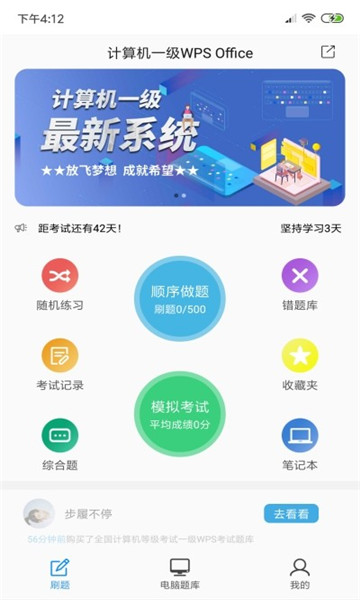
The Computer Level 1 WPS is an examination question bank that is updated in real time across the entire network in 2020! The test points are summarized and organized, the multiple-choice questions are authoritatively analyzed, the actual steps of the operation questions, and the high-definition video explanations are detailed, making it stress-free to pass with zero knowledge.
Software function
【Computer question bank】Practical exercises, video analysis, intelligent scoring
【New question bank】The whole network question bank is updated in real time
【Special Exercises】Classification of question types, consolidating learning and making precise breakthroughs
[Wrong Question Bank] Automatically count practice wrong questions, consolidate targeted practice simulation exams, and get difficult and easily wrong questions in one place
Software features
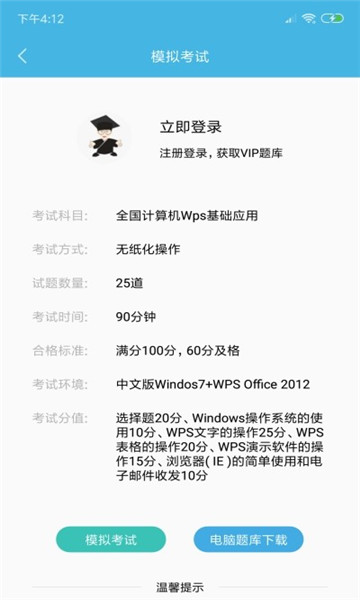
You can add questions to your favorites during practice to form your own small question bank and improve your passing rate
Learning without the Internet, fast
Installation steps
Special note: The installation package provided by Huajun Software Park contains the Android emulator and software APK files. For the computer version, you need to install the emulator first and then install the APK file.
1. First download the installation package from Huajun Software Park. The software package contains an Android emulator exe installation program and an APK file and unzip it. First click on the exe program to install the lightning simulator.

2. Double-click "Lightning simulator.exe" file to enter the installation interface. Users can click "Quick Installation" to select the system's default installation address for installation, or click "Custom Installation" to choose the installation path. Custom installation is recommended here.

3. WaitingLightning simulatorAfter the installation is complete, click "Try Now" to open the emulator.

4. Enter the main interface of the lightning simulator and clickRight column APK iconSelect the "Local APK Install" button.

5. In the pop-up window, click on the decompressed APK file, and then click to open.

6. After that, the software will enter the installation process. You need to wait for a moment. After the software installation is completed, it will appear in my software list. Click the icon and double-click to open it.
Computer level WPS computer version update log:
1. The details are more outstanding!
2. BUG gone without a trace
Huajun editor recommends:
The Computer Level 1 WPS computer version has always been a common education method for most netizens. Its dominant position in the minds of netizens can be seen. It is strongly recommended that users download the Computer Level 1 WPS computer version for use. Come to Huajun Software Park to download it. In addition, there areHomework Help 2021,Seewo College,Master of Laws Postgraduate Entrance Examination,Driving school test subject one,Chinese Examination Online SchoolAvailable for download.






























Your comment needs to be reviewed before it can be displayed