






Introduction to the computer version of the Subject Network software
1. Subject Network is a professionalPrimary and secondary schools, a resource platform for high school academic resources research.
2. The subject network software has tens of millions of teaching plans, test papers, and exercise resources.
3. The content of the Subject Network APP covers all subjects in primary, secondary and high schools, fully meeting the needs of users.
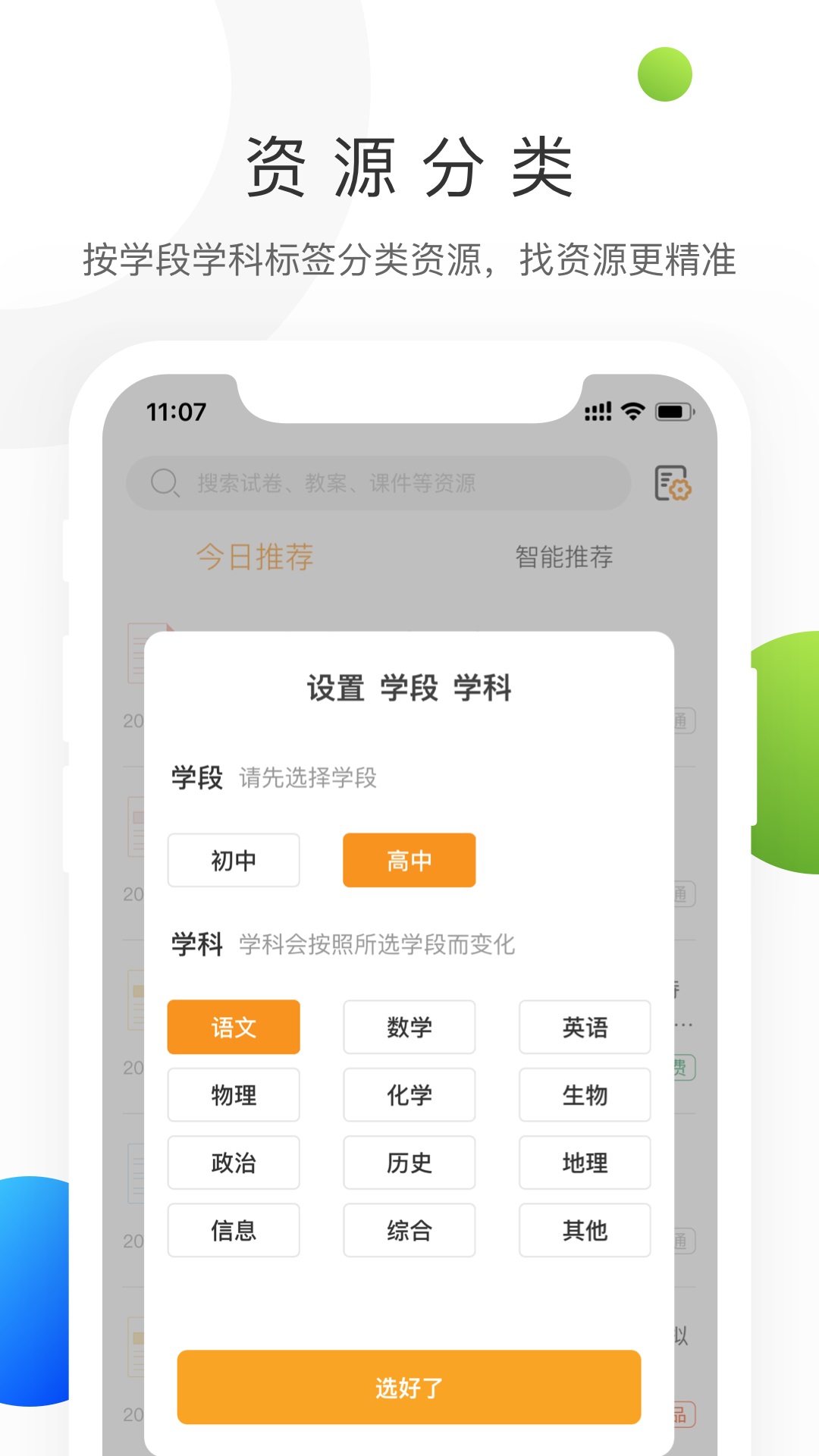
Subject NetworkPC versionFunction introduction
1. Customization function: Users can set their own grade so that the Subject Network APP can specifically display information and exercises on subjects related to that grade.
2. Query function: The subject network has a powerful internal search function, including all kinds of famous school examination questions, high school and college entrance examination resources, and famous teacher teaching materials.
3. Rich content: The subject network content covers courseware lesson plans, examination questions and papers for all grades.
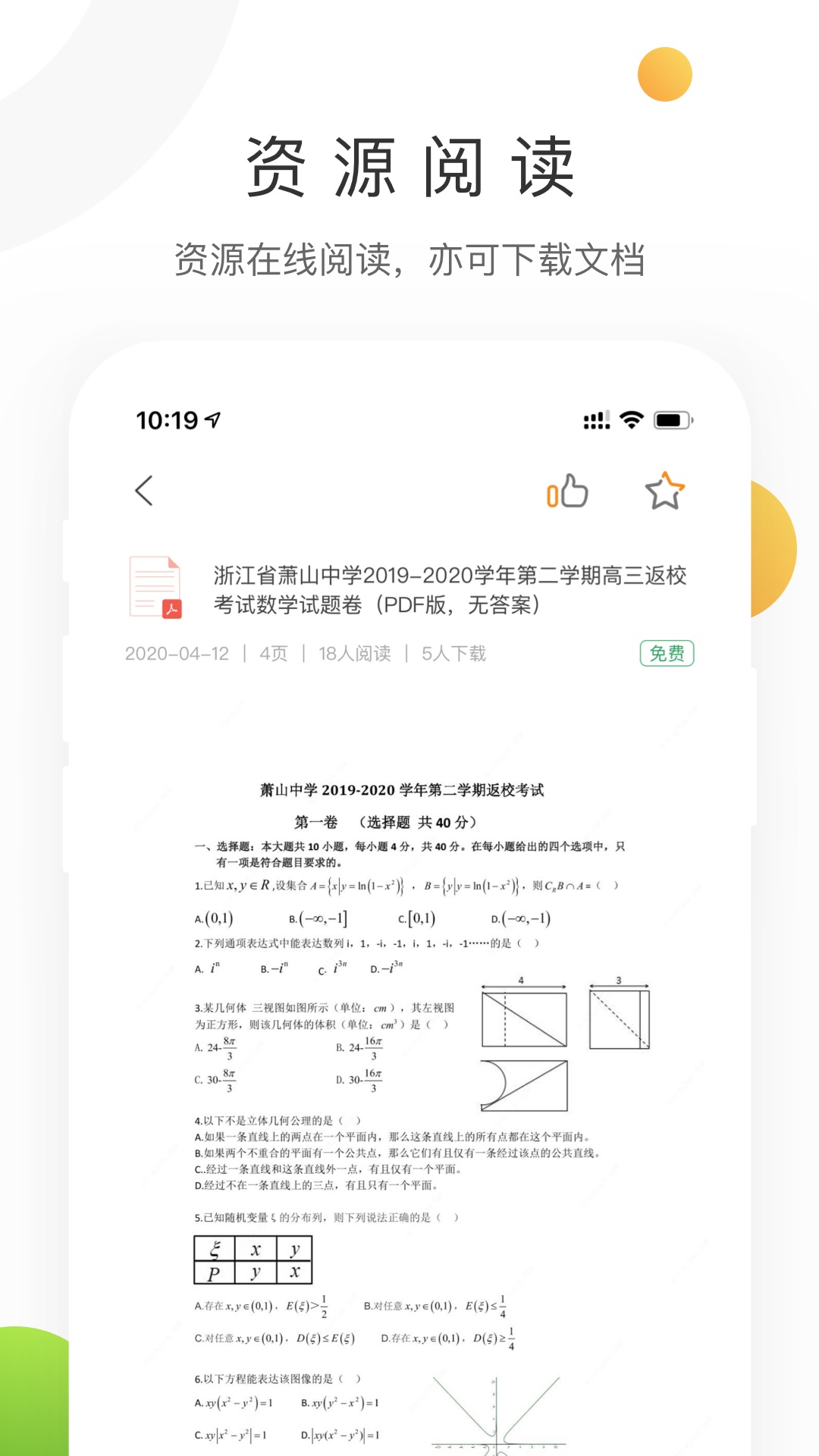
4. Inquiry function: Various resources displayed on the subject network support preview, download and collection. Users can operate quickly and conveniently, and can access relevant information anytime and anywhere.
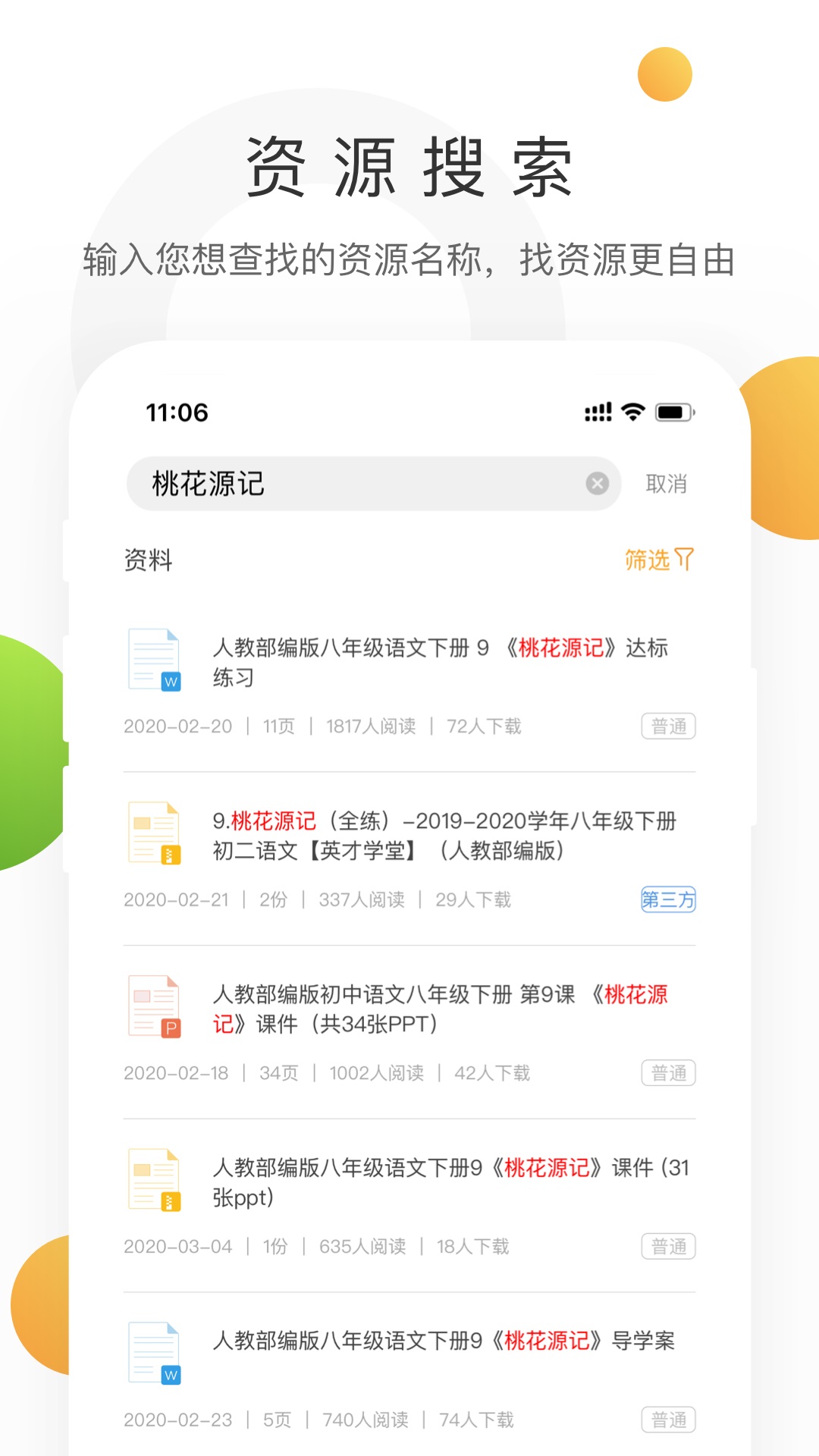
Subject NetworkPC versionSoftware features
Massive educational resources
Accurate classification: Resources are classified by school stage (elementary school/junior high school/high school), subject (Chinese/mathematics/English, etc.), and version (People's Education Edition/Beijing Normal University Edition, etc.) for easy and quick retrieval.
Rich types: covering test questions, courseware, lesson plans, tutorial plans, video courses, etc., meeting the needs of all scenarios of lesson preparation, teaching, and review.
Intelligent tools
Test paper formation function: Supports customization of paper composition according to knowledge points, difficulty, and question types, and generates test papers in Word or PDF format to adapt to the teaching progress.
Wrong question book management: Students can enter wrong questions, and the system will automatically classify and recommend similar questions to strengthen weak links.
Real-time updates and authoritativeness
Dynamic updates of resources: keep up with textbook revisions and examination policies, and provide the latest simulation questions, real questions and analysis.
Cooperation with famous schools: Cooperate with key schools to collect high-quality teaching plans and test questions to ensure the authoritativeness of the content.
Personalized recommendations
Based on the user's browsing and download history, relevant resources or popular content are recommended to improve usage efficiency. For example, mathematics teachers often download “real college entrance examination questions”, and the platform will give priority to recommending similar resources.
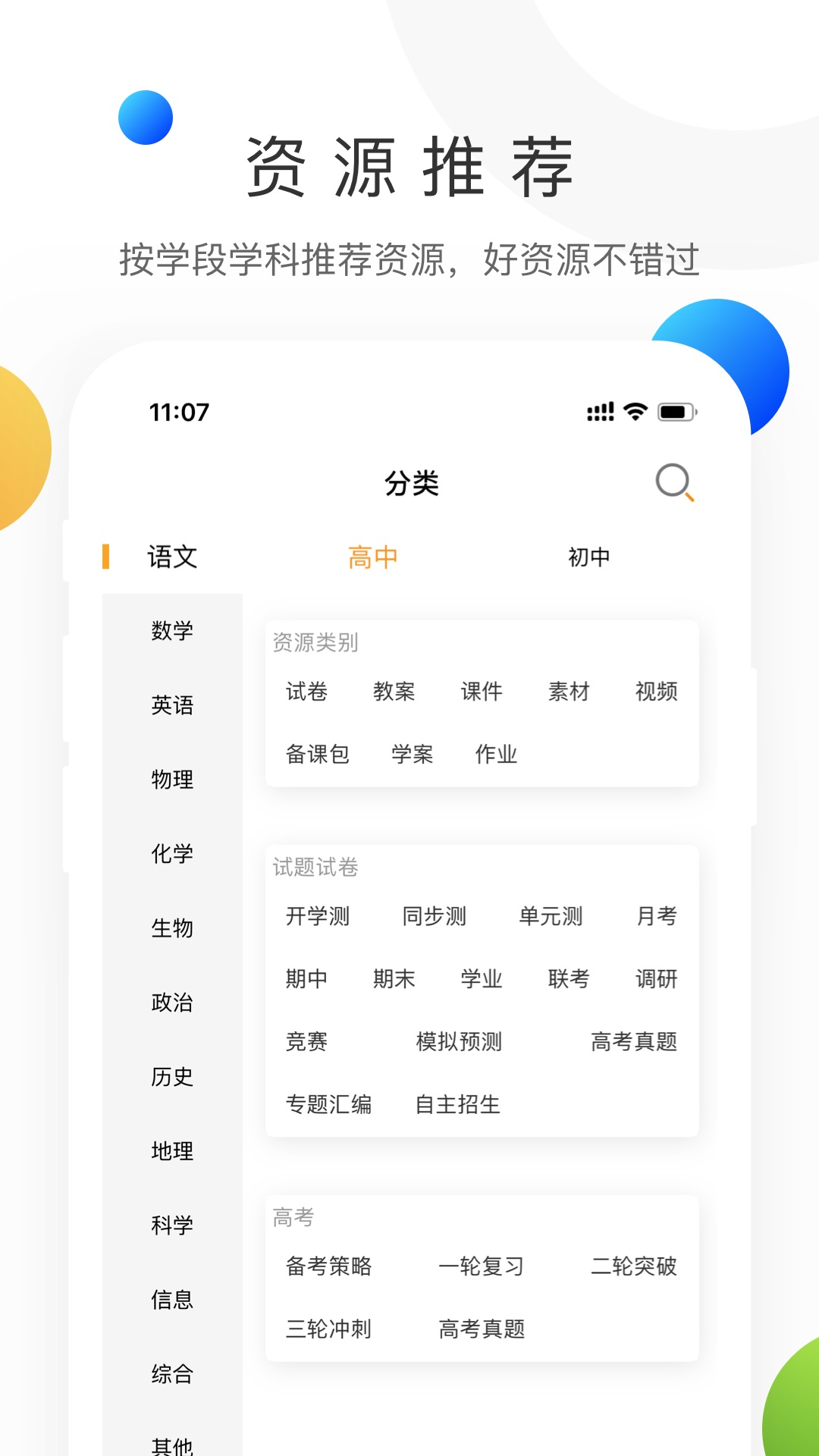
Subject NetworkPC versionSoftware Highlights
1. Subject Network cooperates with Rubik's Cube to create a professional homework platform for primary, secondary and high schools.
2. The material content covers subjects: languages, mathematics, physics, chemistry, biogeography, history and politics, and information science.
Subject NetworkPC versionSoftware FAQ
How to search for what you want on the subject networkcourses?
1. First download the subject website and click search
2. You can see a lot of relevant information
3. Click to view to view
How to make money by uploading courseware on Keke.com?
1. First enter our official subject website and click Upload Resources in the upper right corner
2. Click to upload now
3. Upload the courseware resources you have made and wait for users to download them to earn money.
The basic process of withdrawing money from the subject network
1. Cash withdrawal function entrance
1) Log in to the subject website and click "Personal Center" as shown in the picture.
2) Enter the personal center interface and click "My Assets-Withdrawal".
Note: Only when there is cash in the account, the "Withdrawal" page will be displayed in the "Account Settings-Asset Management" column of the user's personal center.
2. Real-name authentication
Step 1: Entering the withdrawal interface requires real-name authentication - name and ID card.
Note: The name and ID card information must be consistent with the account number of the subject network and the information in the contract signed by the subject network.
Step 2: Real-name authentication - fill in the bank card information, this part will be online to verify whether it is consistent. If a bank card already exists, it will be automatically recalled. You can directly modify it on this basis or directly confirm the card and go to the next step.
Step 3: Electronic signing of cloud account
3. Applymentionnow
(1) Click "Withdraw - Apply for Withdrawal" and fill in the withdrawal amount, verification code and other information.
Note: The amount of a single cash withdrawal must be greater than or equal to 50 yuan.
(2) After filling in the information completely, click "Apply for Withdrawal" to submit the "Withdrawal Application". After that, you will enter the financial review process. You can see the progress and information about the withdrawal in the "Withdrawal Record".
4. Account management
If you need to change/delete a bank card, please click Account Management to perform related operations. The following is the process for modifying a bank card:
(1) Click "Withdrawal - Account Management" to enter the "Account Management" page, click "Modify" to enter the page to modify the bank card.
(2) Modify the corresponding information according to personal needs.
5. Withdrawal records
After successfully applying for withdrawal, you can check the withdrawal progress on the "Withdrawal Record" page.
(1) After the initial review by the Finance Department, the status of the account changes to pending payment.
(2) Every Monday and Thursday, after the Finance Department verifies the information and the payment is completed, the account status will be paid.
(3) During this process, if the payment fails due to errors in the bank card number and other information filled in by the individual, it will be returned.
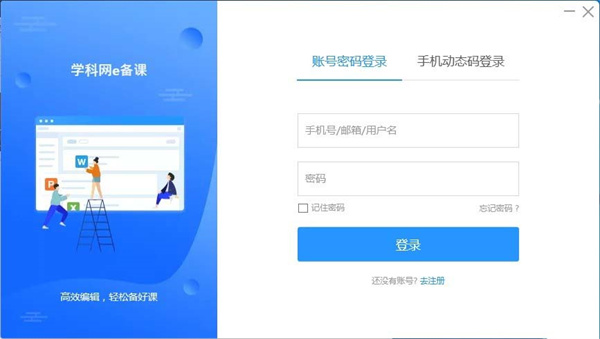
How to download courseware in Subject Network e-lesson preparation?
Double-click to open the subject network e lesson preparation software, and the software login pop-up box will pop up. Fill in the corresponding information in the mobile phone number input box and password input box in the pop-up box. After confirming that everything is correct, click the "Login" button to complete the software login.
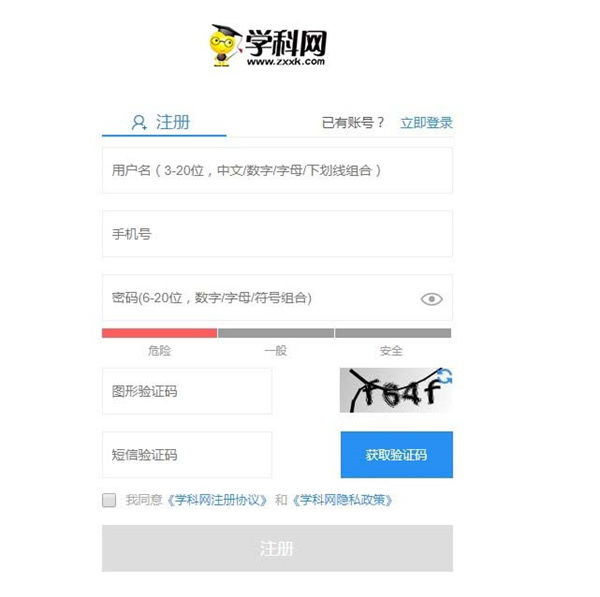
If you have not registered an account, click the "Register" button in the login pop-up box to enter the software registration interface, enter your user name and mobile phone number in the designated area, obtain and fill in the SMS verification code, and submit after completing other necessary information to complete the account registration.
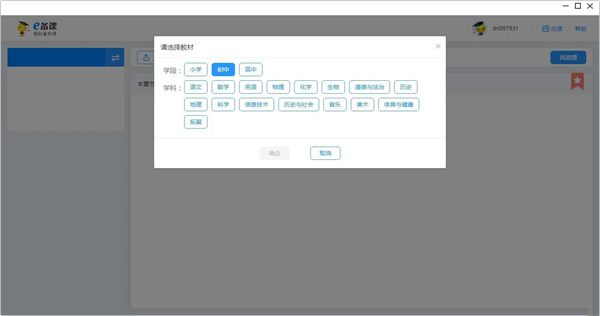
After completing the login or registration process of the software, you can enter the main lesson preparation interface of the software; for users who enter the software for the first time, the system will automatically pop up a guide window for selecting lesson preparation textbooks, and they need to select the corresponding academic period, subject and textbook version according to their own teaching needs.
After completing the selection and confirmation of the teaching materials, the system will automatically recommend some suitable lesson preparation courseware materials to the user based on the selected teaching materials. The materials cover different lesson contents of the corresponding teaching materials.
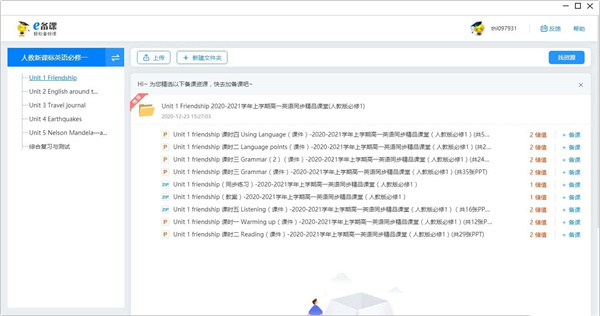
In the list of recommended courseware materials, click on the target courseware to enter the courseware content details interface; the interface supports operations such as paged browsing and content zooming, making it convenient for users to fully preview the courseware content.

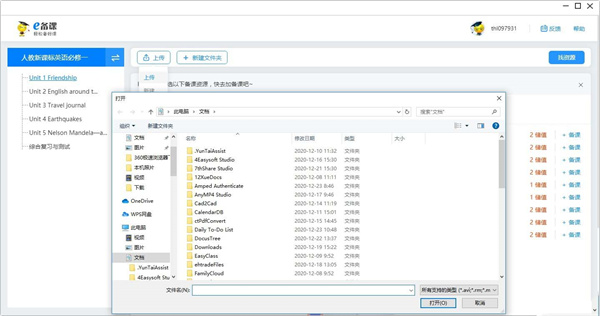
In the courseware content interface or the main functional area of the software, click the "Upload" button to pop up a local file selection window. Select the local courseware file to be uploaded (supports common formats such as PPT and Word). After confirming the file, you can upload it to the software. After the upload is completed, it can be shared with others or saved in the cloud.
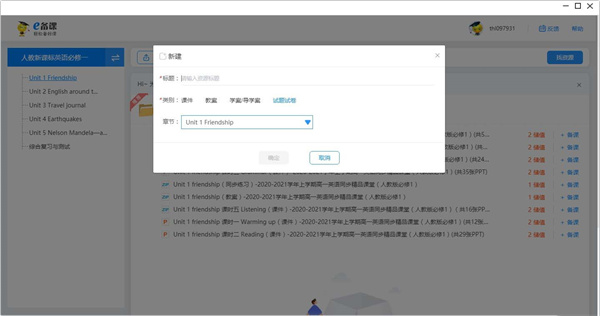
In the function menu bar of the main software lesson preparation interface, click the "New" button and select "New Courseware" from the drop-down option. Then you can start creating lesson preparation courseware based on a blank template, subject template or self-designed framework.
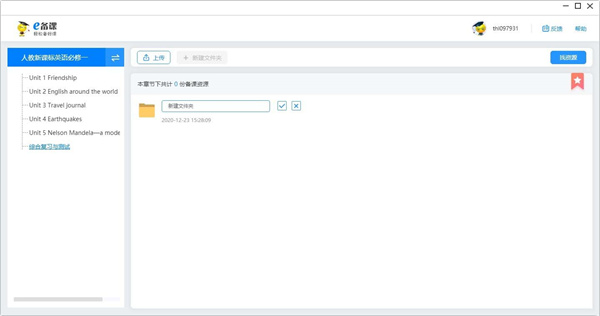
If you need to manage courseware resources by category, click the "New Folder" button in the resource management area of the software or the main lesson preparation interface, enter the folder name in the pop-up naming window (such as "Eighth Grade Chinese Language Volume 2 Courseware Collection"), and click Confirm to complete the folder creation.
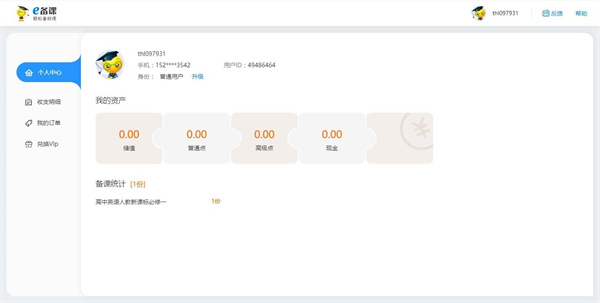
Click the personal icon button in the upper right corner of the software's main interface (usually in the avatar style or with the "My" logo) to enter the personal center interface; in this interface, you can perform operations such as account security settings, personal information modification, and learning record query.
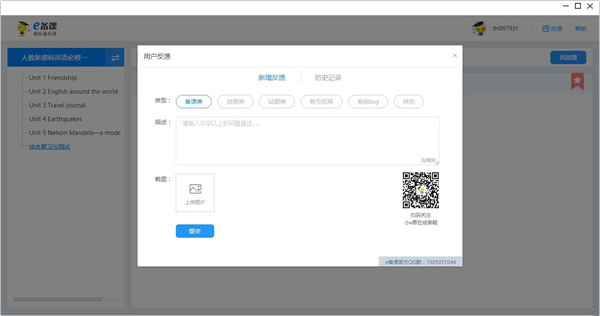
At the bottom of the software's main interface or in the personal center interface, click the "Feedback" button to pop up a user feedback pop-up box. In the "Description Content" input box of the pop-up box, fill in the problems encountered, operation scenarios and other information in detail. After confirming that the content is correct, click the "Submit" button to complete the feedback submission.
Installation steps
Special note: The installation package provided by Huajun Software Park contains the Android emulator and software APK files. For the computer version, you need to install the emulator first and then install the APK file.
1. First download the installation package from Huajun Software Park. The software package contains an Android emulator exe installation program and an APK file and unzip it. First click on the exe program to install the lightning simulator.
2. Double-click "Lightning simulator.exe" file to enter the installation interface. Users can click "Quick Installation" to select the system's default installation address for installation, or click "Custom Installation" to choose the installation path. Custom installation is recommended here.
3. WaitingLightning simulatorAfter the installation is complete, click "Try Now" to open the emulator.
4. Enter the main interface of the lightning simulator and clickRight column APK iconSelect the "Local APK Install" button.
5. In the pop-up window, click on the decompressed APK file, and then click to open.
6. After that, the software will enter the installation process. You need to wait for a moment. After the software installation is completed, it will appear in my software list. Click the icon and double-click to open it.






Subject NetworkPC versionUpdate log:
v3.1.16 version
Download process optimization
Full printing support
Optimize the display of light membership cards and coupons
Improvement and improvement of some functions and experiences
Optimization of file download and opening methods
APP online optimization
Added batch deletion and address optimization functions
pad data adaptation
Connect with new version of customer service
Orange Learning Payment Optimization
QR code scanning jump optimization
Third-party account login optimization
Optimization of pop-up copywriting in the risk control section
APP supports binding WeChat
The subject network APP reversely analyzes data and reports it to the data warehouse
Add album error detection function
The risk control pop-up box supports binding to WeChat
My collection supports search
Chengzixue identity selection pop-up window optimization
Optimized display of continuous monthly payment methods for light-enjoyment members on the teacher's side
Fix known issues and improve user experience
Huajun editor recommends:
This software of Keke.com is completely fool-proof and super simple. In addition, the editor also recommends it.Homework Help 2021,Seewo College,Master of Laws Postgraduate Entrance Examination,Driving school test subject one,Chinese Examination Online SchoolDownload and use related software.










Useful
Useful
Useful