






Functions of subject network e-lesson preparation software
Massive resource library
Covering all subjects: primary school, junior high school, and high school, mainstream subjects such as Chinese, mathematics, and English, and minor subject resources such as music, sports, and art.
Rich resource types:
Courseware: PPT/PPTX format, including animation and interactive elements, supporting direct editing.
Lesson plan: Detailed design for each lesson, including teaching objectives, key and difficult points, teaching process, etc.
Test questions: unit tests, mid-term and final papers, high school entrance examination and college entrance examination real questions, support paper composition function.
Materials: pictures, videos, audios, mind maps and other teaching aids.
Complete versions: the People's Education Edition, Beijing Normal University Edition, Jiangsu Education Edition and other mainstream textbook versions are fully covered.
Intelligent lesson preparation tools
Generate lesson plans/courseware with one click: Enter a topic or knowledge point, and the system will automatically recommend relevant resources and support quick combination into a complete lesson plan or courseware.
AI-assisted design:
Intelligent typesetting: Automatically adjust courseware fonts, colors, and layouts to comply with teaching standards.
Content optimization: Recommend teaching strategies (such as inquiry-based learning, group discussions) based on teaching objectives.
Subject tool integration:
Mathematics: Geometry Sketchpad, Formula Editor.
Physics/Chemistry: Experimental simulation animation, 3D molecular model.
Chinese: ancient poetry recitation, classical Chinese translation tools.
Collaborative lesson preparation and sharing
Multi-person collaboration: supports a team of teachers to jointly edit the same lesson plan or courseware online and modify records synchronously in real time.
School-based resource library: The school can establish an exclusive resource library to accumulate high-quality lesson preparation results for teachers in the school to share.
Cross-school exchanges: Through the subject network community, exchange resources or jointly prepare lessons with teachers from other schools.
Cross-platform compatibility
Web side: no installation required, direct browser access, supports Windows/macOS systems.
Mobile terminal: The Subject Network APP (iOS/Android) can synchronize the lesson preparation progress and view or modify it at any time.
Offline use: After downloading the resources, you can edit them in a non-network environment (need to be cached in advance).
Features of Subject Network e-lesson preparation software
Ease of operation
Zero-based friendly: drag-and-drop resource addition, one-click format adjustment, lowering the technical threshold.
Template-based design: Provides a large number of preset templates (such as new lesson introduction, class summary) to quickly build a lesson preparation framework.
Security and copyright protection
Resource review mechanism: All uploaded resources must be manually reviewed by the subject network to ensure that the content is accurate and error-free.
Copyright Statement: Clarify the scope of resource use (such as prohibiting commercial sales) and protect the rights of original authors.
Personalized customization
Academic situation analysis: Recommend hierarchical teaching plans (such as basic questions/expanded question combinations) based on student performance data.
Teaching style adaptation: Supports adjusting courseware styles (such as lively, rigorous) to match the teacher's personal characteristics.
Continuous updates
Keep up with the curriculum standards: The resource database is regularly updated to comply with the latest curriculum standards (such as the 2022 version of the compulsory education curriculum standards).
Hot topic coverage: Added current hot topics and interdisciplinary integration cases (such as homework design under the “double reduction” policy).
Subject Network e-lesson preparation installation steps
1. Download the installation package of the Subject Network e-lesson preparation in Huajun Software Park, double-click the exe program to enter the installation interface, and click Custom Installation
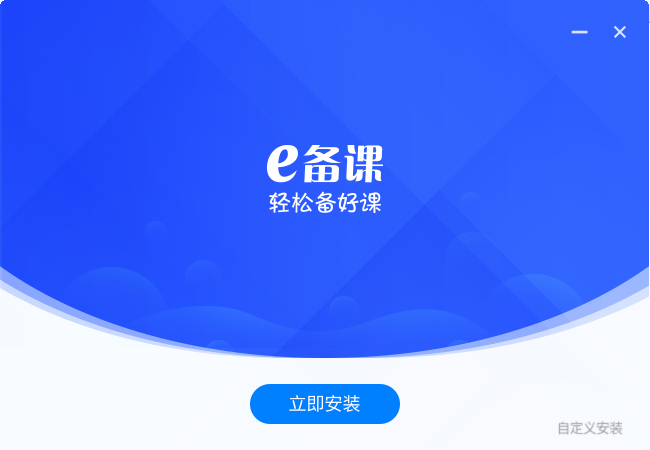
2. Click "Browse" to select the installation path, and click Install Now

3. The software is being installed, please wait patiently.

4. The installation is complete, click to experience it now

Frequently Asked Questions on Subject Network e-Lecture Preparation
How to solve resource download failure?
Check the network connection → clear the browser cache → try changing the browser (such as Chrome/Edge).
Confirm account permissions (free users are limited to downloads per day, and can increase the number by completing tasks).
The animation in the courseware cannot be played?
Make sure to use Microsoft PowerPoint or the latest version of WPS to open it (some animation effects require support from Office 2016 or above).
Avoid directly modifying the internal structure of the PPTX file. It is recommended to edit it through the e-lesson preparation platform and re-export it.
How to download courseware in Subject Network e-lesson preparation?
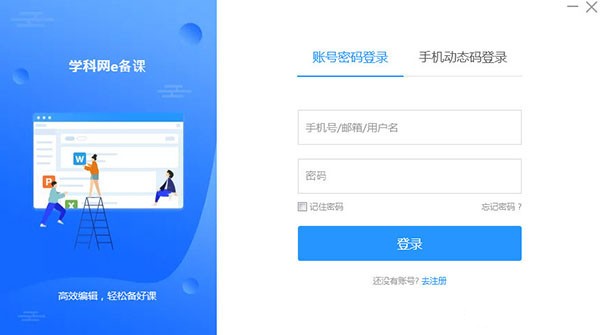
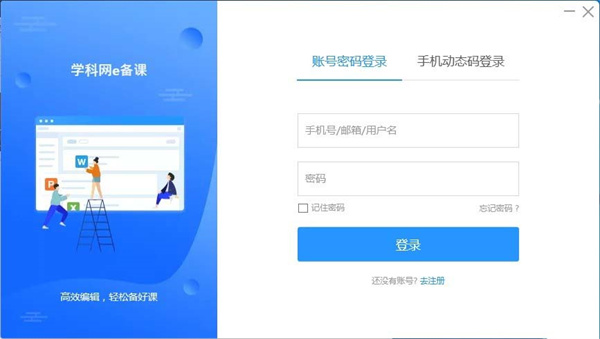
Double-click to open the subject network e lesson preparation software, and the software login pop-up box will pop up. Fill in the corresponding information in the mobile phone number input box and password input box in the pop-up box. After confirming that everything is correct, click the "Login" button to complete the software login.
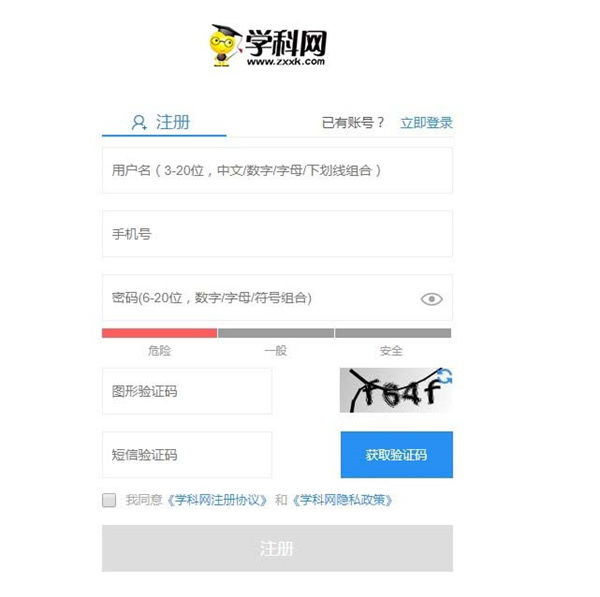
If you have not registered an account, click the "Register" button in the login pop-up box to enter the software registration interface, enter your user name and mobile phone number in the designated area, obtain and fill in the SMS verification code, and submit after completing other necessary information to complete the account registration.
After completing the login or registration process of the software, you can enter the main lesson preparation interface of the software; for users who enter the software for the first time, the system will automatically pop up a guide window for selecting lesson preparation textbooks, and they need to select the corresponding academic period, subject and textbook version according to their own teaching needs.
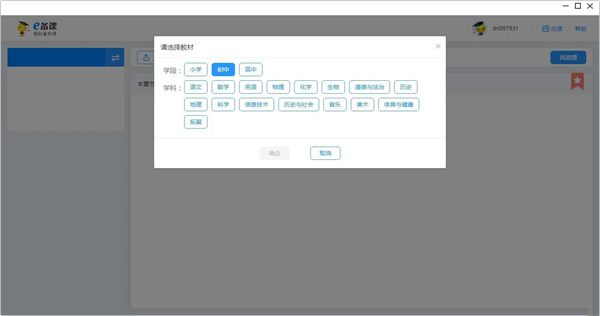
After completing the selection and confirmation of the teaching materials, the system will automatically recommend some suitable lesson preparation courseware materials to the user based on the selected teaching materials. The materials cover different lesson contents of the corresponding teaching materials.
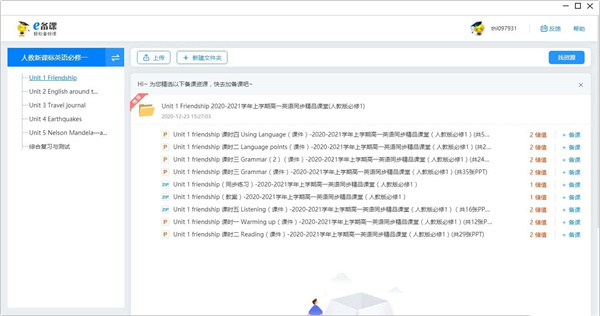
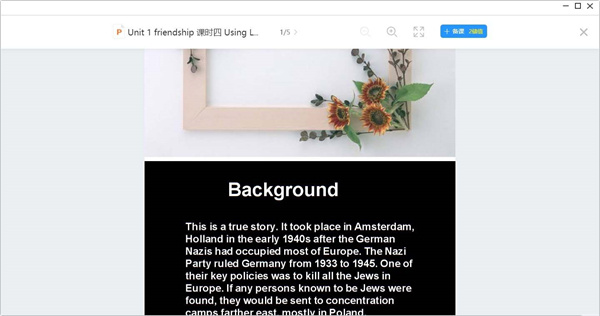
In the list of recommended courseware materials, click on the target courseware to enter the courseware content details interface; the interface supports operations such as paged browsing and content zooming, making it convenient for users to fully preview the courseware content.
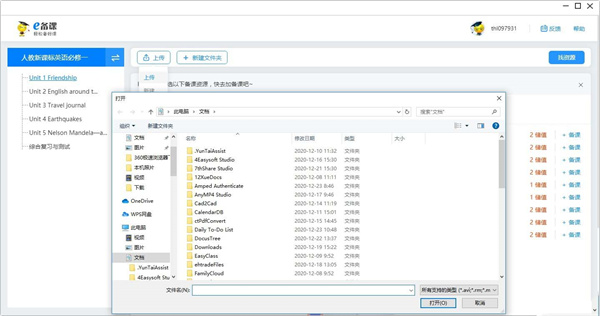
In the courseware content interface or the main functional area of the software, click the "Upload" button to pop up a local file selection window. Select the local courseware file to be uploaded (supports common formats such as PPT and Word). After confirming the file, you can upload it to the software. After the upload is completed, it can be shared with others or saved in the cloud.
In the function menu bar of the main software lesson preparation interface, click the "New" button and select "New Courseware" from the drop-down option. Then you can start creating lesson preparation courseware based on a blank template, subject template or self-designed framework.
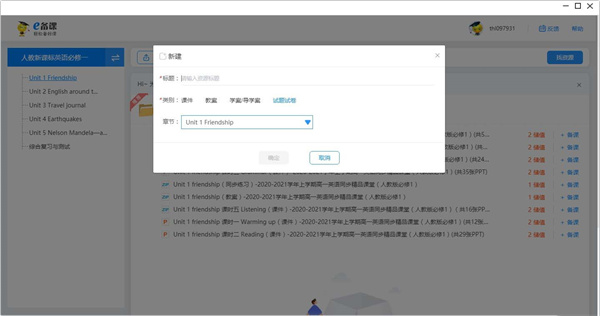
If you need to manage courseware resources by category, click the "New Folder" button in the resource management area of the software or the main lesson preparation interface, enter the folder name in the pop-up naming window (such as "Eighth Grade Chinese Language Volume 2 Courseware Collection"), and click Confirm to complete the folder creation.
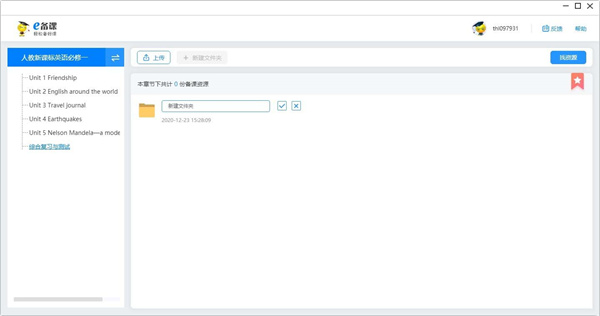
Click the personal icon button in the upper right corner of the software's main interface (usually in the avatar style or with the "My" logo) to enter the personal center interface; in this interface, you can perform operations such as account security settings, personal information modification, and learning record query.
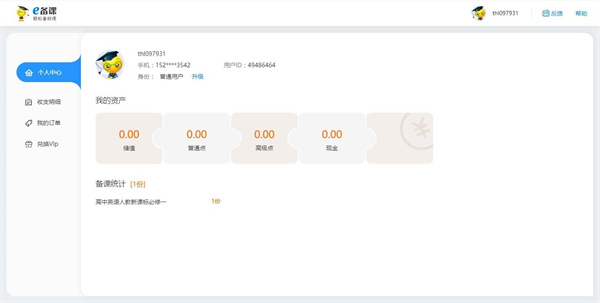
At the bottom of the software's main interface or in the personal center interface, click the "Feedback" button to pop up a user feedback pop-up box. In the "Description Content" input box of the pop-up box, fill in the problems encountered, operation scenarios and other information in detail. After confirming that the content is correct, click the "Submit" button to complete the feedback submission.
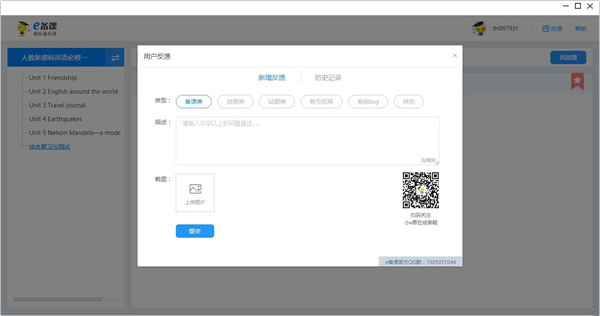
Subject Network e-lesson preparation update log
1: Optimized performance
2: We are serious about solving bug problems
Huajun editor recommends:
Subject Network e-lesson preparation software is a very practical software. After continuous optimization, its functions are very good. It is highly recommended for users who need the download experience. In addition, it is also recommended for everyone to use.Bertso Cloud Academy Student Portal,seewo class optimization master,Spark Thinking Student Terminal,Xuebajun 1 to 1 teacher version,101 Smart Classroom Teacher TerminalWait, come and download it








Useful
Useful
Useful