




Class Scheduling Expert Software Functions
用途广泛:编排打印出各级各类学校的课表、监考表、校历、年历、作息时间表、行事历、教学进度表,可以临时调课、代课,统计教师的工作量和课时津贴,统计学生成绩,给学生分班。
Highly flexible: After the class schedule is arranged, you can go back and modify the class curriculum settings, teacher division of labor and other scheduling data with minimal changes to the class schedule.
High reliability: Since 1989, after more than 20 years of countless improvements, it has been used and tested in thousands of schools of all types.
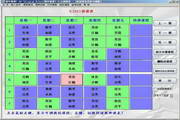
Powerful functions: Five class scheduling methods can meet any class scheduling requirements. You can arrange morning and evening self-study timetables, and you can take classes in the same class or on alternate weeks. No classes will be scheduled in periods specified by the teacher. Class schedules and teacher schedules are displayed on the same screen, making it easy to adjust classes.
Easy to use: In addition to the function of inputting class schedule data, you can also import various class schedule data from Excel. You can import class schedule data from the old school year and automatically form a data file for the new school year. In addition to the built-in printing function, you can also export various generated tables to Excel and automatically set the format according to the user's choice.
Features of Course Scheduling Master Software
1. Particularly powerful functions:
1. Main functions: Arrange and print class schedules, temporarily adjust classes, change classes, and substitute classes.
2. Auxiliary functions: arrange and print invigilation forms; arrange and print school calendars and business calendars; count teachers’ workload and class allowances.
2. Long history and great fame:
After 15 years of numerous improvements.
"China Computer Education News" introduced this software three times in Issue 41 of 2000, Issue 1 of 2001, and Issue 34 of 2002. The "Network Technology Times" magazine under the supervision of the Ministry of Education, Issue 6 of 2001, and "Education Times" also introduced this software. The supporting CD of "Learn Computer" magazine, Issue 3 of 2004, included this software. It ranks among the top among similar software on many websites.
3. Applicable to a wide range of schools:
It can be used in colleges and universities, general middle schools, vocational middle schools, secondary vocational schools, cram schools, multi-year schools, and kindergartens.
4. Flexible condition setting:
1. Class schedule:
The selection range for the number of class days per week is 1~7.
The selection range for the number of classes scheduled per day is 1~13.
Class schedules are arranged in two ways: horizontal and vertical.
2. To the class:
The selection range for the number of grades in the school is 1~17, and the selection range for the number of classes in each grade is 0~60.
You can customize the names of grades and classes. The number of characters in the class name ranges from 3 to 6, and the long class name can be up to 12 characters.
You can customize the order of classes so that difficult classes can be arranged first.
3. For courses:
There can be up to 999 courses. The name of the course can be customized. The number of characters in the course name ranges from 2 to 6. Long course names can be up to 12 characters. The designated course schedule for each course requires each course to designate a dedicated classroom. Schedule classes automatically or as scheduled by the user. Classes can be arranged uniformly for the whole school, the whole grade or multiple classes, and cross-class electives can be arranged. The same course in the same class can be taught by multiple teachers. Arrange extracurricular activities and morning and evening self-study.
5. Teacher advantages:
There can be as many as 998 teachers. Can teach across subjects and grades. Arbitrarily arrange for teachers not to schedule classes in designated periods, so that couples can not schedule classes at the same time. Some teachers do not schedule both the last period in the morning and the first period in the afternoon on the same day, or do not schedule both the last period in the afternoon and the first period in the evening. Specify the maximum number of lessons a teacher can schedule per day. Let some teachers arrange their classes as consecutively as possible within half a day. Arrange teaching and research activities and faculty meetings. Teaching and research activities can be arranged differently in junior high schools and high schools in complete secondary schools or in primary and secondary schools in multi-year schools. For teachers whose names are not yet known, the Chinese character code can be used instead.
6. Elegant classroom environment:
There can be up to 999 dedicated classrooms.
The number of characters in the classroom name can be selected from 2 to 6.
You can choose a classroom with appropriate capacity according to the class size
7. Easy and reliable to use:
Can automatically save entered data.
You can interrupt typing at any time and continue typing later.
You can automatically save a backup of your course schedule files.
There are several ways to speed up data entry.
There are many measures to prevent users from misoperation.
You can import the data from the previous class schedule file.
Two passwords can be set by the user to ensure data security.
8. High degree of intelligence:
输入课程名称时智能确定课程的简称。
Intelligent judgment of teachers participating in various scientific, teaching and research activities.
Intelligently determines which sections of a unified course can and cannot be scheduled.
can intelligently determine the display method that can be used for the class schedule.
Intelligently choose the best display method for class schedules when scheduling classes.
When scheduling classes, the order of each course is intelligently determined based on the difficulty of the class.
When arranging classes, intelligently determine whether consecutive classes are required.
When arranging, intelligently determine the sections that must be arranged, can be arranged, and cannot be arranged.
Class scheduling intelligently determines whether there is any inconsistency in the progress of each class in each teacher's class schedule.
When adjusting classes, intelligently determine the classes that must be adjusted, can be adjusted, are prioritized, and cannot be adjusted.
After arranging classes, you can intelligently conduct 10 types of checks on the class schedule.
9. Various printed class schedules:
There are 4 printing methods, 9 types of timetables, and countless timetable formats. You can view and print classes, teachers, classrooms, subjects, grades, school timetables and empty timetables. What you see is what you get, and the printed timetables are neat and beautiful. When printing the timetable, you can add empty classes, add blank morning self-study, or change Section 1 to morning self-study.
The printed timetable has two options: horizontal and vertical. You can choose the font size and font of the timetable.
You can view and print seven statistical reports, including the school schedule setting table, class curriculum table, teacher's teaching status table, subject teacher table, grade teacher table, class teacher table, and unified class timetable, as well as school calendars and calendars.
In addition to the built-in printing function, you can also use EXCEL, WPS, Word and other software to edit, layout and print the class schedule, and you can transfer the class schedule into EXCEL, WPS, Word format.
You can print the class schedule from a computer that does not have this software installed.
10. Scheduling classes is fast and easy:
There are three methods: "computer automatically schedules classes continuously", "computer automatically schedules classes one by one" and "computer-guided manual schedule". You can also "manually schedule" some courses in a class first, and then use "computer automatically schedules classes one by one" to arrange the remaining courses. During "manual scheduling", the system indicates the positions that must be scheduled, the positions that can be scheduled, and the positions that cannot be scheduled.
How to use class scheduling expert
How do experts in scheduling classes schedule classes?
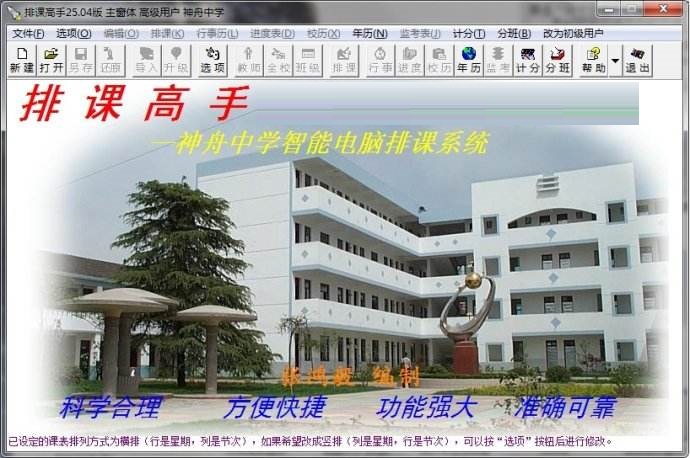
1. Download and double-click to open the course scheduling master.
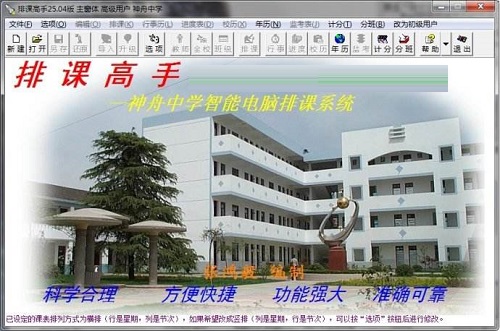
2. Create or open a new course schedule file.
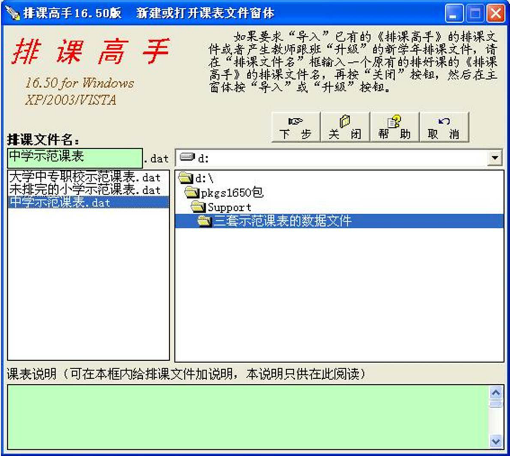
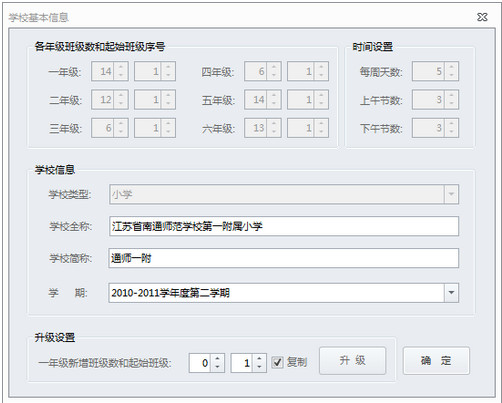
3. Configure the system and click OK on the lower right after the settings are completed.
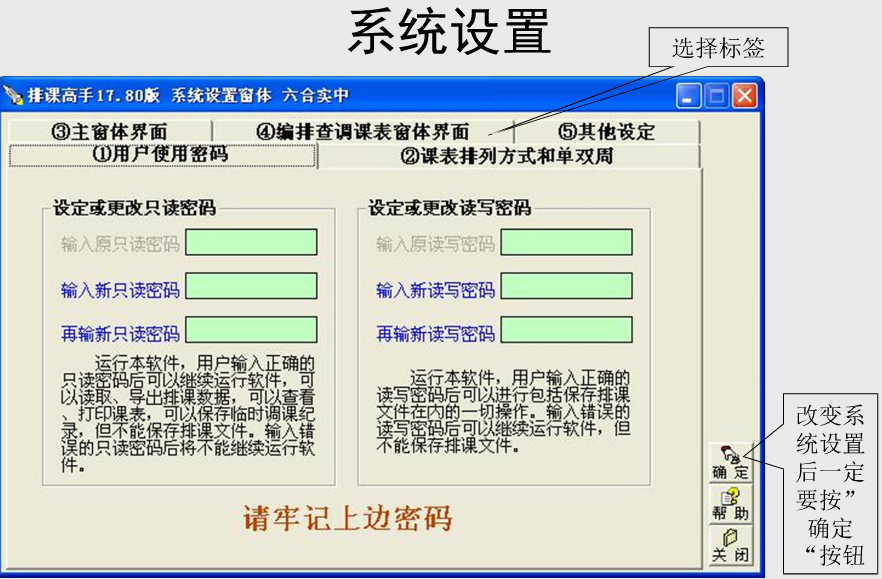
4. After all the information is set, class scheduling can begin.
Course Scheduling Master update log:
Improvements in version 30.87 (September 15, 2025):
(1) The second page of the "School Scheduling Conditions" window solves the problem that there are many duplicate course abbreviations that are automatically generated when there are many imported courses.
(2) The name of the button "All course abbreviations are 2 characters" on page 2 of the "School Scheduling Conditions" window is changed to "Automatically modify course abbreviations so that they are all 2 characters with as few repetitions as possible", and the name of the button "All course abbreviations are 1 character" is changed to "Automatically modify course abbreviations so that they are all 1 character with as few repetitions as possible". Improved the functions of these two buttons.
(3) Add the "Unified Class Teacher" text box under the "Class" box on the "Uniform Class" page of the "School Scheduling Conditions" window.
(4) Add "Course Name and Its Abbreviation Table" to the "Project" box of the "Print Export" window.
(5) The "Print Export" window solves the problem of being unable to enter custom values for row height and column width.
(6) The "Print Export" window solves the problem of note symbols appearing in the exported table.
(7) The "Print Export" window has optimized some display formats.
(8) The "All class names plus brackets", "All class names plus the word "class"" and "Class names changed from 1 digit to 2 digits" multiple check boxes have been deleted from the home page of "School-wide Conditions".
(9) Corrected the errors in the detailed teacher timetable in the "Scheduling and Adjustment" window of previous versions.
(10) Corrected the error in previous versions that the vertical alignment within the grid of the exported curriculum in the "Print Export" window could not be centered.
(11) Some anti-piracy measures have been adjusted.
(12) Added some error prevention and automatic error correction measures.
(13) Optimized the function of saving backup files, so that there are more opportunities to restore files when they are damaged.
(14) Save all backup files in the folder "D Course Scheduling Master Backup Files" for easy search.
Huajun editor recommends:
Say goodbye to junk software, Class Scheduling Master is a green and safe software, the editor has personally tested it! Our Huajun Software Park serves you wholeheartedly. There are alsoBertso Cloud Academy Student Portal,seewo class optimization master,Spark Thinking Student Terminal,Xuebajun 1 to 1 teacher version,101 Smart Classroom Teacher Terminal, available for you to download!










Useful
Useful
Useful