




Features of the computer version of Leyte Arabic Learning
[Walman Learning] Use your spare time to learn Arabic anytime, anywhere. Learn Arabic easily in 5 minutes a day.
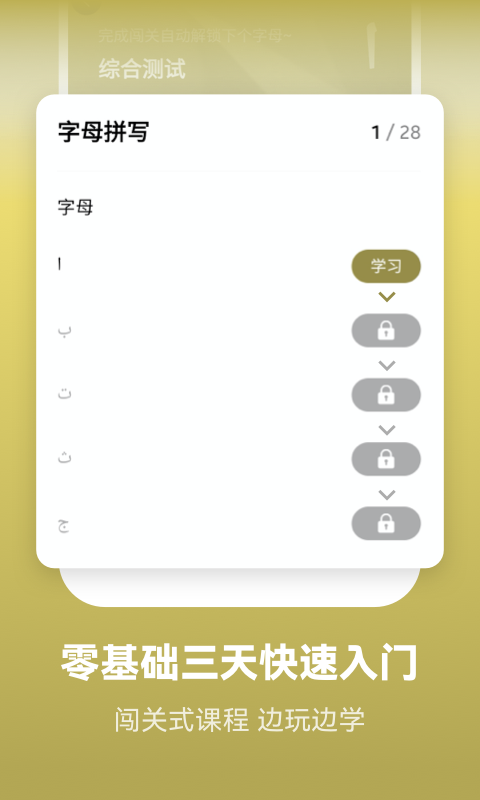
[Arabic Alphabet] Standard pronunciation of Arabic by real people, you can record and follow it to learn, and easily master the Arabic letter glyphs and Spanish pronunciation.
[Memory Curve to Memorize Words] Use Ebbinghaus's scientific plan of memory and forgetting curve to review properly and memorize words more easily.
[Multiple question types of exercises] Review methods specially designed for Arabic learners, such as listening to identify meanings, selecting words by listening, writing words by listening, spelling words, and listening to shorthand, are both educational and entertaining, making Arabic learning no longer boring.
Wright Arabic vocabulary learning software will accompany you all the way on your Arabic learning journey. It is thoughtfully customized and provides one-to-one service. You can keep track of your learning progress at any time and solve any problems that arise during learning, without being limited by time and space. The learning progress can be followed up at all times, and you can easily understand your own learning situation, saving worry and effort. At the same time, you can also easily display the learning review progress, which facilitates timely review and reinforcement. With the learning progress at hand and the study plan formulated, you no longer have to worry about learning Arabic.

Installation steps
Special note: The installation package provided by Huajun Software Park contains the Android emulator and software APK files. For the computer version, you need to install the emulator first and then install the APK file.
1. First download the installation package from Huajun Software Park. The software package contains an Android emulator exe installation program and an APK file and unzip it. First click on the exe program to install the lightning simulator.

2. Double-click "Lightning simulator.exe" file to enter the installation interface. Users can click "Quick Installation" to select the system's default installation address for installation, or click "Custom Installation" to choose the installation path. Custom installation is recommended here.

3. WaitingLightning simulatorAfter the installation is complete, click "Try Now" to open the emulator.

4. Enter the main interface of the lightning simulator and clickRight column APK iconSelect the "Local APK Install" button.

5. In the pop-up window, click on the decompressed APK file, and then click to open.

6. After that, the software will enter the installation process. You need to wait for a moment. After the software installation is completed, it will appear in my software list. Click the icon and double-click to open it. 
Leyte Arabic learning computer version update log:
1. Optimize content
2. The details are more outstanding and bugs are gone.
Huajun editor recommends:
The computer version of learning Arabic in Leyte has always been a common educational method for most netizens. Its dominant position in the minds of netizens can be seen. It is strongly recommended that users download and use the computer version of learning Arabic in Leyte. Come to the Huajun Software Park to download it. In addition, there areHomework Help 2021,Homework Help 2021,Seewo College,Driving school test subject one,Chinese Examination Online SchoolAvailable for download.




Your comment needs to be reviewed before it can be displayed