




- Green versionView
- Green versionView
- Green versionView
- Green versionView
- Green versionView
OpticalFlares software features
1. 3D lens flare
2. Intuitive design interface
3. Seed preset library
4. Real texture
5. Dynamically trigger animation
6. Color difference
7. Use AE default lights to create 3D lens flares
8. Real-time visualization preset library
9. Support up to 32 BPC colors
10. 112 unique camera objects
11. 150 custom object lenses
12. The preview window pops up
13. Rename, rearrange and objects
14. Display BG in the preview window
15. Integrated copy and paste
16. Copying objects and undo/redo
17, 60 built-in presets (included)
18. Real lens presets
19. Sharing and exchanging presets
20. Save all settings in one place
21. Save and reuse individual objects
22. Expand and create new defaults
OpticalFlares Software Advantages
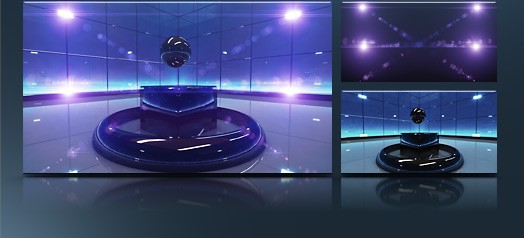
3D Lens Flare
Optical Flares will automatically calculate size and intensity based on your 3D light source.
*Generate lens flare from AE 3D lights
*Works with lights exported from 3D applications
*Create multiple flares using 1 instance of "Optical Flare"
*Choose to render the glow only for specific lights
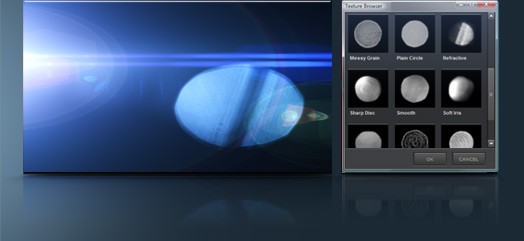
Realistic textures
Add realism and lens artifacts from actual photographic elements to create the most realistic lens flares ever!
*Over 25 built-in textures to choose from
*Use custom layers from your project in flares
* Automatically rotate textures toward light for realistic movement
*Custom layers can be still or animated
Dynamic triggering
Static lens objects are brought to life with dynamic triggering, creating natural animations without keyframes!
*Recreate organic animations using several trigger types
*When the flare leaves the frame, a flash of light is produced
*The iris element changes size as it drifts
*Trigger areas can be previewed for precise animation

OpticalFlares software features
On-camera simulation
Simulates visible dust and scratches on light sources. Includes 12 HD lens textures or use your own.
3D occlusion
Mask the layer with alpha or brightness to simulate a light source moving behind an object in the foreground. Works with 2D and 3D layers!
Brightness tracking
Generate lens flares from highlights in your video, such as particle systems or mask layers. Control resolution and threshold.
Mask positioning
Lens flares can be easily animated along the contours of complex shapes. Ideal for detailed shapes that require additional keyframes.
Automatic flash
Add smooth sparkle to elements with self-propelled animations. Just set the amount and speed of the animation. -No keyframes!

Color difference
Simulates realistic color bleeding outside the lens. This effect also helps make lens flares look more organic and natural.
The lights are flashing
Randomly flashing lights make each light source’s seeds look more vibrant. Choose from Smooth or Twitchy.
Supports 32-bit and GPU
The optical spot can render up to 32 bpc, providing high color fidelity and increased speed through graphics card acceleration.
Flexible core objects
Build stunning lens flares by using 12 powerful core objects. These elements provide unparalleled flexibility with detailed control settings.
Accurate translation
Control the position of each object via distance, offset and custom translation. These features are essential for building morphing elements.
OpticalFlares installation steps
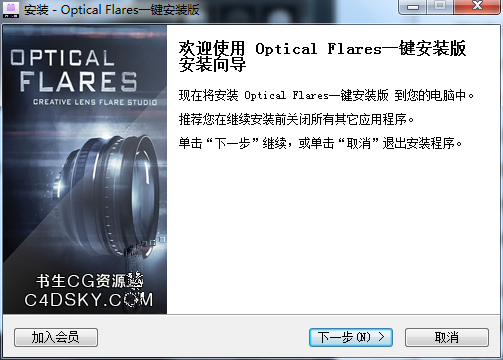
1. Download OpticalFlares from Huajun Software Park and extract it to the current folder. Click on the OpticalFlares135.exe application to enter the installation wizard interface, and then click Next.
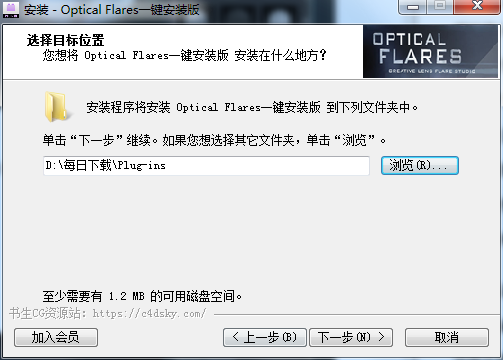
2. Select the software installation location interface. Huajun editor recommends that users install it on the D drive, select the installation location and click Next.
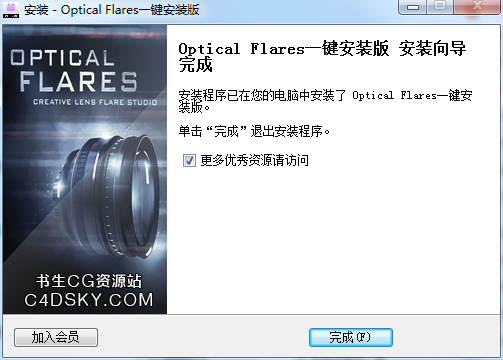
3. The installation of OpticalFlares is completed, click Finish.
OpticalFlares Instructions for Use
Animation background production
Create a new solid color layer and change the name to background layer. Select [Effect - Generate - Gradient] to modify the gradient color, and change [Gradient Shape] to a radial gradient.
Light point animation effects
Create a new solid color layer and change the name to light point layer. Use the Ellipse tool to draw an elliptical mask path as the movement trajectory of the subsequent light points. Select [Effect - Generate - Outline] and set the parameter values of [Outline] to create the initial effect.
At the position of 20 frames, modify the style of the mask path and the various parameter values of [Outline] to create the animation of the end of the light point rotation. And change the opacity of the light point to 0, go back a few frames and change the opacity of the light point to 100%.
Flowing sphere animation
Create a new solid color layer and change the name to halo layer. Add [Effect——Video Copilot——Optical Flares] Creates halos. And move the halo position to the center point of the composition.
Select [Effect - Distort - CC Flo Motion] creates a distortion effect and moves the position of Knote1 to the center point of the composition. Change the value of Amont1 to -12. Make the halo form a halo.
Create a new solid color layer, use the Ellipse tool to draw a small elliptical mask path, and copy the mask path. Select the position of 0s, in the halo layer [Optical Paste the path in [PositionXY] of Flares, and add a loop expression to the [PositionXY] attribute, so that the flowing sphere will rotate.
At the position of 0s, modify the [Brightness] value of [Optical Flares] to 0, and at the position of 5 frames, modify the value to a suitable size.
Move the halo layer back to frame 15 so that the animation is connected.

OpticalFlares FAQ
Q: How to uninstall OpticalFlares software?
Answer: Method 1: Install and open the computer manager software, select the software management option, click the uninstall option, find the OpticalFlares software in the list, and click uninstall
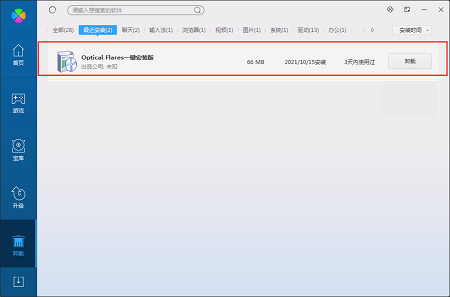
Method 2: Install and open360 software manager, find the OpticalFlares software in the list of uninstall options, and click to uninstall.

Comparison of similar software
MetaMask (chrome plug-in)The latest version is a plug-in tool based on chrome as the core browser. The official version of MetaMask (chrome plug-in) is a plug-in that can help users get more protection when trading, and is used to access Ethereum-enabled distributed applications, or "Dapps" in the ordinary Chrome browser. MetaMask (chrome plug-in) can also convert Ethereum The web3 API is injected into each website's javascript context so that dapps can read from the blockchain.
particular plug-inIt is a practical and cool example plug-in for the software AE. The function of the particular plug-in is very powerful, but the operation is very simple. Friends can use the particular plug-in to create a variety of natural effects. At the same time, the particular plug-in is suitable for 32-bit and 64-bit versions of AE software without restrictions.
Huajun editor recommends:
OpticalFlaresThe advantage is that not only can you get more settings, but the customization aspect is also very good. OpticalFlares, word-of-mouth software, guaranteed to solve all your problems! The editor highly recommends it! If you are interested, you can download it!








Useful
Useful
Useful