





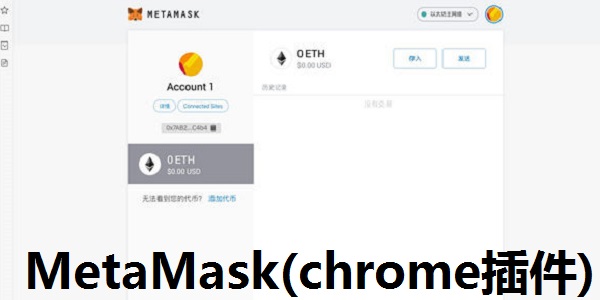
MetaMask (chrome plug-in) software functions
1. Buy, store, send and exchange tokens
MetaMask Wallet Chinese version is available as a browser extension and mobile app, providing you with a key vault, secure login, token wallet and token exchange - everything you need to manage your digital assets
2. Explore blockchain applications
Providing the easiest yet most secure way to connect to blockchain-based applications. You're always in control when interacting on the new decentralized network
3. Own your data
Generate passwords and keys on your device so only you can access your accounts and data. You always have the choice between what you share and what you keep private
MetaMask (chrome plug-in) plug-in features
1. Use MetaMask’s keystore, secure login and digital wallet to manage your digital assets
2. Generate passwords and keys on the software and ensure account security
3. Browse and connect to scattered websites
4. Control the information shared with the websites you use and the information that is not public
MetaMask (chrome plug-in) installation steps
1. Download the decompressed file on this site
2. Click the Customize and Control button in the upper right corner of Google Chrome, select the Tools option in the drop-down box, and then click Extensions to launch the Chrome browser's extension manager page
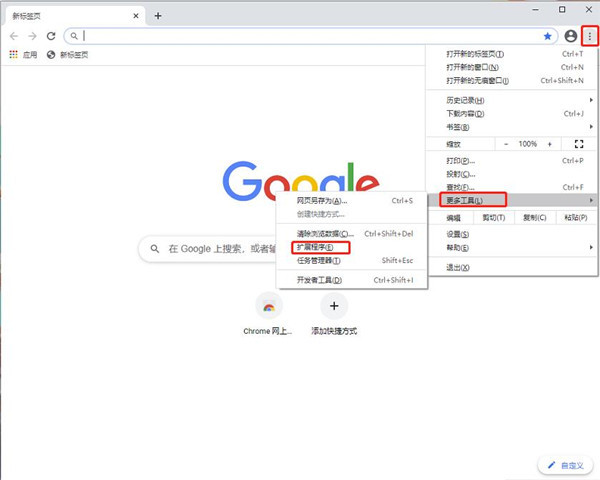
3. Check the developer mode, select Load unpacked extension, and select the file package you just decompressed in the pop-up menu.

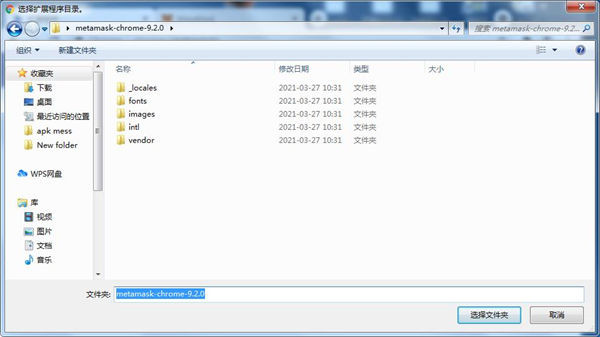
4. Select the "metamask-chrome-9.2.0" file to open it
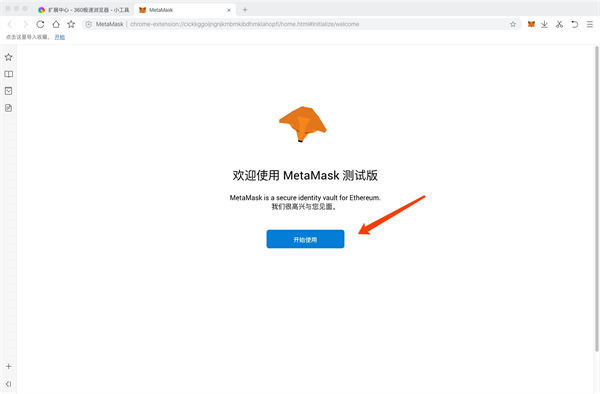
5. The system will automatically pop up the welcome page, click to start using it.
6. Click to create wallet
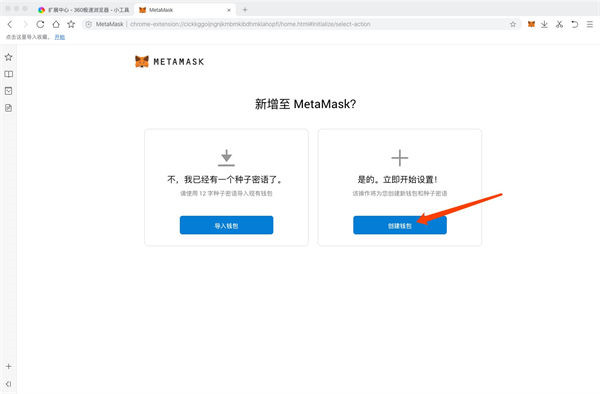
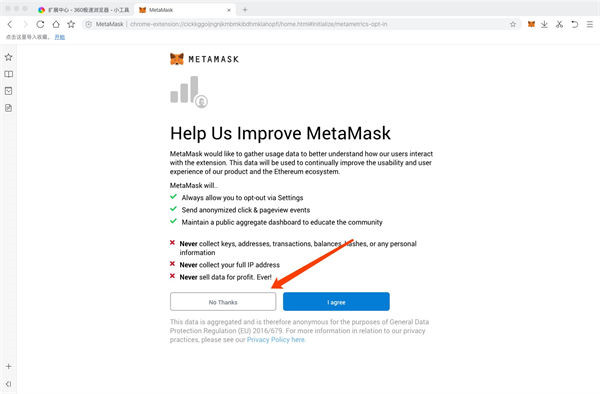
7. Click No here, thanks (this is a collection protocol of user habits)
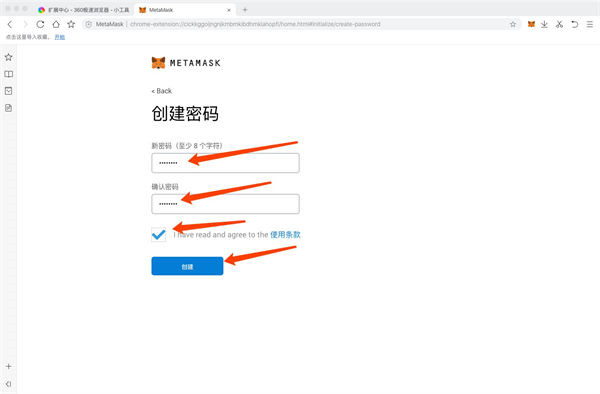
8. Enter the 8-digit password, check the terms of use, and click Create
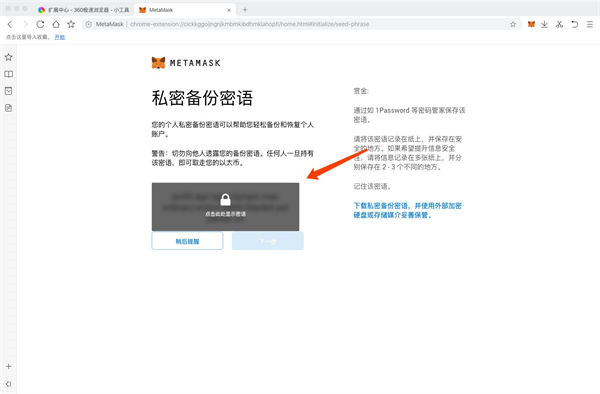
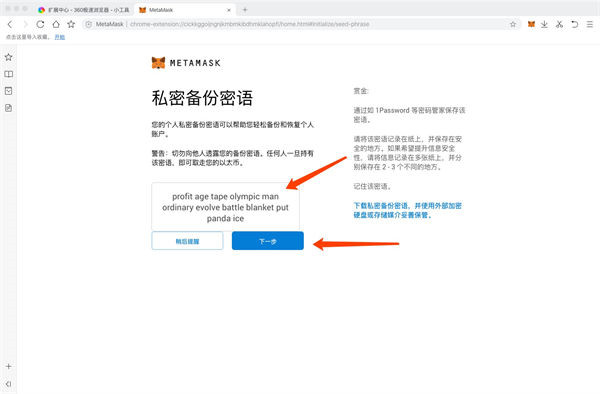
9. Click here to display the secret word, copy or record these words, this is the only proof of equity for the Ethereum account, so please save it carefully
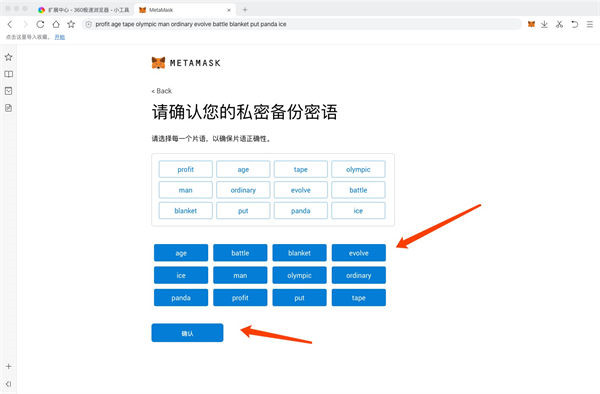
10. Select words in order
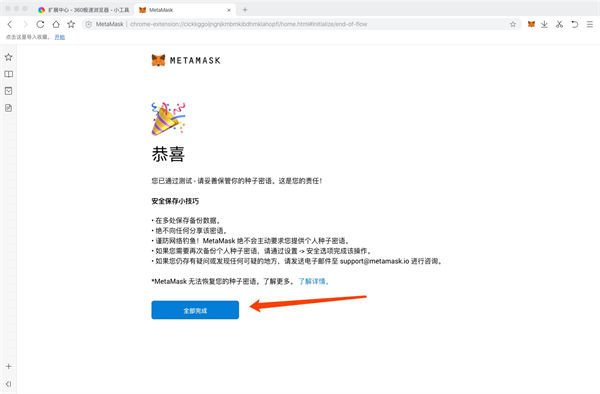
11. Click to complete
12. Smoothly enter the new wallet
MetaMask (chrome plug-in) instructions for use
1. Copy the wallet address. This address is your Ethereum wallet address. You can withdraw coins from the exchange or transfer ETH or tokens from other wallets.
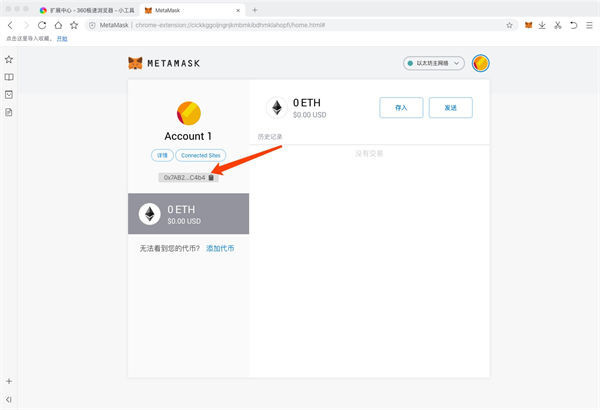
2. Click to add tokens
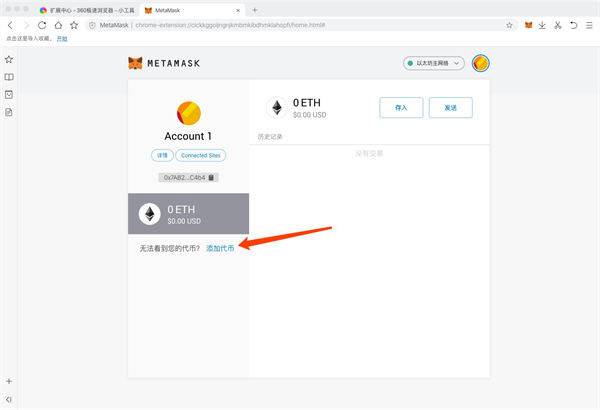
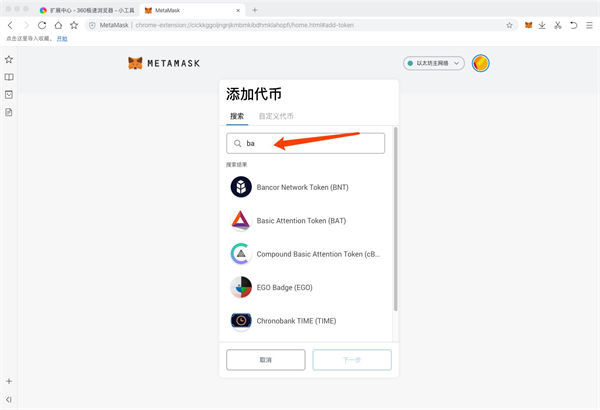
3. Search for the token address you want to add
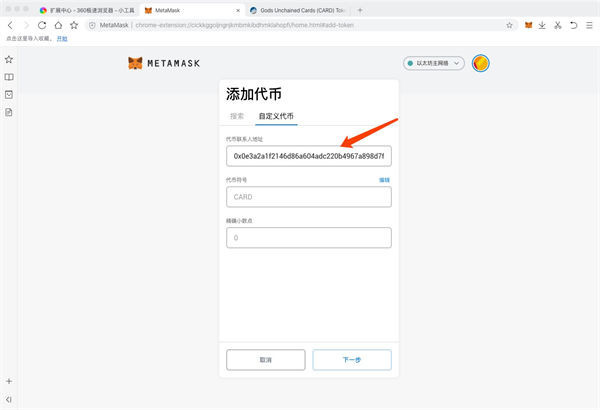
4. You can also customize the added token address
5. Click on the picture below for details
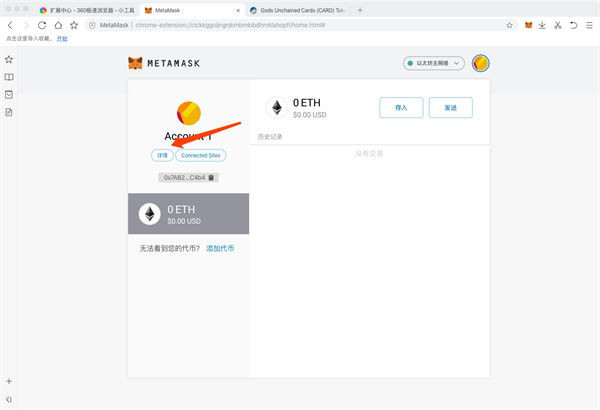
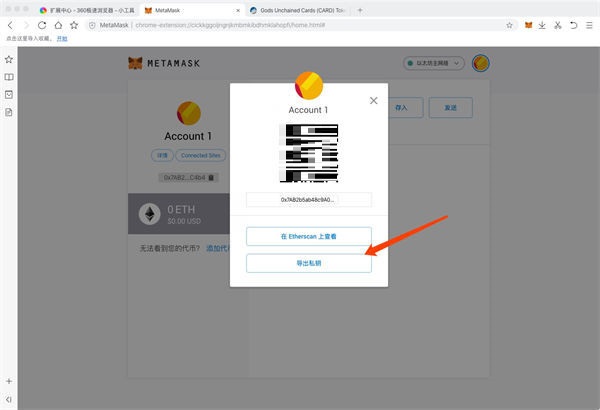
6. Click to export the private key to get the private key of the address, which can be imported into other wallets for use.
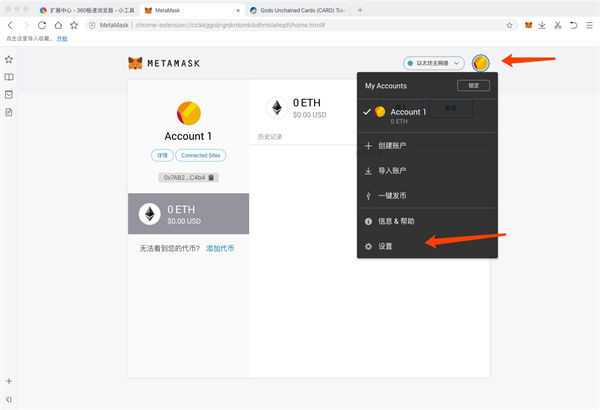
7. Click Settings as shown below
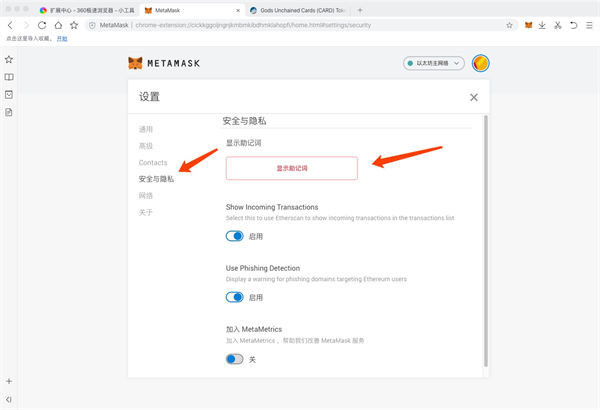
8. Click Security and Privacy again, click Show Mnemonic Phrases, you can get the mnemonic phrases associated with the entire account, and you can also import them into other wallets for use.
Comparison of similar software
MoMoDou browser plug-inThe official version is a professional online scene building tool from the official hand of MoMoBu. The latest version of the MoMoBus browser plug-in has powerful functions and is developed based on unity3d. The MoMoBus browser plug-in is convenient and efficient. Once installed, it can help users create and build 3D scenes in the browser.
Tab ResizeIt is a simple and practical browser split-screen tool. The Tab Resize browser plug-in is powerful and can quickly divide the browser into several customized web page frames for display. Tab Resize is simple and practical.
Huajun editor recommends:
MetaMask (chrome plug-in)Plugins that help users feel more secure when transacting, for accessing Ethereum-enabled distributed applications, or “Dapps” within the regular Chrome browser. MetaMask (chrome plug-in) is a good offline browsing software. If you are interested, please download it and use it. I believe you will like it.










Useful
Useful
Useful