



Shockwave flash software introduction
The latest version of Shockwave Flash is a plug-in software specially designed to play web pages produced using director shockwave studio. shockwave After the flash object playback control is installed and used, it can effectively solve the problem of flash animation being unable to be displayed and played.
When browsing the web, the Shockwave flash object often pops up. I don’t know what to do. Later, I searched on Baidu and found a control that solved it perfectly.
If the FLASH animation in your web page cannot be displayed, you can install it. Play exclusively using director shockwave studio Plug-in software for web pages produced, such as interactive games, short movies, etc. that can be seen on web pages, including macromedia flash player, and you can also watch flash web page created
Shockwave flash common methodsEdit
"IsPlaying"--Detect whether it is playing.
"Play"--Play animation.
"Rewind"--Rewind the animation back to the first frame.
"Stop"--Stop animation playback.
"Zoom"--Zoom animation.
"Back"--play backwards.
"Forward"--play forward.
"CurrentFrame"--Get the current frame being played.
"GotoFrame"--jump to the specified frame. Takes one parameter, which is the specified number of frames.
Shockwave flash installation steps
1. Place Shockwave in Huajun Software Park Download the flash and extract it to the current folder to get the Shockwave12.3.4.204.exe application.
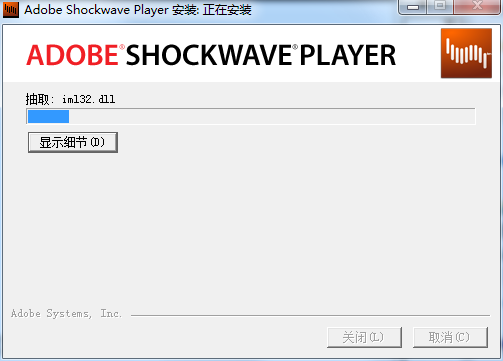
2. Shockwave flash is being installed, please wait patiently for a while.
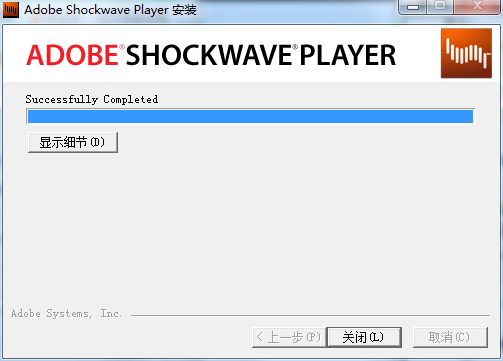
3. The installation of Shockwave flash is completed, click to close.
Shockwave flash instructions
To solve the shockwave flash crash problem:
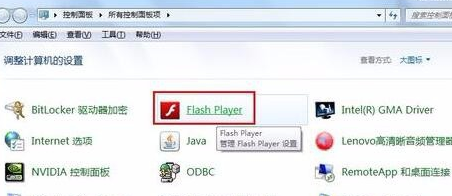
Update and upgrade shockwave flash, when shockwave When flash crashes, the first thing to do is to update the plug-in to make sure it is the latest version. Open the "Control Panel" and click "Flash Player" to enter the settings interface.
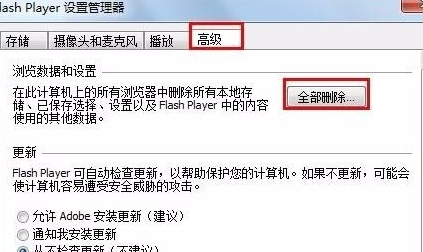
In the opened "Flash Player Settings Manager", switch to the "Advanced" tab, and then click the "Delete all browsing data and settings" button.
Then click the "Check for updates now" button in the returned window.
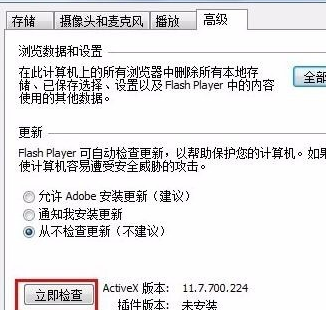
Then click "Download" → "Flash Player" on the web page, and finally click the "Download" button to update after the download is complete.
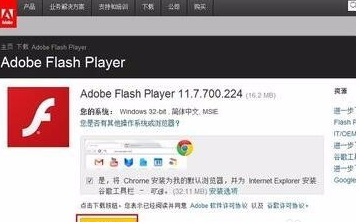
If the above method does not solve the problem, it is recommended to restart, update and install the browser to ensure it is the latest version. You can also try using another browser. It may be due to incompatibility between programs.
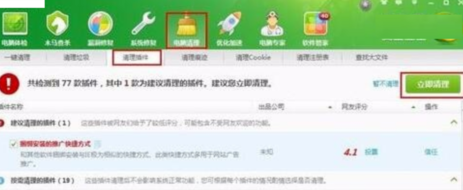
Use security software to eliminate malicious browser plug-ins, open "Security Guard", click "Computer Cleanup" → "Clean Plug-ins" to clean up malicious plug-ins existing in the computer.
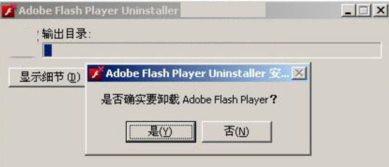
If the above method still cannot solve the problem, you can try to use the flash uninstall tool to completely uninstall the old version before updating Flash Player.
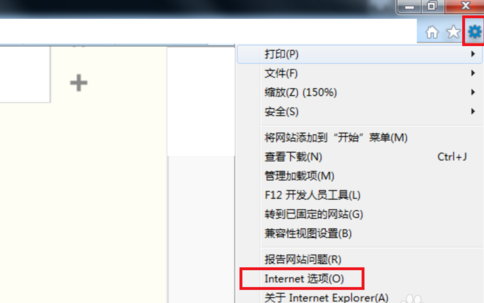
Click the Settings button on the browser and then select the Internet option.
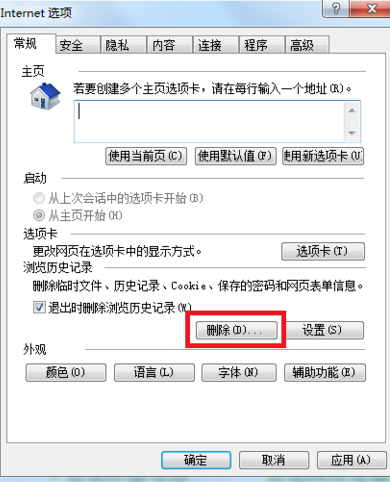
Then click Delete History
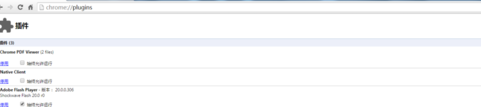
Reinstall Flash After Player, enter about:plugins in the address bar of the crashed browser and press Enter, check Always run to allow it to run, and then open the Flash video on the website to see if the problem is resolved.
Shockwave flash FAQ
Question: What should I do if the computer shows that it cannot load shockwave flash?
Answer: 1. This is caused by the FLASH plug-in being abnormal or damaged.
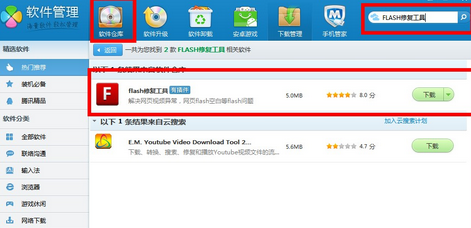
2, you can come firstTencent Computer ManagerDownload a computer manager from the official website.
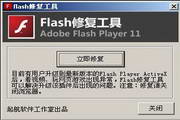
3. Then open Computer Manager - Software Management - Software Warehouse - Search [FLASH Repair Tool] in the upper right corner, download and repair your plug-in, and then open the browser.
4. Note that if you are using non-IE core browsers such as Google Chrome or Firefox, you need to download the non-IE core FLASH plug-in.
Question: How to uninstall shockwave flash software?
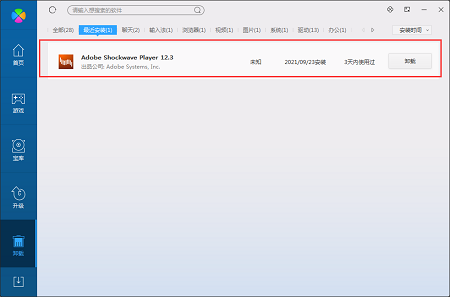
Answer: Method 1: Install and open the computer manager software, select the software management option, click the uninstall option, find the shockwave flash software in the list, and click uninstall
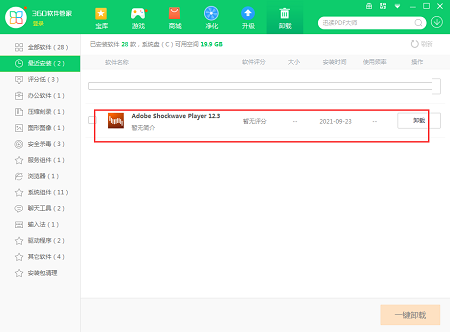
Method 2: Install and open360 software manager, find the shockwave flash software in the list of uninstall options, and click to uninstall it.
Comparison of similar software
FlashDentalThe official version of FlashDental is a simple, convenient and practical 3D printing software. The official version of FlashDental software supports engraving model names, and also provides users with a jaw frame connector to facilitate subsequent use. The computer version of FlashDental includes different viewing angles, movement, rotation, scaling, cutting and nozzle functions. The visual operation interface allows for quick editing and printing of slices.
Adobe Flash Player for OperaIt is a dedicated flash playback plug-in for opera browser, Adobe Flash Player for Opera is actually compatible with the chrome browser. After all, opera now uses the chrome kernel. After installation, you can play all kinds of videos.
Special instructions:
Hello, the software you are about to use is an auxiliary tool and may be intercepted and checked by major anti-virus software. This software may have risks, please pay attention to avoid it. If you want to continue using it, it is recommended to close various anti-virus software before use.
Attached is the software package decompression password: softwaredownload4.com
Huajun editor recommends:
Shockwave flashIt can also effectively solve the problem that flash animation cannot be displayed and played, and FLASH animation cannot be displayed on web pages. Shockwave flash has always been commonly used by most netizens for offline browsing. Its dominant position in the minds of netizens can be seen. It is strongly recommended that users download Shockwave flash and use it.












Useful
Useful
Useful