






Fudian Bank Online Banking Assistant Software Functions
Integrated online banking control, UKEY driver and management tools, personal certificate download, certificate signing control, etc.
Can help you check whether the computer system environment where you are using online banking is safe
Automatically perform online detection, repair and upgrade to ensure the normal operation of various software required in an online banking environment such as drivers, security controls and online banking certificates
Ensure you operate online banking safely
Features of Fudian Bank Online Banking Assistant Software
Detection
Through this function, you can check whether your computer's operating system, network configuration, browser settings, USBkey driver, signature control and other related programs meet the requirements of our bank's online banking configuration.
Repair
Through the repair function, the browser settings, USBkey driver, signature control and other systems required to run Fudian Bank can meet the requirements of our bank's system configuration.
Fudian Bank Online Banking Assistant Installation Steps
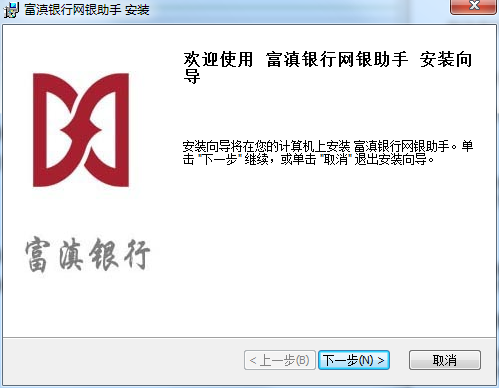
1. Download the Fudian Bank online banking assistant tool from the Huajun Software Park and extract it to the current folder. Click on the FDeBankHelper.exe application to enter the installation wizard interface, and then click Next.
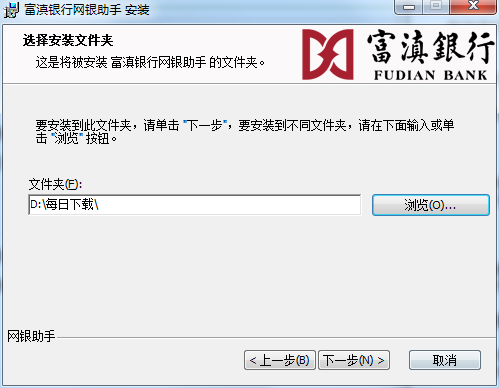
2. Select the software installation location interface. Huajun editor recommends that users install it on the D drive, select the installation location and click Next.
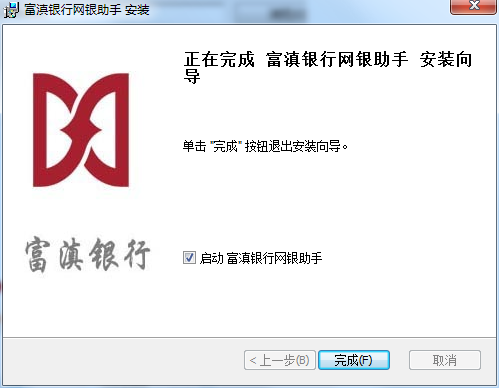
3. The installation of Fudian Bank Online Banking Assistant is completed, click Finish.
How to use Fudian Bank Online Banking Assistant
1. Download and install the Fudian Bank Online Banking Assistant, and start the software after the installation is complete.
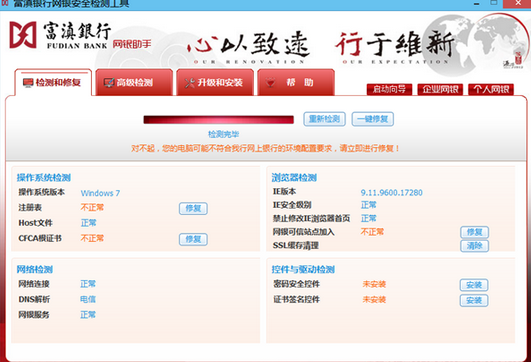
2. After the software is started, it will automatically detect your computer and network environment. Abnormal options can be repaired.
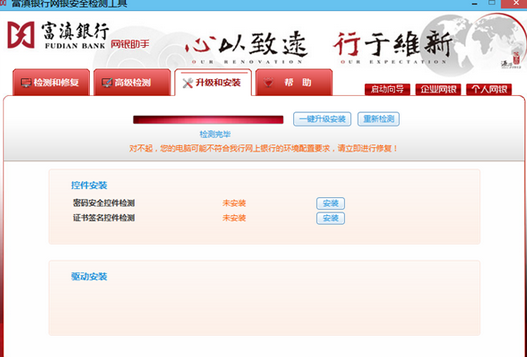
3. The software can also detect online banking controls and drivers, and you can install them with one click
Notes on Fudian Bank Online Banking Assistant
1. Try not to use online banking in public places or Internet cafes
2. If this is your first time logging into the online banking system, please use your card (account number) to log in
3. Please click the exit button promptly when leaving the online banking system to prevent the information from being misused by others;
Frequently Asked Questions about Fudian Bank Online Banking Assistant
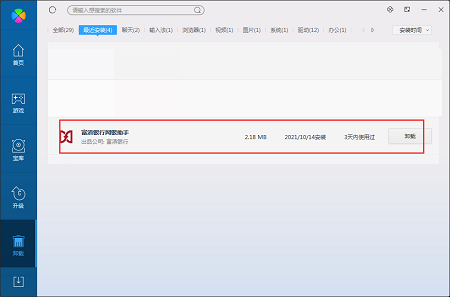
Question: How to uninstall the Fudian Bank online banking assistant software?
Answer: Method 1: Install and open the computer housekeeper software, select the software management option, click the uninstall option, find the Fudian Bank Online Banking Assistant software in the list, and click uninstall
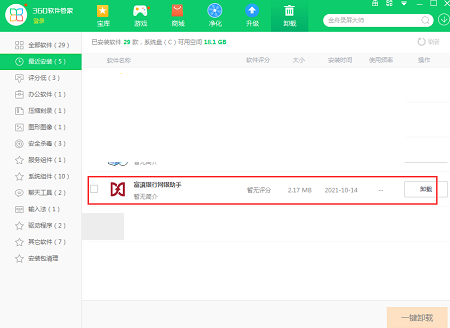
Method 2: Install and open360 software manager, find the Fudian Bank Online Banking Assistant software in the list of uninstall options, and click to uninstall it.
Comparison of similar software
Luzhou Commercial Bank Online Banking AssistantThe official version is an online banking safe browsing aid launched by Luzhou Commercial Bank. The latest version of Luzhou Commercial Bank's online banking assistant can detect the user's computer environment, repair drivers with one click, and automatically configure online banking trust sites. Luzhou Commercial Bank's online banking assistant can help users automatically install online banking controls to ensure the safety of online banking transactions.
Shandong Rural Credit Bank Online Banking AssistantThe official version is an online banking assistant created by Shandong Rural Credit Bank for customers. The official version of Shandong Rural Credit Online Banking Assistant provides a one-click environment detection function to help users repair system and browser abnormalities and quickly install drivers and controls. In addition, Shandong Rural Credit Union Online Banking Assistant can also detect your computer settings, IE settings and user management tool versions, and protect your online banking security quotes in real time.
Huajun editor recommends:
Fudian Bank Online Banking AssistantThe official version can automatically detect the network environment and block malicious advertising plug-ins with one click to ensure the security of users' network business transactions. Fudian Bank Online Banking Assistant is a high-performance software that meets everyone's requirements and has absolutely positive reviews. I hope everyone will download it!




Useful
Useful
Useful