




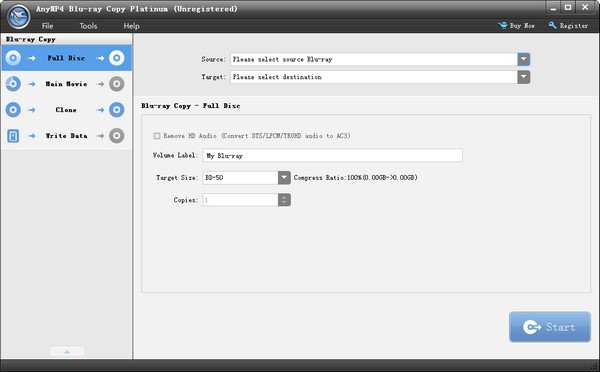
4Video Blu-ray Copy software features
Copy Blu-ray Disc to Blu-ray Disc with original quality
As the best Blu-ray copy software, Blu-ray Copy has the function of copying Blu-ray movies to blank discs with lossless quality. It enables you to copy Blu-ray discs in 1:1 ratio and perfectly compress BD-50 to BD-25.
With this wizard software, you can not only copy Blu-ray in 2D format, but also copy 3D Blu-ray at a 1:1 ratio. It supports unlimited reading of all popular Blu-ray formats such as BD-R, BD-RE, BD-R and BD-RE.
Backup Blu-ray disc to hard drive or virtual drive
In addition to copying Blu-ray to Blu-ray disc, this excellent program also provides the ability to backup Blu-ray disc to the Blu-ray folder of your local hard drive or clone it to an ISO file for playback on a virtual drive. This should be the best way to backup Blu-ray discs when you don't have a blank Blu-ray disc in hand.
Burn local Blu-ray folder or ISO file to Blu-ray disc
To save local space for other files or data, you need to move the Blu-ray movies in your hard drive somewhere. With Blu-ray Copy, you can directly burn local Blu-ray folders and ISO files to blank Blu-ray discs. It also helps you copy ISO files directly to disc. To play movies in a Blu-ray folder using a virtual drive, you can also copy the Blu-ray to an ISO file.
Four Blu-ray copy modes to meet different user needs
Blu-ray copy provides you with the freedom to copy Blu-ray at will. There are four copy modes, including full copy, main movie, clone and write date, helping you copy the entire Blu-ray movie with all titles/chapters/trailers, copy only the main movie or specific chapters, make 1:1 bit-to-bit copy, and copy DVD disc/DVD folder to ISO file. With Master Movie Copy, you can preview the Blu-ray chapters you want to copy and select audio tracks and subtitles from the source Blu-ray.
Simple, convenient and fast Blu-ray copying process
The smart Blu-ray copy program has a clear interface and simple operation process, making it easy for both advanced users and novices to handle. With advanced decoding and encoding technology, it will bring you the fastest Blu-ray copying speed and the best output quality.
4Video Blu-ray Copy installation steps
1. Download the latest version of 4Video Blu-ray Copy installation package from Huajun Software Park. After unzipping, double-click the "exe" file to enter the installation wizard and click Next
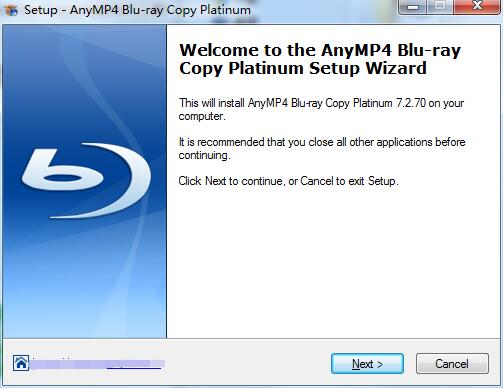
2. Read the license agreement, click "I accept the agreement", and click Next
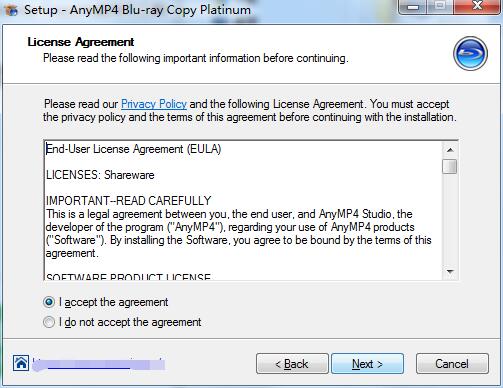
3. Click "Browse" to select the installation location. Generally, the default is C drive. It is recommended to install on D drive. Click Next.
4. Select additional tasks, check the tasks you need, and click Next
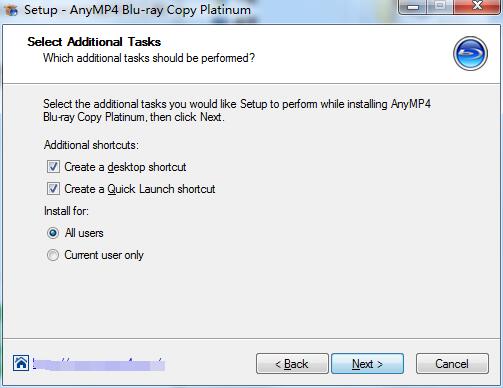
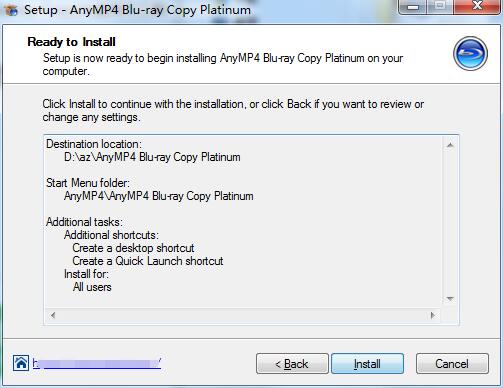
5. The software information is ready, click Install to install
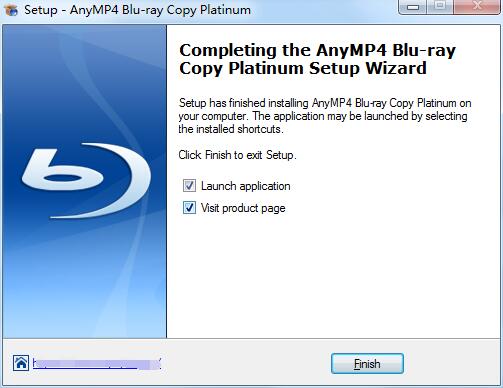
6.4Video Blu-ray Copy installation is complete, click Finish to exit the installation wizard
4Video Blu-ray Copy update log
Working day and night just so you can be happier
are all gone!
Huajun editor recommends:
The editor of 4Video Blu-ray Copy personally tested this software. The various functions are very simple and easy to operate. Even a new user like the editor can quickly master it. I really like it! There are similar software on this siteDisc Burning Master,Disc Burning Master Free Edition,Disc Burning Wizard,Nero8,Disc Encryption Master, recommend everyone to download!




Useful
Useful
Useful