
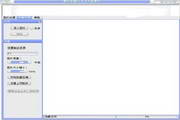



----------------------------------------------- Image compression, photo batch compression, photo batch reduction, simple operation.
1. Customize image size and image compression quality.
2. Perform batch compression/batch reduction of image size on multiple images at the same time.
3. Easy to operate and takes up less resources.
Instructions for use.
1. Image processing.
1. Open the picture first.
2. Compression value setting range (15% ~ 75%) to avoid distortion!
3. Customize the width and height of the picture to change the size of the picture. First select From.
Define image size.
4. Save the picture and you are done.
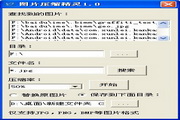
2. Batch compression.
1. First import images and hold down the shift key to select multiple files. Or choose directory import.
2. Set the storage directory for files generated by compression.
3. Select high/medium/low settings for picture quality.
4. Click to start batch compression.










Useful
Useful
Useful