


If you are looking for software to use, go to Huajun Software Park! software release AI product list

Hello, if there is a need for software inclusion, please package the software and attach the software name, software introduction, software-related screenshots, software icon, soft copy, business license (if you do not have a business license, please provide the front and back of the corresponding developer ID card and a photo of yourself holding the ID card), and send it to email http://softwaredownload4.com/sbdm/user/login

Close >>

Send to email:news@onlinedown.net

Close >>

HCIP

HCIP 1.0.0.0 official version

QR code
  • Software licensing: shareware
  • Software size: 19.05MB
  • Software rating:
  • Software type: Domestic software
  • Update time: 2024-12-30
  • Application platform: winall
  • Software language: Simplified Chinese
  • Edition: 1.0.0.0 official version

Software introduction Related topics FAQ Other versions Download address

Basic introduction
HCIP segment first LOGO
The official version of HCIP is a compact and practical image compression tool. The official version of HCIP is powerful and has a very high compression ratio, which can help users compress images with large memory to a few KB in size, thereby reducing the memory space occupied. The official version of HCIP also supports two compression methods, lossless and lossy, which can effectively ensure the compression quality of images.

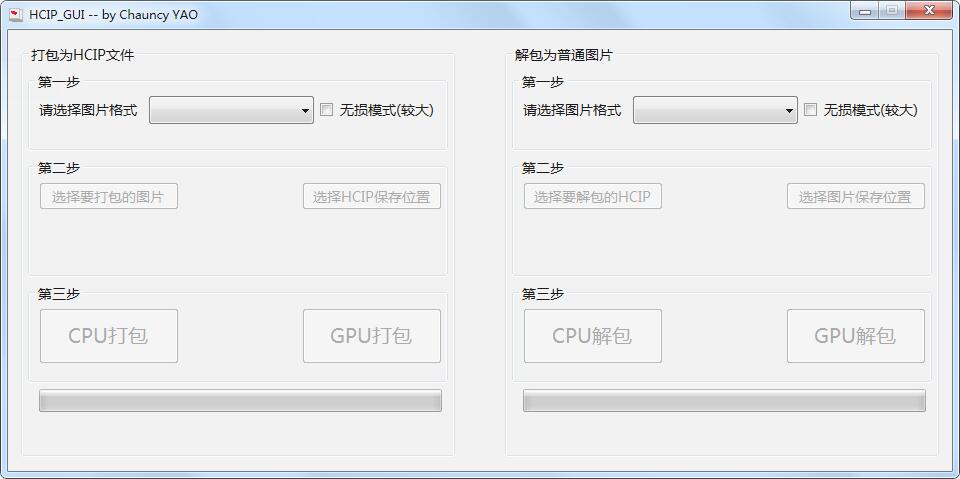
HCIP screenshot

HCIP software features

The results of my daily use show that if there are more photos in jpg format, they can be compressed by 70% without affecting the look and feel (lossy).

Photos in png format (this is not commonly used for photos) can reach 97%. I think this compression ratio can be said to be very high.

The latest version of HCIP itself is less than 16MB, and it is a green version that does not require installation.

It is quite useful when storing a large number of photos locally, you can try it yourself.

HCIP installation steps

​​ 1. Download the installation package of the official version of HCIP at Huajun Software Park
HCIP screenshot

​ ​ 2. After downloading, unzip the compressed package into a folder named after this software
HCIP screenshot

3. Open the folder and double-click the "exe" program
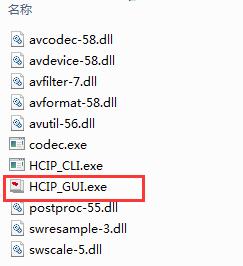
HCIP screenshot

4.HCIP is green software and can be used without installation.
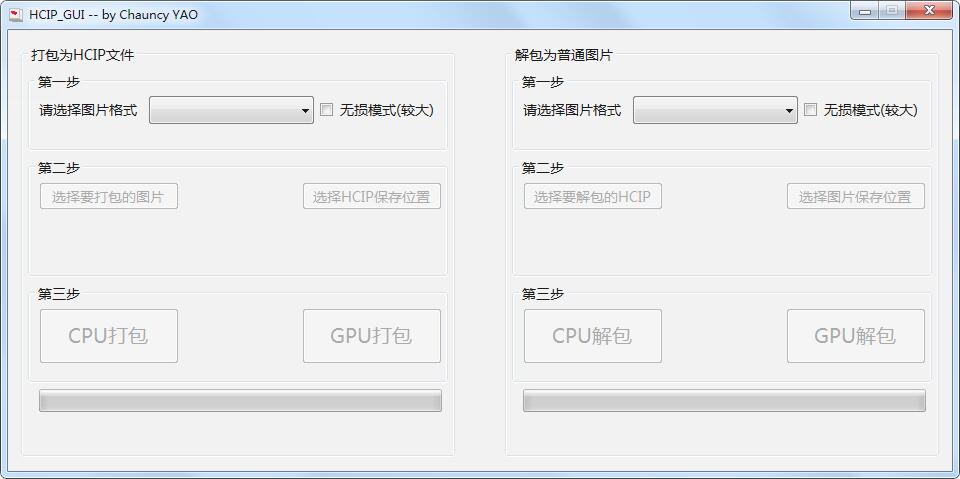
HCIP screenshot

HCIP update log

​ ​ 1. Optimize content

​​ 2. The details are more outstanding and the bugs are gone.

Huajun editor recommends:

HCIP is a very good software that can solve a lot of troubles. This site also providesPngyu,TIFF to PDF converter,PNG-ICO icon format conversion tool,Image compression,Zhuanzhuan Master picture compression softwareWaiting for you to download.

FAQ

Associated version

