





Function description of Youyi picture processing software
First, when you need to turn photos into a page-turning electronic photo album, if the photo is too large, the entire file will be very large and the opening speed will be slow. After processing, the size of a photo is generally less than 500K;
Second, when the scanned book images need to be made into page-turning e-books or ordinary e-books, they can also be processed. And it can be processed into black and white, and the file will be 10 times smaller than the original, with one page about 100K.
Features of Youyi image processing software
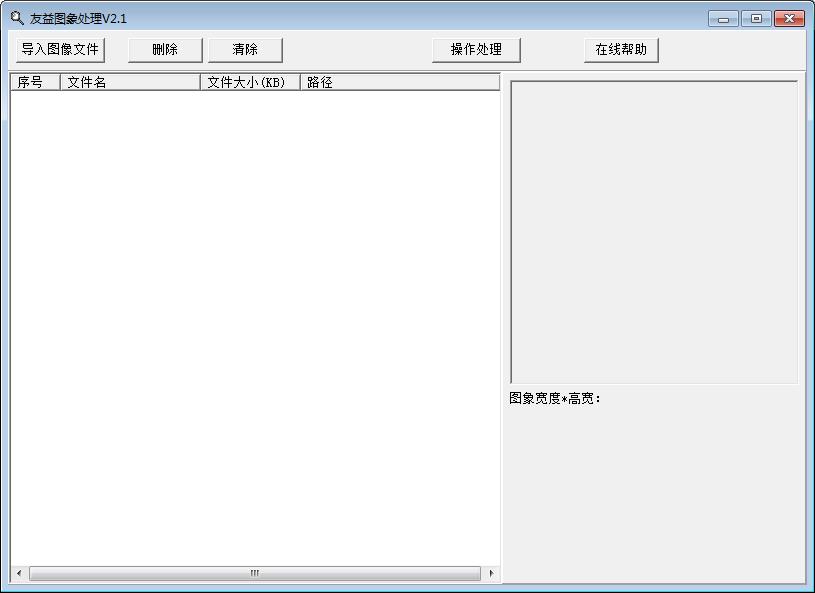
1. Supports batch compression of images;
2. Support setting the image ratio by yourself;
3. Supports conversion of color images into black and white images;
4. Suggestion: Generally, the smoothing coefficient can be used as the default, the quality parameter is set to 20-40, and the digital color photo is 40-70.
Youyi picture processing software installation steps
1. Download the latest version of the installation package of Youyi image processing software in Huajun Software Park

2. After downloading, unzip the compressed package into a folder named after this software

3. Open the folder and double-click the "Youyi Image Processing Tool.exe" program
4. Youyi image processing software is green software and can be used without installation.
Youyi picture processing software update log:
1. Optimize content
2. The details are more outstanding and bugs are gone.
Huajun editor recommends:
Youyi picture processing software is simple to operate, powerful and easy to use. You can download it and try it. Everyone is welcome to download it. This site also providesImage pressure,Pngyu,TIFF to PDF converter,PNG-ICO icon format conversion tool,Image compressionWaiting for you to download.




Useful
Useful
Useful