





pdg to pdf (Pdg2Pic) official version
pdg to pdf (Pdg2Pic)The official version is a file conversion tool for pdg and PDF. The pdg to pdf format converter can convert discrete pdg documents into image files in tiff, jpg, and png formats, or pdf frames arranged in the order of cover, preface, table of contents, body, and appendices.pdg to pdf (Pdg2Pic)A preview function is also provided, allowing users to understand the details of the pdg file before conversion. Huajun Software Park provides download services for converting pdg to pdf. To download other versions of pdg to pdf (Pdg2Pic), please go to Huajun Software Park!
pdg to pdf (Pdg2Pic) software functions
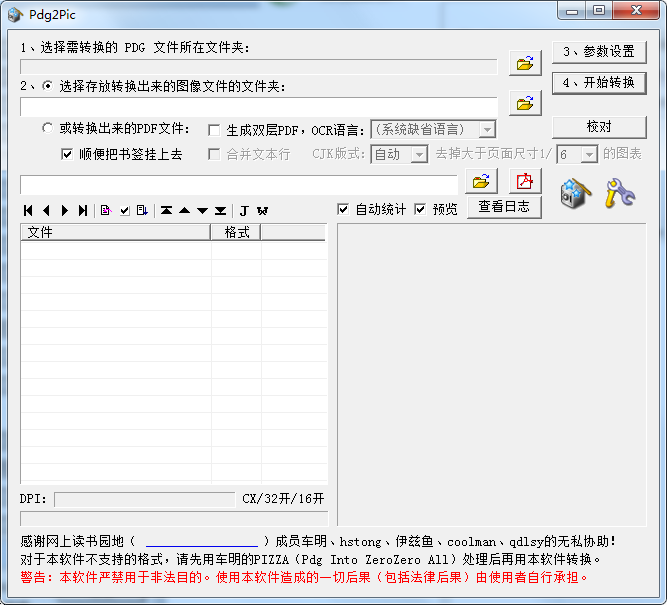
1. The file conversion process does not occupy the system clipboard, so the user's normal work at the front desk is not affected during conversion.
2. Automatically perform format statistics on PDG files when opening a directory, and report the results.
3. The files can be automatically arranged in the order of cover, preface, table of contents, main text, and appendices, or they can be adjusted manually.
4. Provides a preview function, so you can browse PDG images and PDG file information before conversion.
5. If an error occurs during the conversion process, an error log will be provided to facilitate locating the problematic PDG file.
6. The scanned DPI of PDG files is automatically transferred to TIFF and PNG files, making it easy to specify the page size when converting to PDF files.
7. Ability to directly OCR PDG files into text files.
pdg to pdf (Pdg2Pic) software features
1. The software runs independently and does not require the support of SSREADER or other software or controls.
2. Supports V1 version PDG, and V2 version 0xH, 1xH, 28H, AxH, does not support FFH, 6xH; supports the name PDG, which is actually JPG, JPEG 2000, PNG, BMP, GIF, TIFF, DjVu, PDF files, but the file name must comply with the PDG naming convention.
3. The image version of PDG can be converted into an image or directly into PDF, including OCR into a double-layer PDF, and provides auxiliary functions required for proofreading the double-layer PDF generated by itself.
4. The text version of PDG can be converted into loose-page PDF, and the attached pages of the image version can be numbered uniformly for easy merging.
5. When converting to PDF, it supports segmented page numbers and multi-level directories (bookmarks). You can add the directory and BookInfo.dat as text to the PDF file, and fill in the PDF Document with the content in BookInfo.dat. Properties, including Title, Author, Subject, Keyword.
6. Except for the color version of djvu files, all conversions are lossless conversions.
pdg to pdf (Pdg2Pic) installation steps
1. Download pdg to pdf (Pdg2Pic) in Huajun Software Park, and you will get a software compressed package.

2. Then we need to decompress the software compressed package to get the Pdg2Pic.exe application.
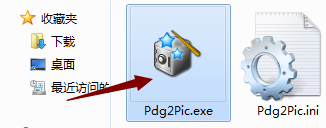
3. Finally, we double-click to open Pdg2Pic.exe and we can use it directly.
pdg to pdf (Pdg2Pic) FAQ
Q: Will Pdg2Pic convert PDG into image files, resulting in a decrease in image quality?
Answer: For real PDG files, except for PDG files whose original format is T2 DjVu, logically all PDG files can be converted into image files losslessly. T2 DjVu is the legendary "fast version". It has little collection value and is relatively rare now.
Question: Why sometimes after the conversion is completed, there are some more files with extensions of 000, 001, and 002 in the target folder?
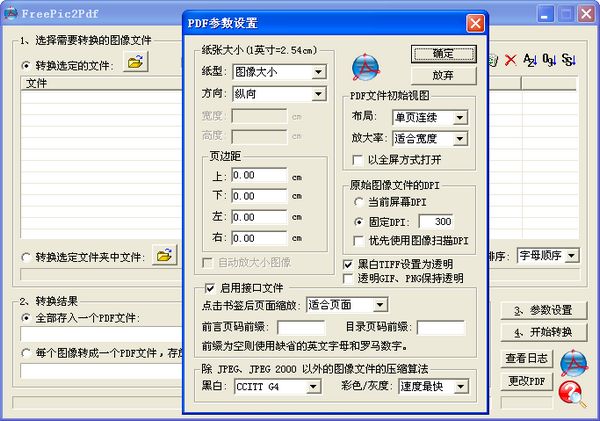
Answer: If the "Generate FreePic2Pdf interface file" option is selected (the default is selected), when encountering a T3 multi-layer PDG file, in addition to generating a normal image, each layer of the image will also be extracted to generate a file, with the extension in layer order. The order is named 000, 001, 002, etc. These layer information will be recorded in the FreePic2Pdf.itf file. When FreePic2Pdf is used to convert the image into a PDF file in the future, it will automatically merge the image into the PDF page according to the layer order.
Comparison of similar software
3gp format converterThe official version is a video format conversion software with fast conversion speed. The 3gp format converter can compress and convert videos that support 3gp video format playback on your computer to mobile devices. In the 3gp format converter, users can also add text and watermarks to the video during conversion.
Zhuoyixia Video Format ConverterThe official version is a powerful video format conversion tool. The official version of Zhuoyixia Video Format Converter supports multiple video formats, such as: MP4, MPV, AVI, etc. Users only need to drag the video into the Zhuoyixia video format converter to convert video formats to each other, and support modification of the video's resolution, bit rate, etc.
Huajun editor recommends:
pdg to pdf (Pdg2Pic)Discrete pdg documents can be converted into image files in tiff, jpg, and png formats, or pdf frames arranged in the order of cover, preface, table of contents, body, and appendices. Believe me, as long as you use pdg to pdf (Pdg2Pic), you can uninstall other image compression software and it will definitely meet all your needs.






Useful
Useful
Useful