




- Green versionView
- Green versionView
- Green versionView
- Green versionView
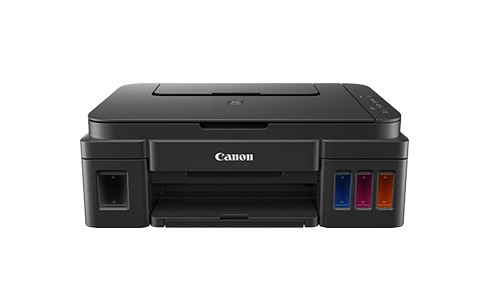
Canon canon g2800 all-in-one computer driver basic introduction
Printer parameters:
Product positioning: multi-functional commercial all-in-one machine
Product type: Inkjet multi-function all-in-one machine
Functions covered: Print/Copy/Scan
Maximum processing format: A4
Interface type: USB2.0
Black and white printing speed: 8.8ipm
Color printing speed: 5ipm
Other printing speed photos: 60 seconds
Copy speed color: 1.7ipm
Continuous copying: 1-21 pages
Scan controller: standard configuration
Scanning type: Flatbed
Scanning element: CIS
Scan speed color: 19 seconds
Optical resolution: 600×1200dpi
Scanning size flatbed: 216×297mm (maximum)
Color depth: 48-bit input, 24-bit output
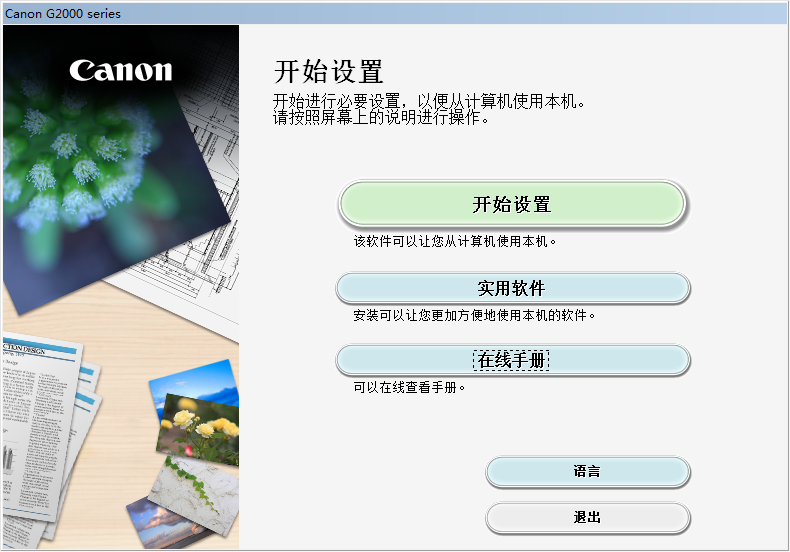
Canon canon g2800 all-in-one machine driver installation method
1. Connect the computer and printer with a cable
2. Download the Canon canon g2800 all-in-one driver from Huajun Software Park and click the installer to install it.
3. Select the language and click to start setting
3. Choose the connection method according to your needs
4. Select the user area and click Next
5. Accept the usage agreement and choose to wait for the installation to complete before you can use it normally.
How to use Canon canon g2800 all-in-one machine driver
Change printing options
Detailed printer driver settings can be changed for printing print data sent from application software.
If printing fails, for example, part of the image data is cut. Please specify this option.
The steps to change printing options are as follows:
Open the printer driver settings window
Click Print Options on the Page Setup tab...
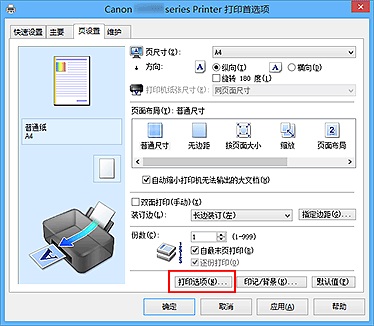
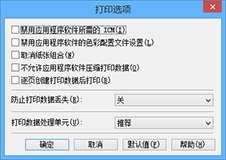
The Print Options dialog box opens.
Comments
If you are using the XPS printer driver, the available features will be different.
Change settings
If necessary, change the settings for each item and click OK.
The Page Settings tab appears again.
Canon canon g2800 all-in-one driver frequently asked questions
How to initialize the machine settings?
You can initialize the local settings.
To initialize the machine settings, press and hold the stop button and release it after the warning light flashes 24 times.
All local settings have been initialized.
After initializing the machine, perform settings again as needed.
Comparison of similar software
Epson DS-535 scanner driverThe PC version is a driver for Epson's DS-535 scanner. After installing the official version of the Epson DS-535 scanner driver, the scanner can work normally, and it can quickly solve problems such as abnormal connection between the scanner and the computer or failure to work. The Epson DS-535 scanner driver also provides an A4 paper-fed high-speed color document scanner with a high-speed double-sided scanning speed of 35ppm/70ipm and supports double-sided scanning.
HP m1213nf all-in-one computer driverThe official version is a driver for the HP printer m1213nf model all-in-one. The PC version of the HP m1213nf all-in-one printer driver can easily and quickly solve many printer inoperability problems such as printer failure to print, scan failure, etc. The HP m1213nf all-in-one driver also includes a full set of drivers, installer software and other management tools in the printer software CD, such as print drivers, scan drivers, etc.
Canon canon g2800 all-in-one driver update log
1.Fix some bugs
2. Optimized some functions
Huajun editor recommends:
The Canon g2800 all-in-one driver is both a printer driver and a scan driver. After installation, it can solve the problem of the printer not working properly and the computer not being able to connect to the printer! This site also hasHP LaserJet Pro P1108 Printer Driver, available for you to download!
























Useful
Useful
Useful