





Highlights of Aoyun Mongolian input method
Efficient and accurate: Optimize input efficiency through intelligent algorithms, reduce input errors, and improve text quality.
Cultural inheritance: Committed to the digital protection and inheritance of Mongolian language and promoting the widespread dissemination of Mongolian culture.
User-friendly: The interface is simple and intuitive, easy to operate, and suitable for users of all ages.
Continuous updates: Regularly update the vocabulary and optimize algorithms to ensure that the software is always at the forefront of the industry. At the same time, functions are continuously optimized based on user feedback to enhance user experience.
Privacy protection: Strictly abide by the privacy policy, protect the security of user data, and allow users to use it with confidence.
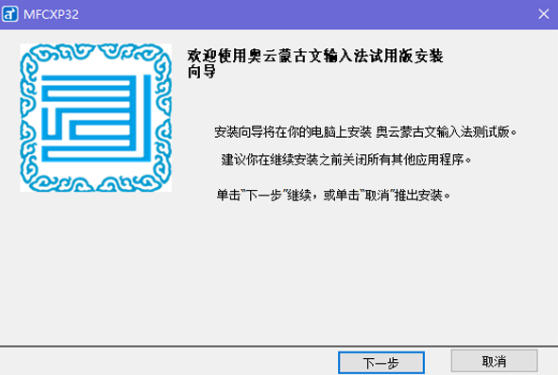
Features of Aoyun Mongolian input method
Daily chat: Supports a variety of input methods, including pinpin, handwriting and voice input, to meet users' input needs in different scenarios.
Learn to write: Built-in large number of Mongolian lexicon and intelligent association function to help users quickly find and input common vocabulary and idioms to improve writing efficiency.
Professional document editing: Supports a variety of Mongolian encoding standards and intelligent suffix recommendation functions to meet the needs of professional document editing.
Cross-cultural communication: Integrated real-time translation function to help users conduct cross-cultural communication with Mongolian speakers.
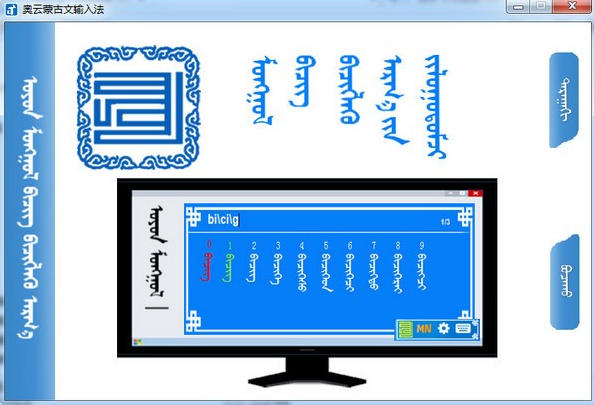
Aoyun Mongolian input method function
Standard Mongolian input: Strictly follow Mongolian writing rules to ensure the accuracy of input text. Supports multiple Mongolian encoding standards, including traditional Mongolian and new Mongolian, to meet the needs of different users.
Intelligent association function: According to the user's input habits, commonly used words are intelligently recommended to improve input speed. At the same time, a large number of Mongolian vocabulary libraries are built-in, including commonly used vocabulary, idioms, place names, etc. Users can quickly enter complete words through simplified or full spelling.
Personalized vocabulary library: Users can customize the vocabulary library and add personal commonly used vocabulary or professional terms to meet personalized needs. The intelligent vocabulary library will also automatically adjust vocabulary recommendations based on user input habits to improve input efficiency.
Cross-platform support: Supports multiple operating systems such as Windows, Mac OS, Android, and iOS to achieve seamless switching between multiple platforms. Users can maintain a consistent input experience across different devices.
Handwriting recognition: Integrating advanced handwriting recognition technology, even users who are not familiar with keyboard layout can type easily. The handwriting recognition accuracy is high, and it supports continuous-stroke and cursive writing recognition.
Voice recognition: Supports Mongolian voice recognition input. Users can speak Mongolian by long pressing the microphone icon, and the system will convert it into text. Speech recognition accuracy is high, but response speed may be slightly slower.
Smart Fuzzy Input: Find the right word even if your input isn't entirely accurate. This feature is particularly friendly to users who are not familiar with Mongolian spelling.
Intelligent recommendation of case suffixes: Based on the grammatical characteristics of Mongolian, appropriate suffixes are intelligently added to make the expression more accurate.
Intelligent expansion of synonyms: After inputting the root word, the system can intelligently expand related synonyms, providing unlimited possibilities.
Cloud synchronization: Supports cloud synchronization of user vocabulary, input habits and other data, and can maintain a consistent input experience even when changing devices.
Dynamic skins and emoticons: Provides a variety of dynamic skins and a rich selection of Mongolian symbols and emoticons to make input more interesting.
Real-time translation: Integrate real-time translation functions between Mongolian and other languages to facilitate cross-cultural communication.
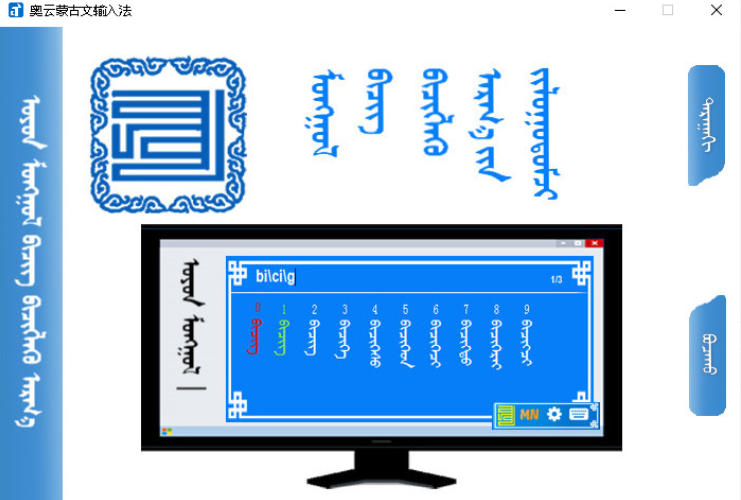
Frequently Asked Questions about Aoyun Mongolian Input Method
The input method is not displayed or cannot be switched:
Reason: It may be related to input method settings or system language settings.
Solution:
Confirm whether the Aoyun Mongolian input method is the default input method in the computer settings, and check whether the input method setting options are correct.
Go into the system language settings and make sure Mongolian is added and set as the priority language.
Switch to the Aoyun Mongolian input method through the taskbar language icon or shortcut keys (such as Win+space).
Aoyun Mongolian input method update log:
1. Fixed several bugs;
2. Optimize details;
Huajun editor recommends:
After so many years of updates and optimizations, the Aoyun Mongolian input method has become more user-friendly and more technological. It is highly recommended to everyone and you are welcome to download it. Those who are interested can also downloadPinyin Jiajia input method,Universal Wubi,Best Wubi 2017 Chunlan Edition,Universal Wubi Input Method Official Version,Easy listening and typing practice speed-increasing software.






















Your comment needs to be reviewed before it can be displayed