





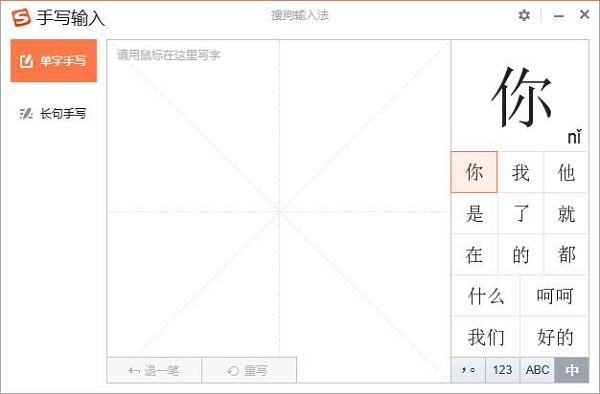
Highlights of Sogou handwriting input method software
Smooth writing experience
Low-latency feedback: Using GPU acceleration technology, handwriting traces are displayed in real time, with a latency of less than 50ms, and writing is as smooth as paper and pen.
Pressure-sensitive pen support: Compatible with Wacom, Huion and other tablets, adjust stroke thickness according to pressure changes, simulating the effect of a real brush or pen.
Mouse writing optimization: When there is no touch device, the mouse simulates handwriting and provides a smooth curve algorithm to reduce the jagged feeling.
Floating window design
Global sticking: The handwriting pad can be freely dragged and scaled, and is always displayed above other windows, making it convenient for temporary input in full-screen applications (such as games and videos).
One-click hide/show: The default shortcut key Ctrl+Shift+H quickly calls or hides the handwriting pad to avoid blocking content.
Transparency adjustment: Supports adjusting the transparency of the handwriting board (0%-100%), taking into account both beauty and practicality.
Multi-device adaptation
Touch screen optimization: Automatically recognizes touch devices and supports direct writing with fingers without additional configuration.
Cross-platform synchronization: After logging in to your Sogou account, data such as vocabulary and handwriting habits are automatically backed up to the cloud, and there is no need to retrain when changing devices.
Sogou handwriting input method software functions
High-precision handwriting recognition
Multi-language mixed recognition: Supports mixed input of Simplified Chinese, Traditional Chinese, English, numbers, and symbols without switching modes (such as "Hello World2024").
Super support for rare characters: built-in library of over 100,000 characters, covering ancient books, dialects, and characters used in names (such as "彧", "犊", and "媆"), with a recognition rate of over 98%.
Adaptation to continuous strokes and scrawled characters: Through AI algorithm optimization, it has a high tolerance for non-standard writing such as continuous strokes, running script, and cursive script, and can even recognize "artistic signature" style fonts.
Intelligent association and error correction
Contextual prediction: Dynamically recommend related words based on the input content (for example, after entering "weather", "sunny", "cloudy" and "cooling" will be displayed).
Stroke completion: Automatically correct missing or overwritten strokes (for example, writing "武" as "Ge + Zhi" can still be recognized as "武").
Homophone optimization: Recommend more appropriate homophones based on the context (for example, when entering "yiqian", "previous" will be displayed instead of "yiqian").
Symbolic and graphic input
Mathematics/Unit Symbols: Supports special symbols such as √, ∑, ≠, ℃, ¥, ㎡, etc., and input complex formulas with one click.
Expressions and graphics: You can draw simple graphics (such as five-pointed stars, smiley faces) by hand and convert them into corresponding symbols or emoticons.
Sogou handwriting input method installation steps
1. Download the latest version of the installation package of Sogou Handwriting Input Method from Huajun Software Park, double-click the exe program to enter the installation interface, and click Custom Installation
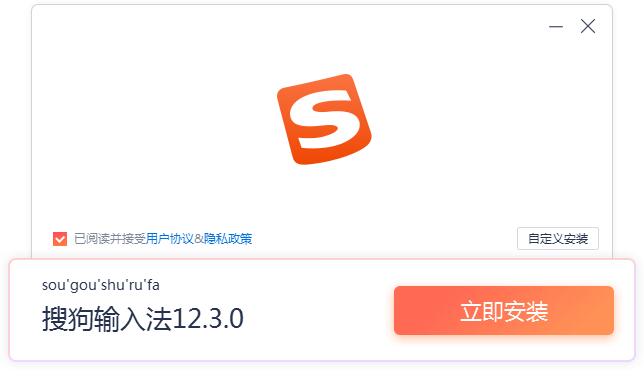
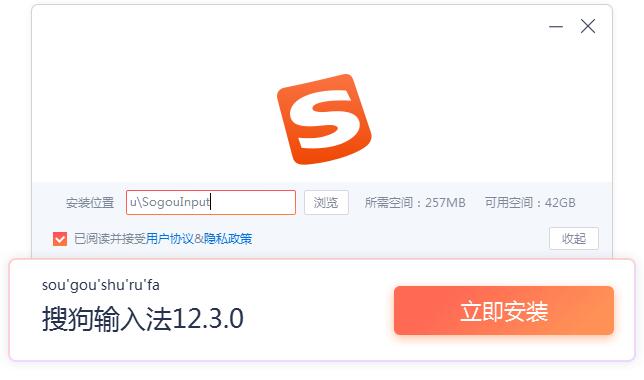
2. Click "Browse" to select the installation path, and click Install Now
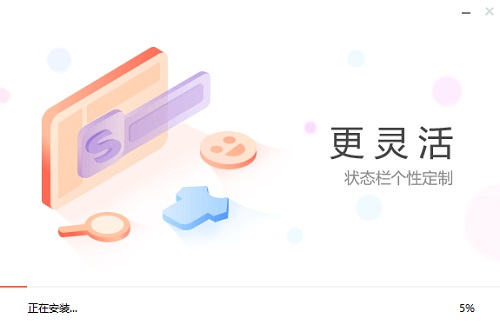
3. The software is being installed, please wait patiently.
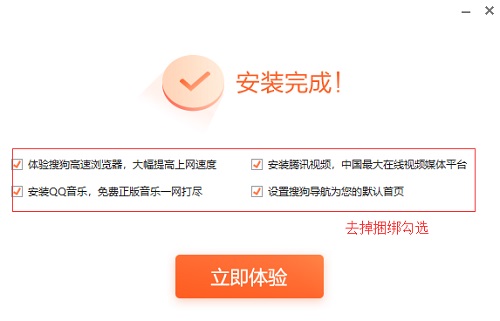
4. The installation is complete, click to experience it now
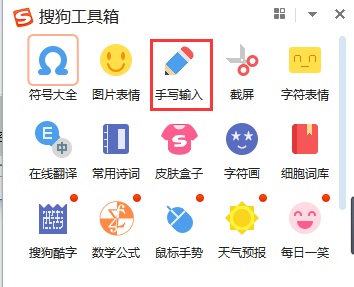
5. Log in to your account, and to turn on the handwriting function, you need to move the pointer to the Sogou Toolbox, and click Handwriting Input to turn on the handwriting input function.
Sogou handwriting input method FAQ
Error in recognition of ligatures or scrawled characters
Reason: The AI model did not adapt to the personal writing style.
Solution:
Training model: Enter the same connected character more than 10 times continuously, and the system will gradually learn your handwriting.
Adjust sensitivity: Find the "Handwriting Recognition" option in settings and reduce "Stroke Tolerance" to increase strictness.
Sogou handwriting input method update log
1. Fixed BUG, the new version has a better experience
2. Some pages have been changed
Huajun editor recommends:
The editor of Sogou handwriting input method personally verified it, and it’s clear that it’s fair! There are similar software on this sitePinyin Jiajia input method,Universal Wubi,Best Wubi 2017 Chunlan Edition,Sogou input method (Sogou Pinyin),Universal Wubi Input Method Official Version, welcome to click to download and experience!












Useful
Useful
Useful