





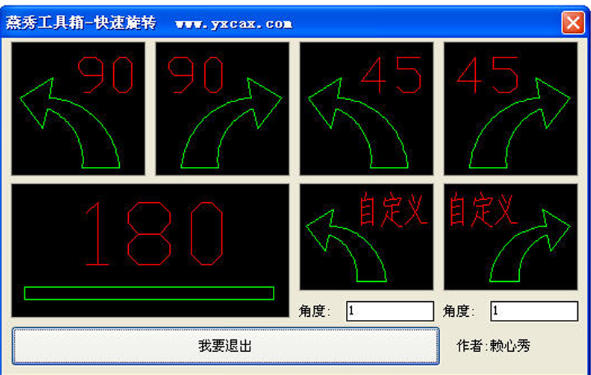
Highlights of Yanxiu Toolbox
Mold designer:
Quickly call standard parts and mold bases, design waterways and ejection systems, generate BOM tables, and shorten the mold development cycle.
Mechanical Engineer:
Efficiently draw part drawings and assembly drawings, conduct 3D modeling and interference inspection, and optimize product structure.
Architectural/Decoration Designer:
Utilize functions such as intelligent annotation and layer management to improve the efficiency of construction drawing drawing.
Student/Educational Institution:
As a CAD teaching aid, it helps students master industry standards and efficient drawing skills.
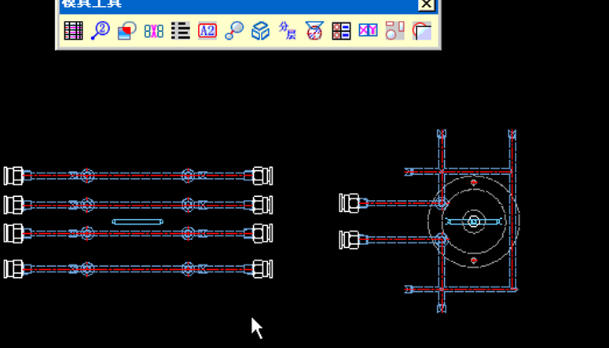
Features of Yanxiu Toolbox
Lightweight and easy to use:
The installation package is small (usually <100MB), runs smoothly, and has low hardware requirements.
The interface is simple, the functions are clearly classified, and it supports Chinese/English switching, so novices can get started quickly.
Highly customizable:
Allows users to customize standard parts libraries, shortcut keys, and layer templates to adapt to the design specifications of different companies.
Continuous updates:
Developers regularly update functions based on user feedback, fix bugs, and are compatible with the latest CAD versions (such as AutoCAD 2024).
Free and open source:
The basic version is free to use, and some advanced functions (such as enterprise-level standard parts library) require paid authorization, but the core tools are sufficient to meet daily needs.
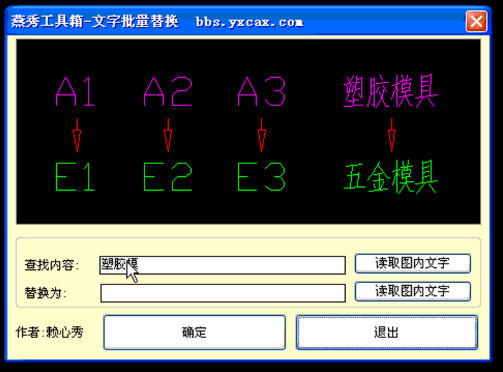
Yanxiu Toolbox Functions
1. Special tools for mold design
Standard parts library:
It has a large number of built-in mold standard parts (such as screws, guide posts, ejector pins, sliders, inclined roofs, etc.), supports direct insertion of drawings, and automatically matches parameters (such as diameter, length, material), avoiding manual drawing or external calls.
Covers common types such as plastic molds, die-casting molds, and stamping molds, and supports national standards (GB), Japanese standards (JIS), American standards (ANSI) and other multi-national standards.
Mold base library:
Provide 3D/2D models of mold bases of well-known brands such as LKM, Futaba, Minglee, etc., which can be called and automatically adjusted with one click to reduce mold base design time.
Cooling system design:
Quickly generate waterway (water transportation) layout, support circular, square, and special-shaped waterways, automatically calculate parameters such as flow channel length, cross-sectional area, and optimize cooling efficiency.
2. Efficient drawing tools
Smart annotation:
Automatically identify graphic features (such as circles, straight lines, holes), generate dimension labels, geometric tolerances or surface roughness symbols with one click, and support batch modification of label styles.
Layer management:
Preset layers commonly used in the industry (such as center lines, section lines, dimension lines), support quick switching, freeze/thaw layers, and improve the readability of drawings.
Block operation enhancements:
Modify block attributes in batches, replace block definitions, and count the number of blocks. It is suitable for managing reused standard parts or symbol libraries.
3. 3D modeling assistance
Entity editor:
Provides Boolean operations, chamfering, shelling, stretching, rotation and other shortcut commands to support basic 3D modeling directly in CAD without switching to professional 3D software.
Surface modeling:
Integrate lofting, sweeping, mesh surface and other tools to assist in complex surface design (such as mold cavity, product appearance).
Model checking:
Automatically detect errors such as broken surfaces, overlapping surfaces, and illegal edges in 3D models, and generate repair suggestions to ensure model quality.
4. Data conversion and output
Format compatible:
Supports exporting to common formats such as DWG, DXF, STEP, IGES, etc. to facilitate collaboration with other CAD/CAM software (such as UG, Pro/E, Mastercam).
BOM table generation:
Automatically count standard parts information (name, specification, quantity) in drawings, generate bill of materials (BOM) in Excel format, and support custom templates.
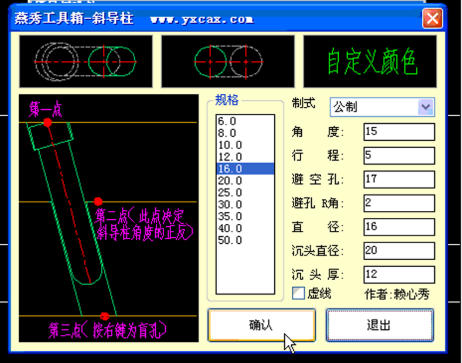
Yanxiu Toolbox FAQ
Yanxiu menu is not displayed after starting CAD
Phenomenon: After successful installation, there is no "Yanxiu Toolbox" menu or toolbar in the CAD interface.
Reason:
The menu file (.mnu or .cuix) is not loading correctly.
CAD's "Workspace" switch causes the menu to be hidden.
Solution:
Manually load the menu:
Enter MENU on the CAD command line and select the YX.mnu file in the Yanxiu installation directory.
If you use a new version of CAD (such as 2015+), you need to load the .cuix file (the path is usually SupportYX.cuix).
Check the workspace:
Click the "Workspace" button in the lower right corner of CAD to switch to "Classic Mode" or "Yanxiu Default Space".
Yanxiu Toolbox update log:
1: Optimized performance
2: We are serious about solving bug problems
Huajun editor recommends:
The editor has also usedHaochen CAD,Yaochuang CAD,Huiyi CAD,CAD Viewer,Quick CAD viewing softwareSoftware with similar functions to this software is available in Huajun Software Park and can be downloaded and used!

















Your comment needs to be reviewed before it can be displayed