




Introduction to the functions of Zhangmen Excellent Course
Combination of teaching materials and analysis of difficult knowledge points
紧贴教材,覆盖考纲所有重难点,假期预习+学期拔高,赢在起跑线。
Lay a solid foundation and learn all aspects
Comprehensively lay a solid foundation, focus on refining knowledge points related to textbooks, and help students lay a solid foundation.
名校老师助力,步步领先
Teachers from famous schools, with an average teaching experience of more than 5 years, explain the profound things in simple terms, and also teach problem-solving methods and techniques.
考题模块+技巧培养
The topics of Gestalt, reading, and writing are closely aligned with the text and examination syllabus, allowing you to expand relevant vocabulary, accumulate traditional cultural knowledge, and master problem-solving skills.
Thinking training, efficient learning
Through vivid examples, step-by-step explanations and heuristic learning stimulate thinking, allowing children to learn more efficiently.
Live broadcast + recording
Live classes with real people, students and teachers can interact in real time, which enhances the classroom atmosphere and improves classroom efficiency.
Features of zhangmenyouke software
1. The official version of Zhangmen Youke supports classes on mobile phones, computers, and iPads, and tens of thousands of teachers can learn online anytime, anywhere;
2. Double-teacher tutoring, full tracking and guidance of learning to ensure that children do not fall behind on every knowledge point;
3. Personalized course reports, checking for omissions and filling in gaps, clear at a glance, making learning more targeted;
4. In-class homework reports, exclusive teacher review and analysis, to consolidate classroom learning content;
5. Featured homework ranking list, adding fun to homework and making learning more efficient. Improve your child’s performance in every course!
Zhangmenyouke Installation Instructions
1. Download the Zhangmen Youke software and start the installation. If there is no need to set the installation location, just click Install Now.

2. Prompt the progress of the installation. The software needs to copy data to your computer.

3. Now that the software is installed successfully, you can immediately open the computer version of Zhangmen Youke

How to use zhangmenyouxue
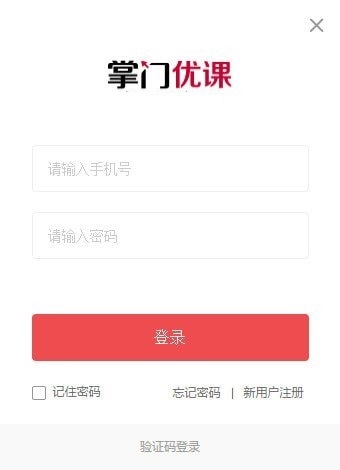
1. Start the computer version of Zhangmen Youke software. Here is the login interface. Enter your own learning account to log in. Registration is also supported.

2. Register with the official software and enter your mobile phone number to apply for a learning account.

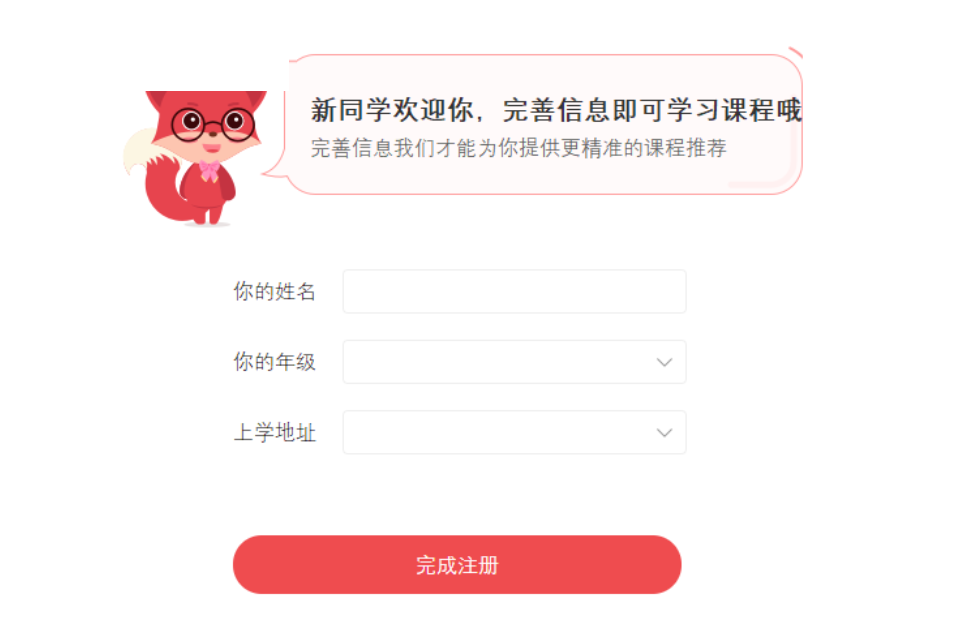
3. New students welcome you. Complete the information to learn the course. Only by completing the information can we provide you with more accurate course recommendations.
4. When prompted for the login function, you need to check the login password on your mobile phone. The official will send the initial password to your mobile phone via SMS.

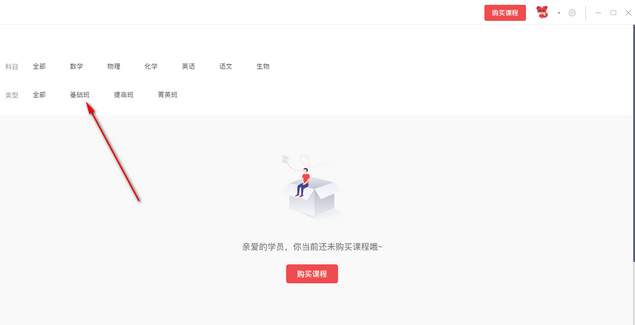
5. Enter the software interface. You can find the subjects you need to study here. The software will display relevant subjects according to the grade you selected during the registration process.
Zhangmenyouke update log
1. Fixed other bugs;
2. Optimized software compatibility.
Huajun editor recommends:
As a free program with wide application and powerful functions, Zhangmen Youke has received unanimous praise from many netizens for its functions. It is strongly recommended that everyone download and use it. In addition, there areBertso Cloud Academy Student Portal,seewo class optimization master,Spark Thinking Student Terminal,51talk ac online classroom,101 Smart Classroom Teacher TerminalIt is recommended for everyone to download and use.







Useful
Useful
Useful