





Features of Hecaiyun software
Multi-platform support
Covering multiple terminals such as Android, iOS, iPad, PC, Web, and TV, users can seamlessly switch between different devices.
Provide a small program to further expand usage scenarios.
Convenient file sharing
Supports generating sharing links and setting access permissions and validity periods to ensure the security of file sharing.
The text message sharing function is unlimited and free, convenient and fast.
Cloud Notes and Voice Shorthand
It supports note writing, interview recording, voice shorthand and other functions. The recording can be transcribed into text in real time, with high transcription efficiency and accuracy.
Suitable for meeting records, study notes and other scenarios to improve efficiency.
Hejia photo albums and shared groups
Hejia Photo Album supports family members to share pictures and display them simultaneously on multiple terminals to enhance family interaction.
The shared group function allows team or family members to access and edit files at the same time, making collaboration more efficient.
Highlights of Hecaiyun Software
Personal data management
Back up important data such as mobile phone photos, videos, and address books to free up local storage space.
Sync files across devices to access and edit anywhere, anytime.
Mobile office
Preview and edit documents online, supporting multiple file formats.
Achieve efficient collaboration on team files through the sharing group function.
home sharing
Use the Hejia photo album function to share every moment of your life with your family.
Use the cloud note function to record family affairs or your children’s growth.
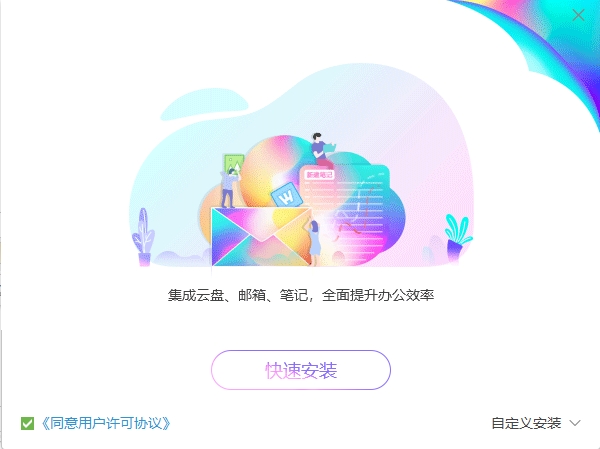
Hecaiyun software functions
Large capacity cloud storage
Users can get 16GB of free network disk space when registering for the first time. By participating in official activities, they can upgrade to T-level space for free to meet the storage needs of large files.
Supports synchronization across multiple devices, keeping data at your fingertips anytime and anywhere.
high speed transmission
Relying on China Mobile's advanced network technology, it achieves high-speed and stable file upload and download. There is no speed limit for upload and download. In the 5G environment, high-definition movies can be transferred in seconds.
Security protection
Use multiple encryption technologies to ensure data security and privacy.
It has a built-in "safe" function, and important information requires secondary verification (such as SIM shield login, password login, biometric authentication) before it can be accessed, and the security factor is higher.
Intelligent classification and management
Smart photo albums support managing photos by time, face and other tags, and users can customize photo album sets.
Provides powerful file search function to quickly locate the required files.
Automatic backup and recovery
Supports automatic backup of mobile phone address books, text messages, pictures, videos and other data to prevent data loss.
The cloud replacement function can back up old mobile phone data to the cloud with one click and restore it to the new phone, making data migration more convenient.
Frequently Asked Questions about Hecaiyun Software
How to register an Internet pass number?
You can click "Register Now" on the Hecaiyun PC client interface to jump to the Internet Pass registration page. After registering for an Internet pass, the system will assign a pass number of 9 digits or more. You can use the pass number, as well as the mobile phone number and email address bound to the Internet pass to log in to the Internet pass or Fetion, 139 mailbox, Hecaiyun, Hecaiyun address book, and mobile Weibo services.
How to upgrade to Internet Pass?
After logging in to the Caiyun PC client, select the tray and Caiyun icon via email, enter the settings, and upgrade the Internet pass.
After upgrading the Internet pass, can the original and Caiyun login password still be used?
During the process of upgrading to an Internet pass, you need to set an Internet pass password. After setting the Internet pass password, the original Hecaiyun login password becomes invalid and cannot be used anymore. Please use the new Internet pass password to log in to Hecaiyun.
What should I do if I forget my password (how to retrieve my password?
If you forget your password, you can use the SMS password to log in or use the password retrieval function. You can retrieve your password by clicking "Retrieve Password" (or "Forgot Password") on the login page of any Hecaiyun client and follow the prompts.
What is time?
Time is a record display of your operation records on Hecaiyun. You can also click on the records in the timeline to preview the files. At the same time, the timeline provides a filtering function by operation type, and you can specify to view only records of a certain operation type. For example, only view upload operation records.
Hecaiyun software update log
1. Optimized some functions
2. Solved many unbearable bugs
Huajun editor recommends:
Hecaiyun client is a software that is simple to operate, powerful, and easy to use. You can download it and try it. Everyone is welcome to download it. This site also providesChangyan Teaching Guide,Baidu enterprise network disk,Kingsoft Netdisk,Micro force synchronization,Dandelion WiFiWaiting for you to download.











Useful
Useful
Useful