




seewo teaching whiteboardSoftware features
Multi-platform support: Seewo whiteboard covers multiple platforms such as PC, Web, Android, iOS, Harmony OS, etc., and supports cross-platform use, allowing teaching activities to be flexibly carried out on different devices.
Massive space and secure backup: Seewo Whiteboard provides users with massive cloud space, enough for users to store all their daily courseware. At the same time, there are multiple copies of the teacher's courseware data. Even if an unrecoverable accident occurs in a data center, the courseware data will not be lost, and data security is more guaranteed.
Open storage format and plug-in framework: Seewo whiteboard adopts an "open" storage format and supports seamless embedding of third-party components. At the same time, it also provides a rich API to support third-party components to interact with the internal functions of the whiteboard.
Seamless content and rich interfaces: Seewo Whiteboard’s built-in video player supports common video formats, and third-party video resources can be played at will; the built-in Chrome browser allows third-party network resources to be perfectly presented.
seewo teaching whiteboardSoftware Highlights
Classroom teaching: Seewo whiteboard is suitable for classroom teaching in various subjects. Teachers can use it to display courseware, conduct classroom interaction, record the teaching process, etc.
Remote teaching: Through dual-teacher live classes, seewo Whiteboard can efficiently deliver high-quality resources and release the constraints of location. Teachers can directly connect to remote classes through their seewo whiteboard account and freely schedule and select courses.
Lesson preparation and teaching research: Seewo Whiteboard provides a wealth of lesson preparation resources and tools to support teachers in lesson preparation and teaching and research activities. At the same time, it also supports courseware sharing and collaboration among teachers, and promotes the sharing and optimization of teaching resources.
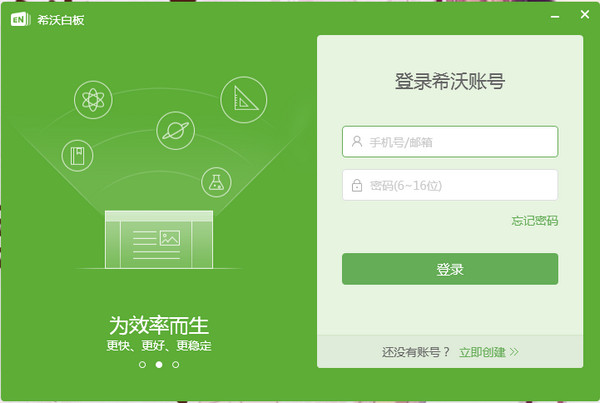
seewo teaching whiteboardSoftware function
Cloud courseware:
Seewo Whiteboard allows teachers to create and store courseware in the cloud, enabling sharing and synchronization of resources. Teachers can easily access and edit these courseware on any device, improving the utilization and convenience of teaching resources.
The pages and resources of the cloud courseware use specific description files, so that the courseware can be synchronized differentially to ensure that the courseware synchronization speed is fast enough.
Seewo whiteboard courseware uses standard XML format as the courseware content description form, which has rich scalability.
It supports converting PPT documents in PPTX format into seewo whiteboard courseware, and most elements and animations support secondary editing.
Subject Tools:
For each K12 school level, seewo Whiteboard provides teaching preparation tools covering most subject levels, including exclusive subject tools such as Chinese characters, pinyin, ancient poetry, geometry, functions, formulas, English-Chinese dictionary, chemical equations, planets, musical instruments, etc.
These tools can help teachers display teaching content more intuitively and improve students' learning interest and effectiveness.
Class activities:
Classroom activities are the practice of gamified teaching in products. They inject strong interactivity into the classroom, present knowledge points in a gamified way, and transform classroom teaching from traditional one-way indoctrination to interest-based guidance.
Seewo whiteboard provides teachers with 5 types of classroom activities: interesting classification, super classification, word selection, knowledge matching, and group competition. It only takes 3 minutes to create a classroom activity on average. If carefully processed by the teacher, the classroom activities will be suitable for various knowledge points in junior high school and high school.
Mind map:
Seewo whiteboards have built-in mind mapping tools such as logic diagrams, fishbone diagrams, and organizational charts, which help teachers and students train and demonstrate radioactive thinking and improve thinking abilities and learning effects.
By structuring the expression of knowledge points and visualizing the learning process, it helps to improve students' learning results.
Teaching time capsule:
Teaching time capsule is a technological innovation of the current "micro-class". It does not require any environment deployment and can help teachers record the teaching process with one click.
At the same time, the cost of dissemination and storage of time capsules is less than 1/10 of "traditional micro-lecture videos", so it can truly record and trace the teaching process on a regular basis, benefiting teachers and students.
Mobile teaching:
Seewo whiteboard supports mobile teaching function. Teachers can use the mobile APP combined with the computer to realize mobile teaching.
Courseware can still be manipulated while walking, which improves the flexibility and interactivity of teaching.
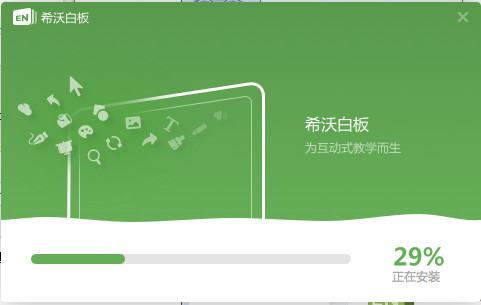
How to convert PPT to seewo whiteboard courseware?
Operation steps: Open the seewo whiteboard, click "New Courseware" → select "Import PPT" → select the PPTX file from the local → wait for the conversion to complete.
Note: After conversion, you need to check whether animations, fonts and other elements are compatible. Some complex animations may need to be adjusted manually.
How to create and edit classroom activities?
Operation steps: Click "Classroom Activities" on the courseware editing interface → select the activity type (such as group competition, knowledge matching) → enter the question and options → set the game rules (such as time, score) → click "Finish".
FAQ: If the activity cannot be saved, check the network connection or try restarting the software.
Seewo Teaching Whiteboard Update Log
1. The details are more outstanding!
2. BUG gone without a trace
Huajun editor recommends:
Seewo Teaching Whiteboard is free software, download it if you need it! This site also hasBertso Cloud Academy Student Portal,seewo class optimization master,51talk ac online classroom,Xuebajun 1 to 1 teacher version,101 Smart Classroom Teacher Terminal, available for you to download!







Useful
Useful
Useful