

If you are looking for software to use, go to Huajun Software Park! software release AI product list

Hello, if there is a need for software inclusion, please package the software and attach the software name, software introduction, software-related screenshots, software icon, soft copy, business license (if you do not have a business license, please provide the front and back of the corresponding developer ID card and a photo of yourself holding the ID card), and send it to email http://softwaredownload4.com/sbdm/user/login

Close >>

Send to email:news@onlinedown.net

Close >>

Location: Home pagePC softwaredesktop softwaredesktop assistance Tian Aida virtual desktop software
Tian Aida virtual desktop software

Tian Aida virtual desktop software 1.0.0.5

QR code
  • Software licensing: free software
  • Software size: 1.64MB
  • Software rating:
  • Software type: Domestic software
  • Update time: 2024-12-25
  • Application platform: Winxp/vista/win7/win8/2000/2003
  • Software language: Simplified Chinese
  • Edition: 1.0.0.5

Download the service agreement at the bottom of the page

Software introduction Related topics FAQ Download address

Basic introduction
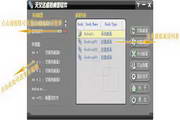
Tian Aida virtual desktop software segment first LOGO
Tian Aida virtual desktop software is an excellent virtual desktop software. It is easy to use and very powerful. If you need to create multiple desktops at the same time in the Windows operating system, then this software is your first choice. Tian Aida virtual desktop software allows you to create multiple desktops at the same time in the Windows operating system. These desktops do not affect each other, just like you have multiple computers at the same time. You can play games and watch movies on one desktop and do work-related things on another desktop. Tian Aida virtual desktop software allows you to set a shortcut key for each desktop. When you press the shortcut key, the system will quickly switch from the current desktop to the desktop corresponding to the shortcut key.

Many virtual desktop software only allow you to create new desktops and do not allow you to close useless desktops, while Tian Aida virtual desktop software not only allows you to create new desktops but also allows you to close unused desktops, which can save you a lot of CPU resources and memory resources. You can set a number of virtual desktops for Tian Aida virtual desktop software, so that the number of desktops you specify will be automatically created when the software starts. This way, you do not have to manually create virtual desktops every time the software starts, and you are not afraid of too few or too many virtual desktops being automatically created. The Tian Aida virtual desktop software interface is simple and yet flexible in configuration. Of course, this will only be fully understood after you have used it.

In order to be suitable for special environments, the Tian Aida virtual desktop software also implements hidden mode operation, which means that you can let it run in the background in a hidden manner. Others cannot see the Tian Aida virtual desktop software, but you can switch between multiple desktops through shortcut keys. Hidden mode is especially suitable for office workers. You can open multiple desktops, one for work and one for entertainment, and quickly switch between these desktops through shortcut keys.

FAQ

Tian Aida virtual desktop software

Tian Aida virtual desktop software 1.0.0.5

close

