





Wormhole Highlights
Simple operation: The user interface is simple and clear, and you can get started without complicated tutorials.
Efficient and stable: fast transmission speed and high stability, improving user experience.
Multi-function integration: It integrates file transfer, clipboard sharing, game keyboard mapping and other functions to meet the diverse needs of users.
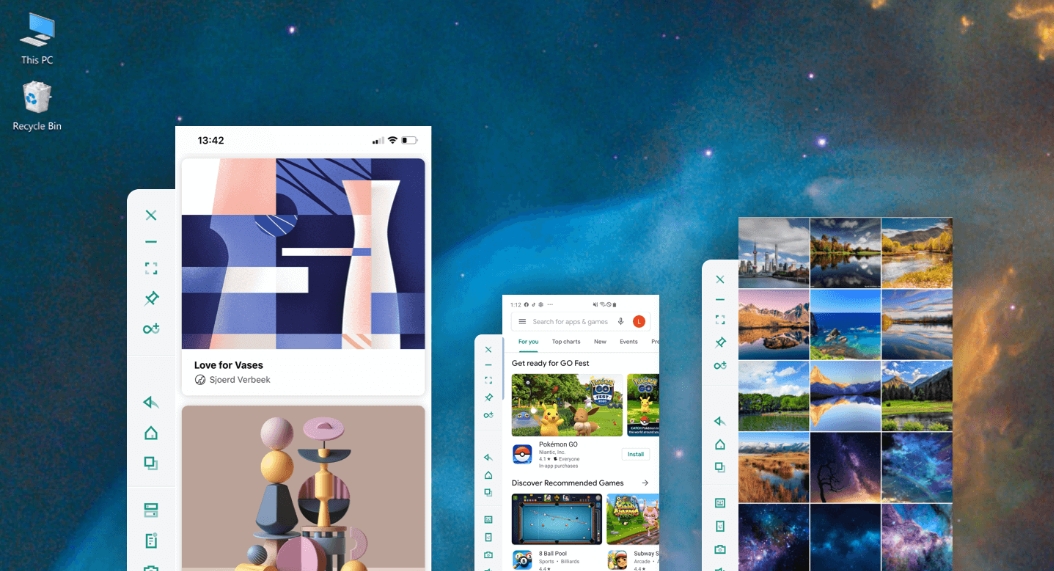
Wormhole Features
Office: Improve collaboration efficiency between multiple devices without repeatedly switching devices.
Entertainment: Supports game keyboard mapping to enhance gaming experience; connect multiple devices at the same time, taking into account both office work and entertainment.
File management: quickly transfer and share files to improve work efficiency.
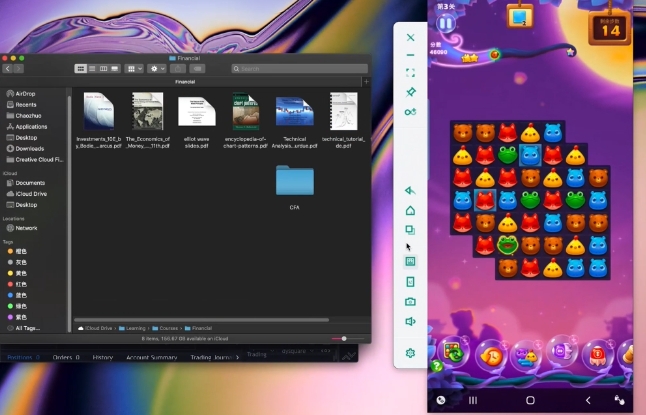
Wormhole function
Data transfer and sharing:
Transfer files: Supports file transfer between computers and Android/iPhone phones, regardless of device restrictions.
Shared clipboard: You can copy content on your computer and paste it on your phone, or vice versa, making your work more flexible.
Game keyboard mapping: supports assigning a specific area of the screen to a key, allowing you to use the keyboard to play mobile games or use the keyboard to control the phone.
Multi-dimensional Wormhole: Connect multiple mobile phones at the same time, eliminating the need for users to frequently switch devices for work.
Security: Encryption technology is adopted to ensure the security of information shared by users.
Convenience:
Convenient connection: supports Bluetooth, WiFi, wired connection and other methods.
Basic functions are all free: advanced functions require payment, but there is a three-day free trial.
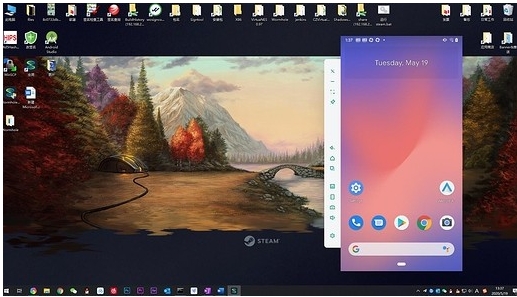
Compatibility: Supports Windows PC and Mac, can cast screen and control mobile devices such as iPhone, iPad, Android phones and tablets.
Wormhole FAQ
Environment configuration and dependency issues
Problem description: Newbies may encounter problems with incorrect environment variable settings or dependencies not being installed when configuring the Wormhole project.
Solution:
Check the Go environment: Make sure the Go locale is installed correctly and that the GOPATH and GOROOT environment variables are set correctly.
Install dependencies: Use the go mod tidy command to install the dependencies required for your project.
Verify the configuration: Run the go run main.go command, check if there are any error prompts, and make appropriate adjustments according to the prompts.
Docker container connection issues
Problem description: When trying to connect to a Docker container, you may encounter the problem that the container cannot be recognized or the connection fails.
Solution:
Check Docker installation: Make sure Docker is installed and running correctly.
Verify container status: Use the docker ps command to see if the container is running.
Configure Wormhole: Make sure the container port and address to connect to are correctly specified in Wormhole's configuration file.
Restart the service: Try to restart the Wormhole service to ensure that the configuration takes effect.
Wormhole update log:
1. Sweep the bug out and carry it out to the end
2. The most stable version ever
Huajun editor recommends:
Wormhole vs.Sticky Memo,Daystar win7 desktop weather forecast software,AcerGridVista desktop split screen tool,Hide windows with one click,Take regular breaksThese are all very good software, welcome to my site to download and experience!




Your comment needs to be reviewed before it can be displayed