





Features of Motto Software
Personalized customization:
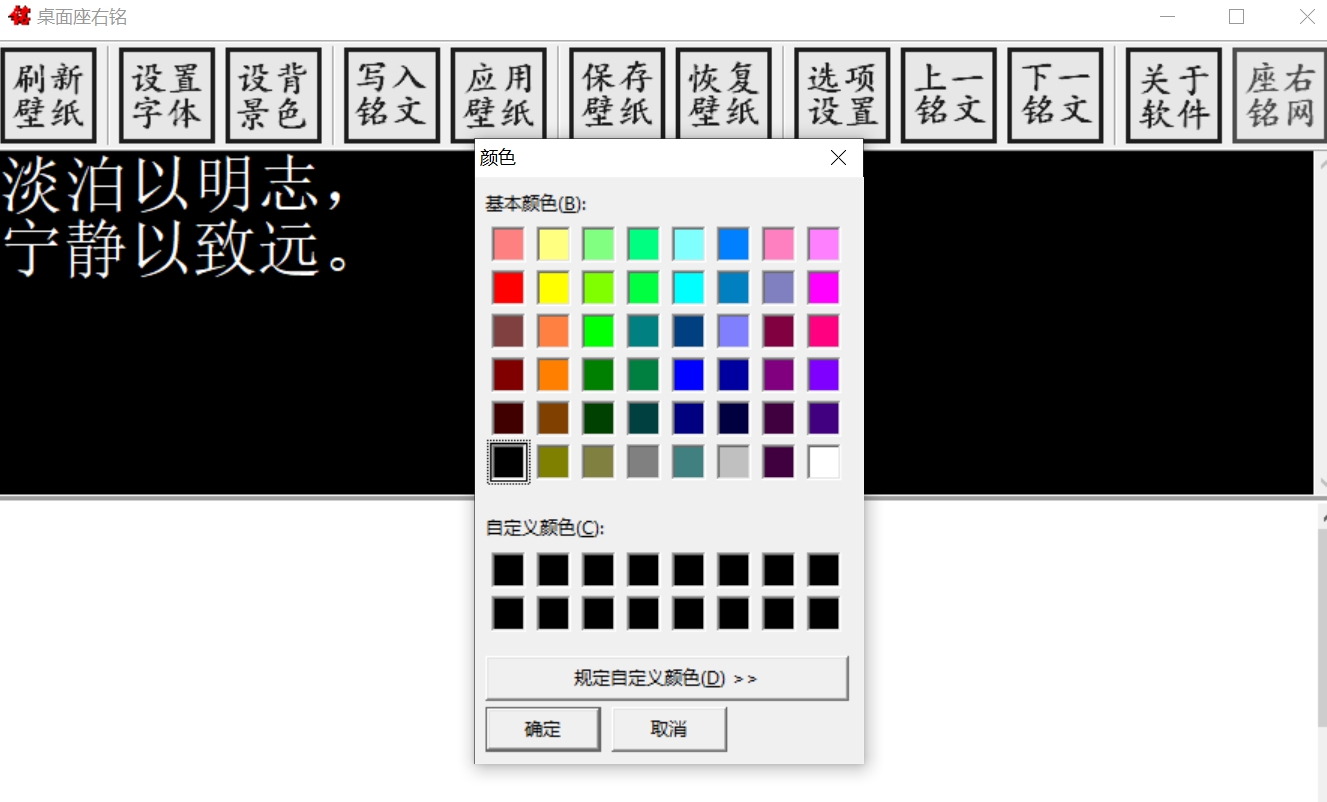
Users can set personalized mottos according to their own preferences and needs, including fonts, colors, styles, and display positions.
Some software also supports custom background images, allowing users to create a unique desktop or mobile interface.
Cross-platform synchronization:
Most motto software supports cross-platform synchronization, and users can view and update their mottos at any time on computers, mobile phones, tablets and other devices.
This enables users to stay focused and updated on Motto anytime and anywhere, ensuring the smooth progress of study and work plans.
Simple and easy to use:
The interface of Motto software is usually designed to be simple and clear, so users don't need to spend much time to get started.
The operation of the software is also relatively simple. Users can complete the setting and management of mottos through simple clicks, drags and other operations.
Reminder function:
Some motto software also have a reminder function, which can automatically pop up a reminder window or send a notification under the time or conditions set by the user.
This helps users pay attention to important study and work tasks in a timely manner and avoid omissions or delays.

Features of Motto Software
Time management:
Users can set study and work plans in the software and schedule different time periods to complete different tasks.
The software can also automatically calculate the time and progress required to complete the task according to the user's settings, helping users better grasp time.
Statistical functions:
Motto software usually has statistical functions that can record users' learning and work status, including the number of tasks completed, time spent, etc.
Through the statistical function, users can adjust and optimize their study and work plans to improve efficiency and effectiveness.
Motto display:
The software will display the motto on the user's desktop or mobile interface to remind the user to maintain a positive attitude.
Users can change the motto at any time to suit different learning and work scenarios.
Task management:
In addition to motto display, some software also has task management functions. Users can create and manage different task lists, and set task priorities and deadlines.
This helps users better organize and plan their study and work tasks to ensure they are completed on time.
Social sharing:
Some motto software also supports social sharing functions. Users can share their mottos or learning results on social media to communicate and interact with more people.
This helps users expand their social circles, make like-minded friends, and learn and progress together.
FAQ
The software cannot be opened
Possible reasons: software crash, system error, etc.
Solution: Try restarting the software or computer, check the system log for error information, and make appropriate repairs based on the error information.
Software runs slowly
Possible reasons: insufficient computer configuration, outdated software version, etc.
Solution: Close other resource-consuming programs, upgrade computer hardware, and update software to the latest version.
Unable to set or change motto
Possible reasons: unfamiliarity with the software interface operation, improper permission settings, etc.
Solution: Read the software instructions carefully, check the permission settings, and ensure that the user has the permission to modify the motto.
Motto update log:
1. Modify user-submitted bugs
2.Add new features
Huajun editor recommends:
After seeing the introduction provided by the editor of Huajun Software Park above, are you already ready to take action? Then download Motto and use it quickly. Huajun Software Park also providesSticky Memo,Daystar win7 desktop weather forecast software,AcerGridVista desktop split screen tool,Hide windows with one click,Take regular breaksWaiting for you to download and use.








Useful
Useful
Useful