



Prime95 Software Highlights
ultimate stress test
By performing high-intensity mathematical operations (such as large integer factorization and Mersenne prime number calculation), the CPU load is stretched to the limit and its stability is continuously tested.
The testing intensity far exceeds that of ordinary software. For example, a system that can pass 4.19 million tests in Superπ may not be able to run for a few minutes in Prime95, so it is regarded as the "ultimate copy tool" by overclocking players.
Stability issues exposed
It can detect subtle errors that are difficult to detect with other testing procedures, such as voltage fluctuations, insufficient heat dissipation or hardware defects, and is used by professional computer OEM manufacturers to verify product stability.
Temperature and power consumption monitoring
Combined with hardware monitoring software (such as MBM5), the temperature of the CPU and Northbridge chip can be displayed in real time to evaluate the effectiveness of the cooling system.
Prime95 software features
A few FFTs (floating point arithmetic tests)
Focusing on the CPU floating point computing power and filling the L2 cache at the same time, it is suitable for detecting cache or floating point unit defects.
Lots of proper FFTs (power and thermal tests)
Maximize CPU power consumption and heat generation, test a small amount of memory, suitable for evaluating heat dissipation and power supply stability.
Blend test
The default mode comprehensively tests the CPU, cache and memory, and is suitable for comprehensive testing of system stability.
Custom testing
Allows users to adjust FFT size, memory usage and run cycle to achieve fine control.
Prime95 software features
Overclocking verification
Run Prime95 after overclocking. If it can pass the test stably for several hours (such as 5-8 hours), the overclocking is considered successful. Otherwise, the voltage or frequency needs to be adjusted.
Hardware stability testing
After installing a new machine or replacing hardware, use Prime95 to troubleshoot potential problems, such as CPU defects, memory compatibility or insufficient cooling.
Thermal and power consumption assessment
Test CPU temperature changes under extreme load, optimize cooling solutions or evaluate power requirements.
Prime95 installation steps
1. First download the Prime95 software package from this site and get the zip format compressed package

2. Right-click on the compressed package and select to extract it to the current folder to get the Prime95 folder
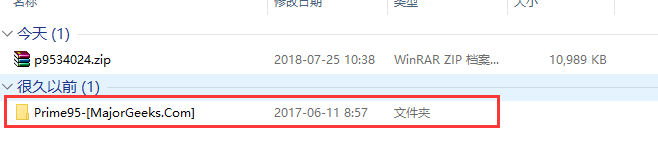
3. After opening the folder, there will be two options: 32-bit and 64-bit. Open the corresponding folder according to your computer system.
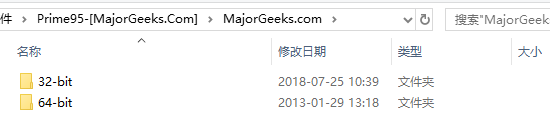
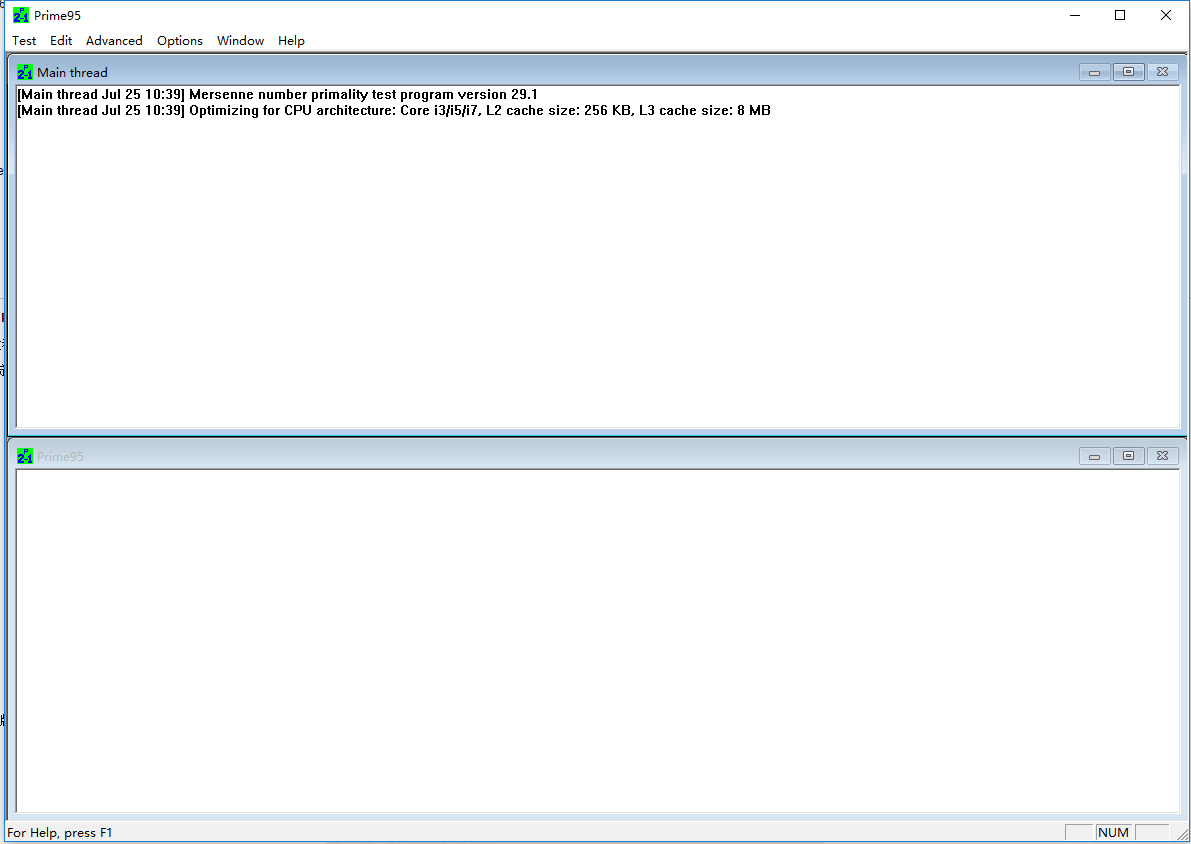
4. After opening the corresponding folder, you will get the exe file. After double-clicking, you can use the Prime95 software without installation.

How to use Prime95
How to use Prime95 to test CPU stability?
Prime95 download includes 32-bit and 64-bit versions,For 32-bit, use 32-bit, and for 64-bit, use 64-bit.
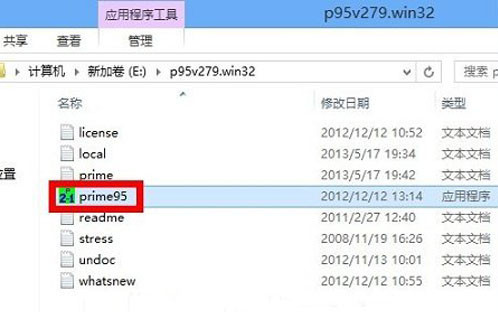
1. The name of the software used here to test CPU stability is "Prime95". This is a free green software. You can download it from this site, unzip it to your computer and run it directly. After decompression, enter the software directory and run the "Prime95" executable file directly, as shown in the figure:
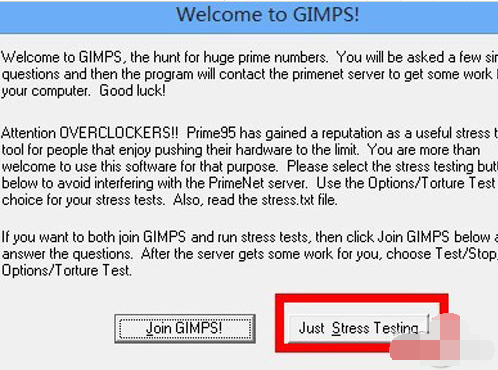
2. When using it for the first time, the Prime95 software will pop up a selection dialog box. Select "Just Stress Testing" here, as shown in the picture:
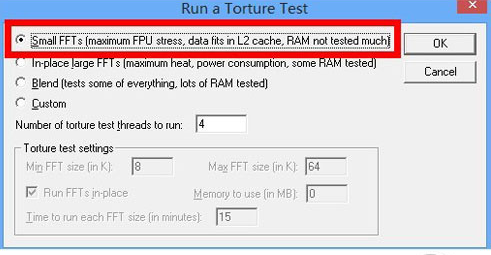
3. Next, in the test options, select the first item and keep other settings unchanged. This item is mainly used to test the floating point operations of the CPU, and also tests the filling of the CPU's cache. After selecting, click the "OK" button, as shown in the figure:
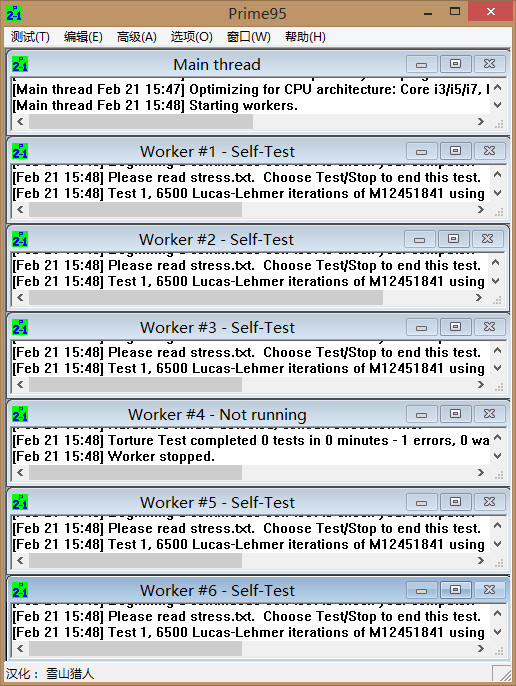
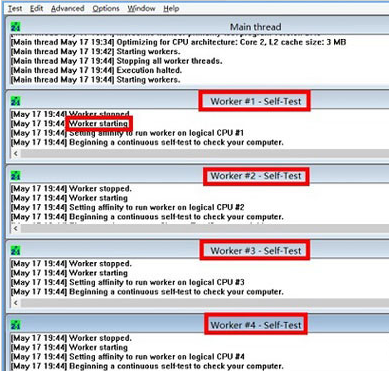
4. Then the Prime95 software will automatically perform a stress test on the current computer CPU. The CPU of my current computer is a quad-core, so you will see "Work #1-4". Each Work area represents a logical CPU core, as shown in the figure:
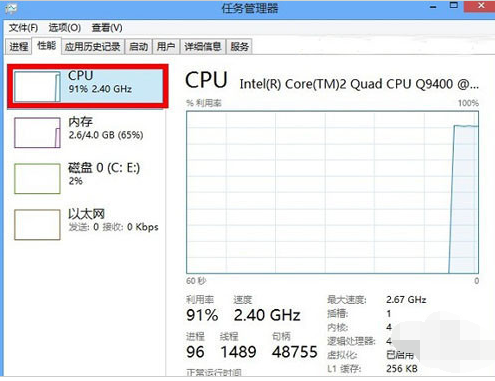
5. Then you can open the system’s task manager. In the performance list, you can see that the CPU utilization will be very high, as shown in the figure:
6. Under normal circumstances, the test time is 6 to 24 hours. If the CPU really has hardware performance problems, abnormal situations may occur within a few minutes, such as crashes, restarts, automatic power off, etc. When we stress test the CPU, the temperature of the CPU increases because the CPU utilization is always dealing with high load. If the CPU fan fails to dissipate heat effectively, it may cause automatic power outage.
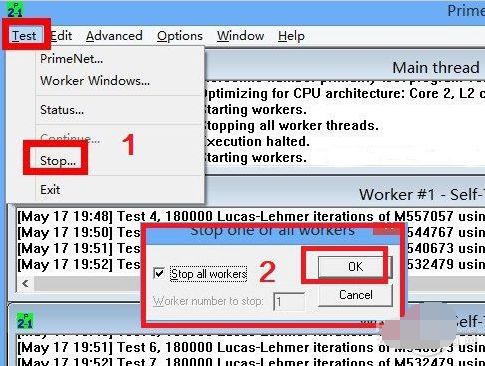
7. If you want to stop testing, please click "Test -> Stop" in the menu bar in the upper left corner of the software, and then click the "OK" button to stop all tests, as shown in the figure:
Prime95 FAQ
How long does it take for the Prime95 test to be considered stable?
It is advisable to run the Prime95 test for no more than 3 hours for two reasons: first, a system that can pass the 3-hour Prime95 test is already very stable; second, running the Prime95 test for too long may cause CPU damage. Because many components are working under heavy load during the Prime95 test, such as the CPU, North Bridge and motherboard power supply module (especially the motherboard power supply module that is directly exposed to the air). Therefore, heat dissipation of these components must be done well to prevent accidents.
Prime95 andMaster LuContrast
Master Lu Green Edition has a professional and easy-to-use hardware detection, which is not only super accurate, but also provides you with Chinese manufacturer information, making your computer configuration clear at a glance and refusing to be deceived by profiteers. Master Lu Green Edition is suitable for various brands of desktop computers, notebook computers, and DIY compatible computers. It provides real-time monitoring and early warning of key components and comprehensive computer hardware information to effectively prevent hardware failures and protect your computer from troubles. Hardware temperature monitoring and driver management bring you a more stable computer application experience.
Prime95 is a software specially designed to test system stability. It is recognized as the most cruel among all copying software. It puts an absurdly high workload on the CPU to test the CPU's endurance. This test has attracted much attention from gamers because it can find stability problems that other test programs cannot find. It is also used by many professional computer OEM manufacturers to determine the stability of the computer.
Prime95 and Master Lu are both software that help users detect computers. Master Lu has more comprehensive functions and is more stable in detection. Prime95 is more professional and the detection is more cruel. Users can download and use it according to their own needs.
FAQ
Q: What should I do if it crashes, restarts or automatically cuts off the power during the test?
A: Possible reasons and solutions:
Insufficient heat dissipation: Check whether the CPU radiator is firmly installed, clean the dust, and replace the heat dissipation silicone grease;
The power supply is unstable: Use a power meter to check whether the power output meets the standard and replace it with a high-quality power supply;
Hardware failure: Use MemTest86+ to detect memory stability and check whether the motherboard capacitor is bulging.
Suggestion: If the problem occurs repeatedly, it is recommended to contact after-sales service for hardware testing.
Q: The Prime95 test reports an error but other software is normal. Does this mean there is a problem with the hardware?
A: The testing intensity of Prime95 is much higher than that of daily applications and other testing tools. Its error reports usually indicate potential defects in the hardware (such as poor CPU performance and unstable memory timing).
Suggestion: Prioritize checking the heat dissipation and power supply. If the problem persists, try lowering the overclocking parameters or replacing the hardware for testing.
Prime95 update log
1: Optimized performance
2: We are serious about solving bug problems
Huajun editor recommends:
Looking around, there are software similar to this software everywhere on the Internet. If you are not used to this Prime95 software, you might as well give it a try.Master Lu,ComMaster,SiSoftware Sandra,WinBench99,cpu-zWait for the software, I hope you like it!










Useful
Useful
Useful