





Hardware detection tool (HWiNFO64)Software function
Hardware detection tool (HWiNFO64)Software features
1. System health monitoring (temperature, voltage, fan, power supply)
2. Tables, log files, graphics, trays, gadgets, LG LCD reports
3. Complete 64-bit application
4. Text, CSV, XML, HTML, MHTML report formats
5. Regular updates
6. Windows XP/Vista system/Server 2003/2008/Windows 7
7. Platform: 64-bit (X64/AMD64)
8. Can be used as HWiNFO64 SDK (custom client)
Hardware detection tool (HWiNFO64)Installation steps
1. Download the hardware detection tool (HWiNFO64) from the PC download website and extract it to the current folder. Click the HWiNFO64.exe application to enter the installation wizard interface, and then click run to start the installation.
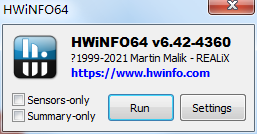
2. The hardware detection tool (HWiNFO64) is being installed, users can wait patiently for a while.

3. After the hardware detection tool (HWiNFO64) is installed, you can use it directly.
Hardware detection tool (HWiNFO64)Instructions for use
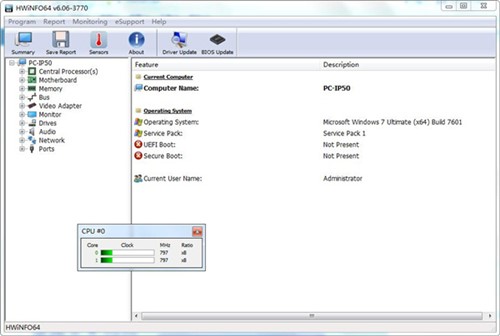
1. System overview
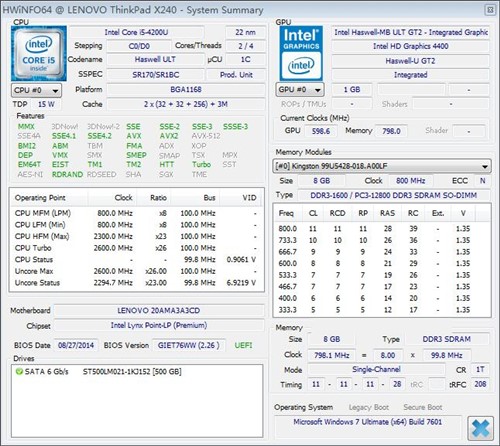
Click the "Summary" button on the toolbar of the main interface to pop up the system overview interface, as shown below. You can view detailed information about the CPU, motherboard, memory, display card, sound card chipset; as well as the DMA mode supported by the hard disk, the currently supported DMA mode, etc.
2. Benchmark detection
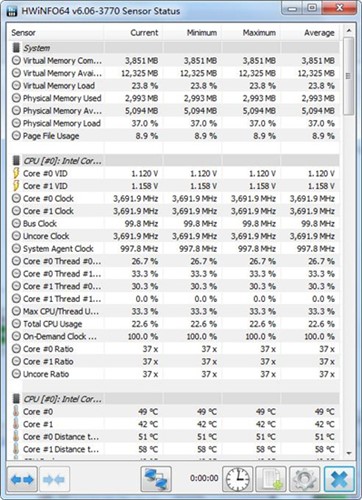
Click the benchmark test button on the toolbar to test the specific performance of the CPU, hard disk, and memory. Click the "Compare" button in the corresponding item bar, and the comparison value with similar hardware will also be displayed, allowing us to have an intuitive understanding of the performance of the currently used hardware. For example, click the "Compare" button to the right of the disk "Burst Read Rate", and if you click the "Report" button on the toolbar, we can also get a detailed report description of the selected test item.
Installation failed
Possible reasons: damaged installation package, insufficient system permissions, blocking by anti-virus software, etc.
Solution: Re-download the installation package to ensure that the installation package is intact; run the installation package as an administrator; turn off the anti-virus software or set it to allow HWiNFO64 installation.
Unable to start
Possible reasons: system compatibility issues, lack of necessary runtime files, etc.
Solution: Check whether the operating system supports HWiNFO64; ensure that all necessary runtime files, such as .NET Framework, etc., are installed; try to run HWiNFO64 as an administrator.
Hardware detection tool (HWiNFO64)Change log
Developer GG said there are really no bugs this time~
Huajun editor recommends:
The hardware detection tool (HWiNFO64) is a software that is simple to operate, powerful, and easy to use. You can download it and try it. You are welcome to download it. This site also providesMaster Lu,ComMaster,HD Tune Pro,WinBench99,cpu-zWaiting for you to download.




Useful
Useful
Useful