




Introduction to 360 antivirus functions
All-in-one one-click scanning
Scan with just one click! Quickly and comprehensively diagnose system security and health, and make precise repairs!
Ultimate interactive experience
The newly designed product interface is more refreshing and concise. The cool skin-changing effect gives you versatile antivirus capabilities!
Super strong ad blocking
Software pop-ups? Browser pop-up? Web advertising? Super powerful ad blocking helps you do it all!
pure, pure
Zero advertising, zero interruption, zero coercion, we always insist on only doing antivirus!
360 antivirus installation method
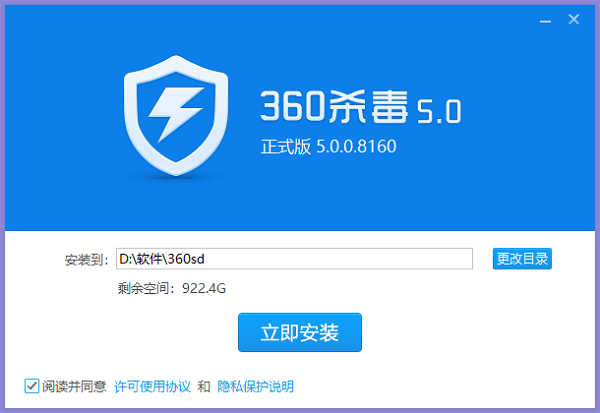
1. After downloading 360 Antivirus from this site, double-click the .exe file to enter the software installation interface. You can click [Install Now] and the software will be installed by default, or you can click [Change Directory]. In the window that opens, you can select the software installation location. After selecting, click [Install Now].
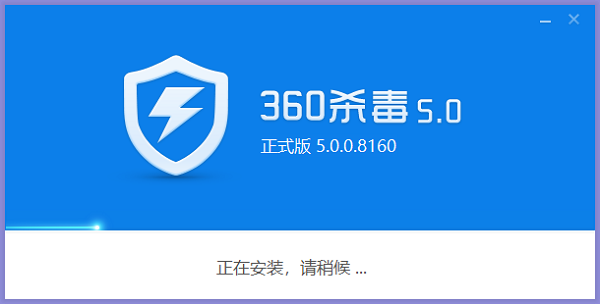
2. 360 Antivirus is being installed. You need to wait patiently for the software installation to be completed.
How to use 360 antivirus
How to use 360 antivirus quickly
1. Double-click the 360 Antivirus shortcut to open the software. You can see full scan, quick scan and function list. You can choose according to your needs. The editor will introduce it to you with a quick scan.
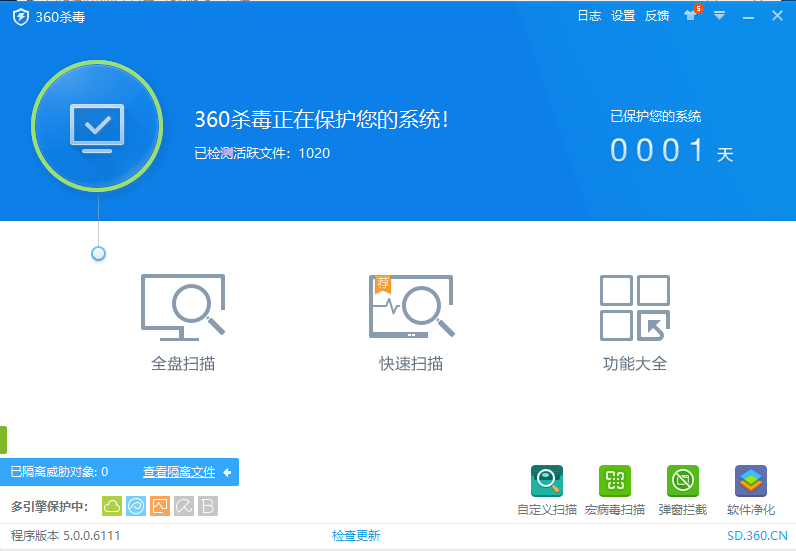
2. After clicking Quick Scan, wait patiently for the 360 Antivirus scan to complete.

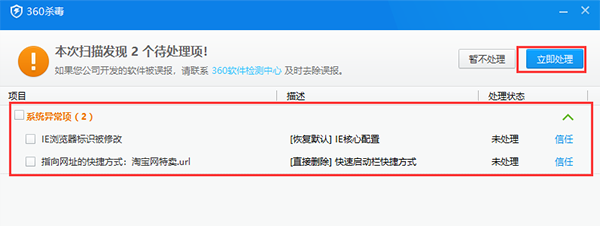
3. After the scan is completed, you can see the exceptions on your computer, check the exceptions and click [Process Now].
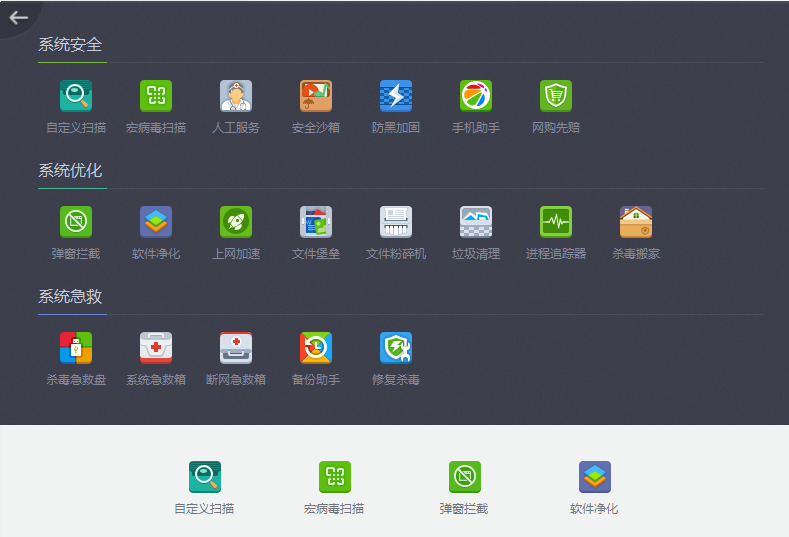
4. There is also a function list option on the main interface of the 360 anti-virus software. After clicking the function list, as shown in the figure below, three categories of options: system security, system optimization, and system first aid will appear. There are many functions below each. Users in need can click to experience it. It is very simple.
360 antivirus FAQ
How does 360 anti-virus software block advertising pop-ups?
1. Open 360 anti-virus software and click [Pop-up Blocking] in the lower right corner.
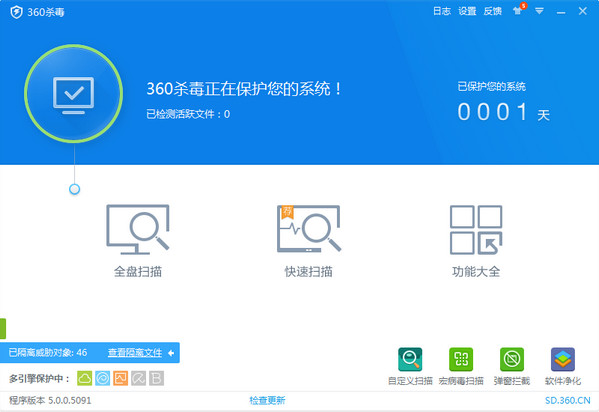
2. Click [Powerful Interception] in the 360 pop-up blocker. Strong interception mode has better interception effect.

3. Click the [Manual Add] button, select the software that needs to block ads, and click [Enable Blocking] behind this option to block ads. If it has been blocked and then ignored, it is followed by [Resume Blocking].
The file was mistakenly quarantined by 360 anti-virus software. How to retrieve the quarantined software?
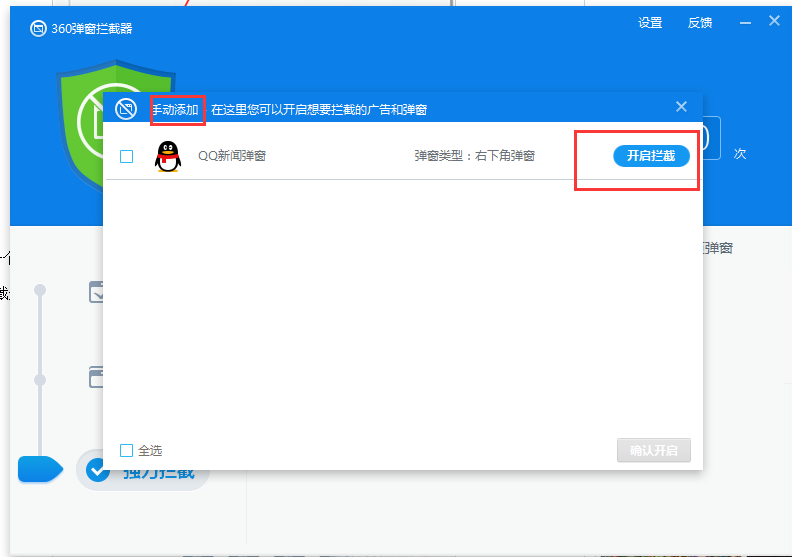
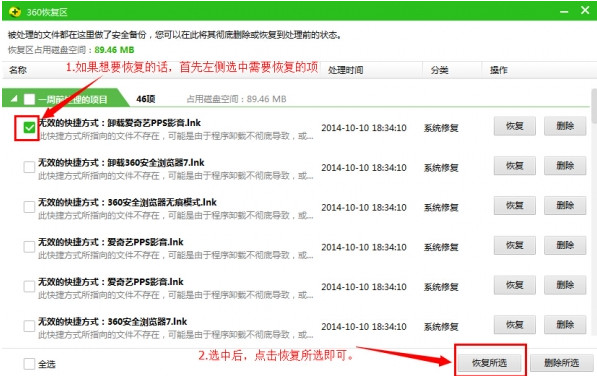
1. Open 360 anti-virus software and click [View Quarantine Files] in the lower left corner.

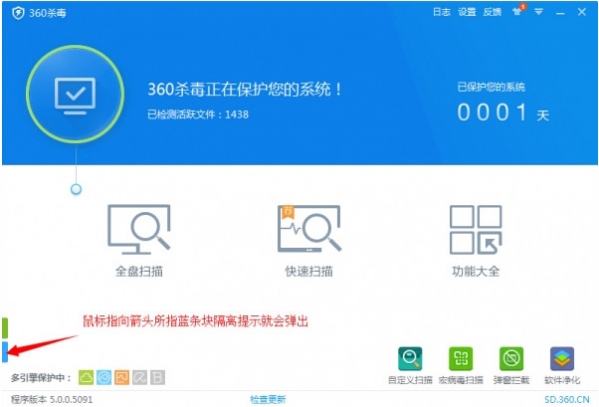
2. If you don’t find it, you can move the mouse to the location pointed by the arrow, and the hidden option to view quarantine files will pop up. Users can click to enter the 360 anti-virus quarantine area.
3. In the quarantine window that opens, select the file you want to restore and click [Restore].
360 antivirus and360 Security Guarddifference
360 Security Guard: 360 Security Guard is a computer security protection software. Although it has the function of detecting and killing Trojans, the software focuses more on auxiliary functions for the computer, such as vulnerability repair, computer acceleration, garbage cleaning, etc. 360 Security Guard has more comprehensive functions, focusing on detection and defense. It also provides computer protection and computer optimization management.
360 Anti-Virus: 360 Anti-Virus is a professional free anti-virus software. It focuses on computer anti-virus protection and can monitor computers in real time. It has fast anti-virus speed and high efficiency. Once virus software is detected, it can be killed directly. It is very professional.
These two softwares each have their own emphasis, but they complement each other. Users can download and use both softwares to jointly protect their computers. Huajun Software Park also provides the download of 360 Security Guard, friends in need can download it!
360 Security Guard download address:http://softwaredownload4.com/soft/50671.htm
360 antivirus update log
Update local engines such as Kunpeng and QEX
Fixed the problem of virus database date display
Huajun editor recommends:
360 antivirus software is a completely free antivirus software. The software integrates four leading anti-virus engines, including the internationally renowned BitDefender virus scanning, cloud scanning, active defense, 360QVM artificial intelligence, etc. It not only has excellent scanning and killing capabilities. Also recommended to youKaba 365 online rescue,Rising antivirus software,Symantec Antivirus,Shell folder EXE virus detection and repair tool,Kingsoft drug tyrant 11Waiting for software, welcome to download.



















Useful
Useful
Useful