




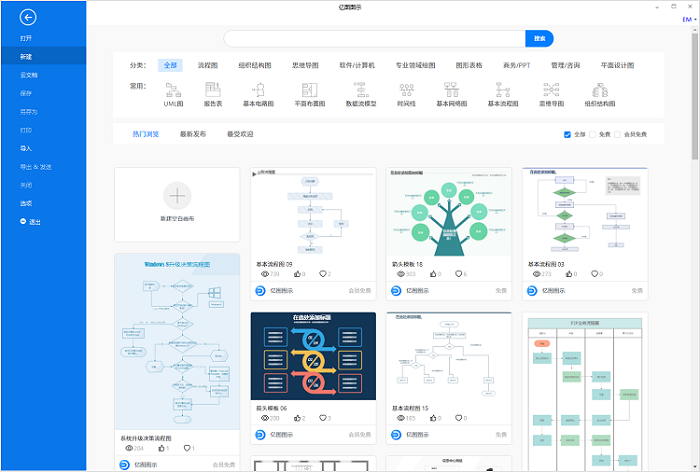
- Green versionView
- Green versionView
- Green versionView
- Green versionView
- Green versionView
Edraw Icon is a cross-platform, all-type graphic chart design software. Use it to easily create professional-looking flow charts, organizational charts, network diagrams, business presentations, architectural plans, mind maps, scientific illustrations, fashion designs, UML diagrams, workflow diagrams, program structure diagrams, web design diagrams, electrical engineering diagrams, directional maps, database diagrams and more.
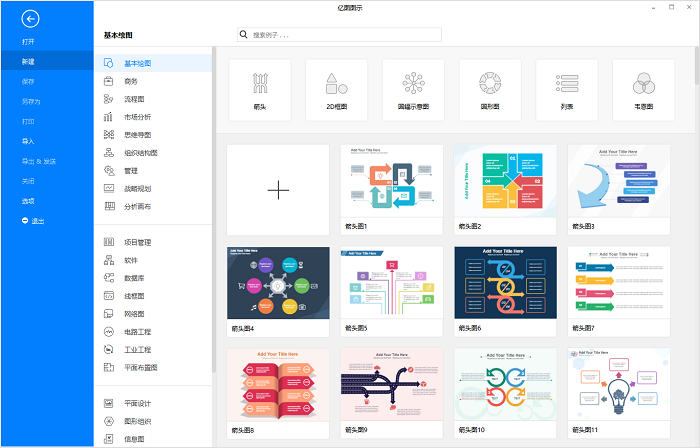
Edraw Diagram makes it easy to create professional-looking flow charts, organizational charts, network diagrams, business presentations, architectural plans, mind maps, scientific illustrations, fashion designs, UML diagrams, workflow diagrams, program structure diagrams, web design diagrams, electrical engineering diagrams, directional maps, database diagrams and more.
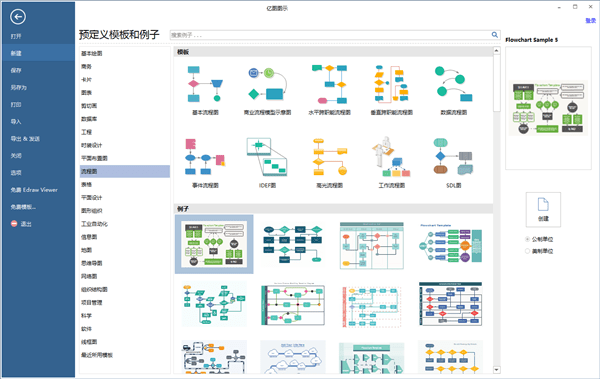
Features of Edraw Illustration Expert Software
1. More than 220 drawing types.
Edraw can create more than 260 chart types, using templates and symbol libraries to simplify the drawing process. Even novices can use Edraw to create professional-looking charts that can be used for presentation.
2. Massive templates to help you draw easily.
Edraw icon expert has a symbol library of more than 12,500 various vector symbols, drawing has never been easier! Use templates and examples, new upgraded shapes, and ready-to-use drawing tools to quickly start drawing.
3. Get a professional-quality chart in a few minutes.
This is a simple and easy-to-use text and graphics processing program. The software interface is intuitive and requires no experience or expertise. It allows you to create a better chart in just a few minutes.
4. Quickly create interactive infographics.
You can quickly increase the information content of a chart by linking it to a website, inserting files into the chart, adding comments, or even linking the chart to other Edraw graphics. Anyone can create this smart infographic.
5. Support cross-platform operation.
Edraw Illustration Expert can be used on Windows, Mac, and Linux at the same time.
6. Support team cloud collaboration.
Edraw icon experts come with free cloud disks, making it easy for teams to work. Through the cloud sharing function, you can quickly share the drawn charts to social platforms such as QQ, WeChat, Weibo, Moments, and blogs.
7. Supports output in multiple file formats.
The formats of several software commonly used in daily office work can be realized using Edraw icons, such as pictures, Word, Excel, PPT, PDF, HTML, SVG, etc.
8. Convenient operation and user-friendly settings.
In Edraw graphics software, connecting lines can be automatically attached to graphics, and the layout and connection between graphics can be easily completed. You can also easily insert various elements in the software. Use the screenshot tool that comes with the software to quickly insert pictures. In addition, using the QR code generator in the software can help you quickly generate a QR code and insert it into the canvas.
Edraw icon expert software functions
Mind map
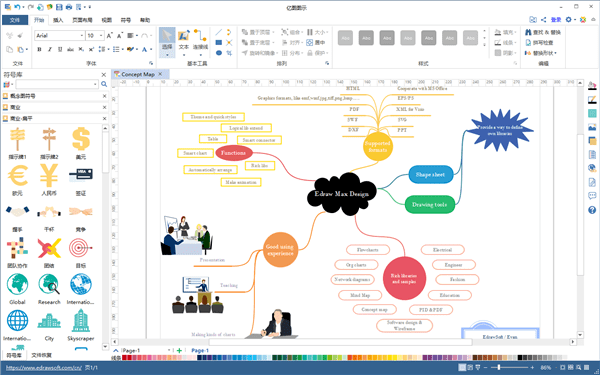
Compared with other mind mapping software of the same type, the mind mapping function of Edraw is better in operability and freedom. The software provides a large number of free materials and templates, covering various fields, which can be directly added to mind maps for use.
For those who need to arrange and manage tasks through mind maps, you can directly create Gantt charts using Edraw mind maps. Whether you are a novice or an experienced professional, this function can help you improve your work efficiency.
Flowchart
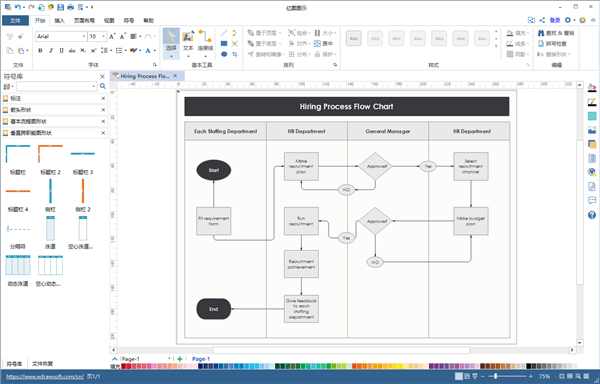
Flowcharts should be the most commonly used diagrams in Edraw icon software. There are more than ten kinds of diagrams such as event flow charts, cross-functional flow charts (swim lane diagrams), and data flow charts. The corresponding drawing templates can be found in Edraw icons. With the help of templates, you can quickly create a professional flowchart.
Organization chart
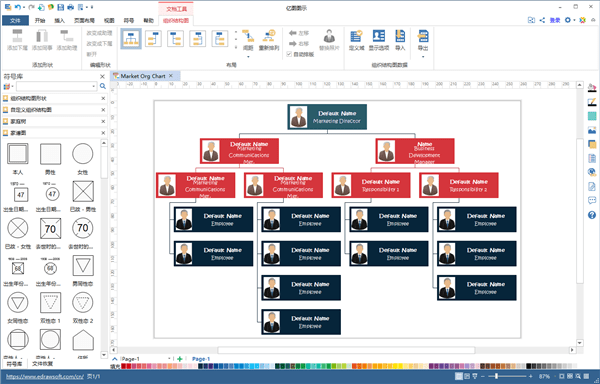
Using Edraw diagram software, you can quickly create an organizational chart by importing Excel data, and it is very convenient to add personnel positions, names, photos and other information. It is also very convenient to modify and edit the organizational chart in case of later personnel changes.
Edraw Illustration Expert Installation Tutorial
1. Download the Edraw icon software directly from this page, unzip and run it.
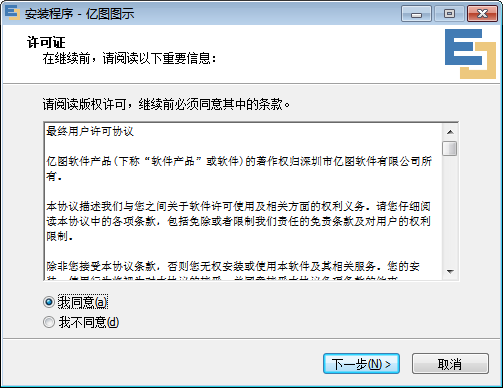
2. Select I agree and continue the operation.
3. Users can set the installation path by themselves. Here, place C:Program Files (x86) Edraw Icon 9.0 according to the default path installation location. To modify, click the browse button and next step.
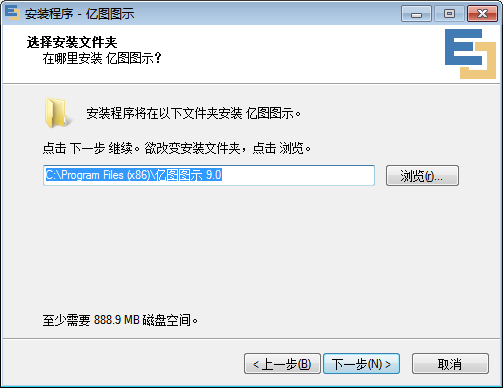
4. Install the software location folder and name it Edraw Icon 9.0, modify it and click the browse button, next step
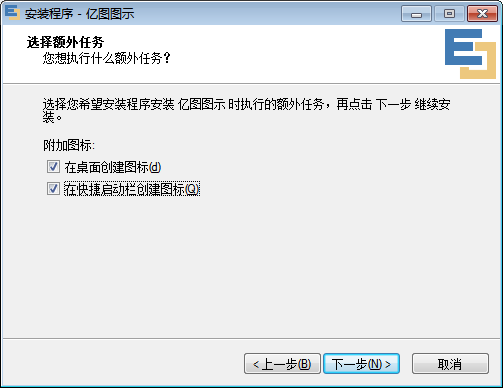
5. Choose to add additional options. The editor recommends checking both here to create an icon on the desktop.
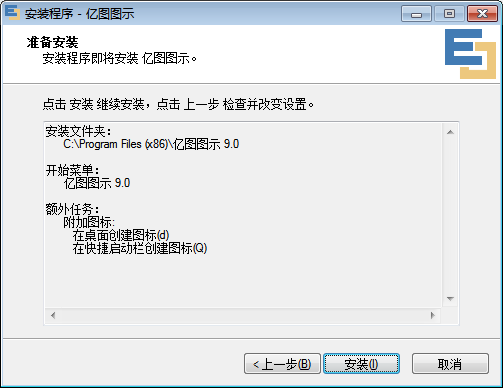
6. Confirm the installation information of Edraw icon software and continue [Installation]
7. Load the software, and then install it successfully. Click Finish to open the Edraw icon software and use it.
Edraw Illustration Expert User Tutorial
Edraw icon software switching interface language tutorial
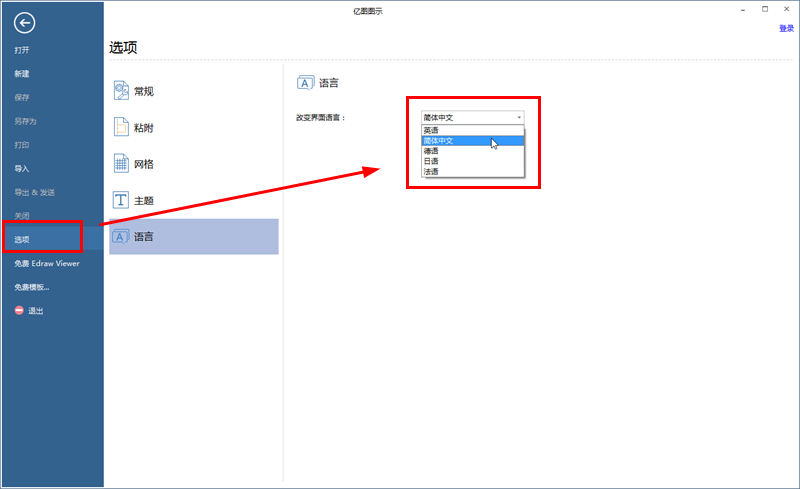
1. Open the Edraw Illustration Expert software, and in the new interface, click "Options", which is the Chinese version of "Options" settings.
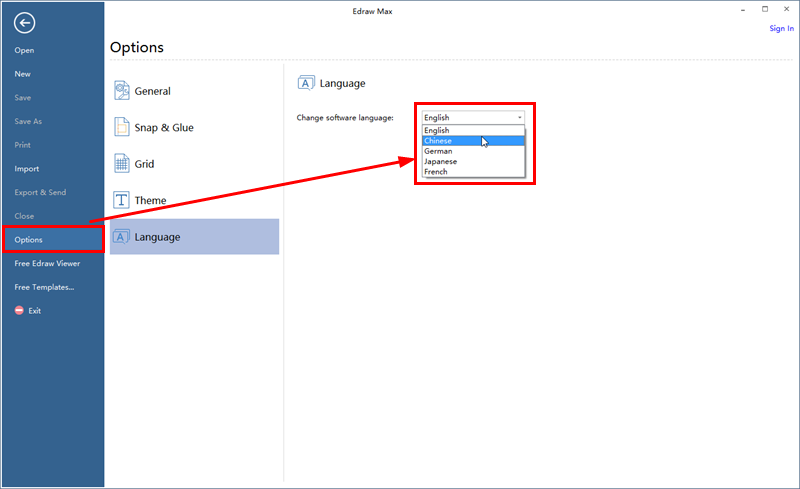
In the "Options" interface, click "Language", select "Chinese" in the drop-down menu, then click "OK" in the pop-up menu, and reopen the Edraw Illustration Expert software to switch to the Chinese interface!
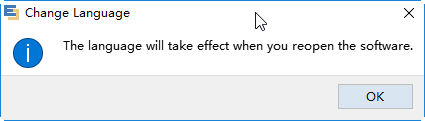
In the Chinese interface, you can also use this method to switch the interface language to English, Japanese, German, or French.
Frequently Asked Questions by Edraw Illustration Experts
1. How to draw dotted lines using Edraw Illustration Expert?
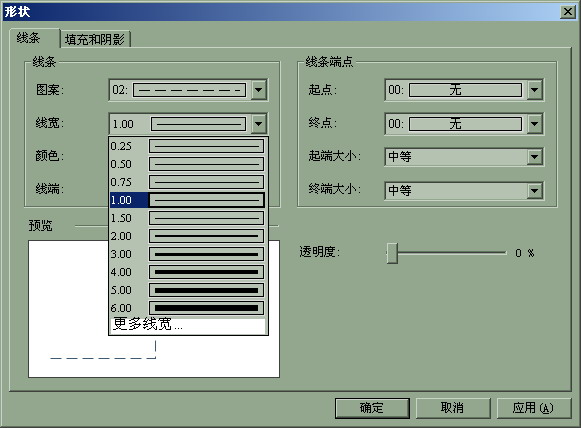
Right-click on the shape, open the "Line" option, and select the dotted line shape.
At the same time, in this panel, you can also set other attributes related to the line: thickness, arrows, etc. As shown in the picture:
2.How to draw a linear arrow?
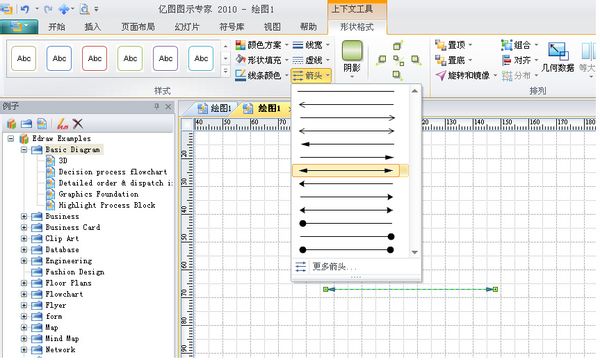
Draw a straight line and select it, click on Shape Format in the menu bar, select Arrow, there are many styles, you can also click on more arrows. Edit lines and arrows
3. How does Yitu Illustration Expert set the page size?
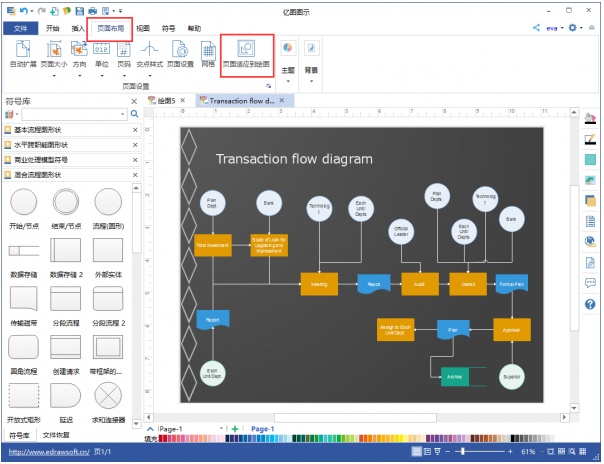
Based on the drawing size, the page is automatically adapted to be consistent with the drawing size. The specific operations are as follows:
1. Select the page that needs to be adjusted;
2. Select "Page Layout" on the software menu bar;
3. Click "Adapt page to drawing".
4. What is the difference between Yitu Diagram and Visio?
1. Edraw Icon is a domestic cross-platform drawing software that supports Windows, Mac and Linux systems. Visio only runs on Windows;
2. Edraw icons can draw more than 260 types of charts, including more than 20,000 symbol materials and templates. Visio only provides more than 600 examples, the symbol library has relatively few materials, and the design is relatively monotonous;
3. Edraw Icon provides symbol design tools to facilitate users to customize symbols.
4. As a domestic software, Edraw Icon is more in line with Chinese people’s habits in terms of software operation and use.
These two softwares have their own characteristics. Users can choose the appropriate software to download and use according to their own needs.
5.亿图图示和同类型Visio软件对比哪个好?
1. On major software website platforms, the ratings of the two software are basically the same, and it is difficult to distinguish between them in terms of user reputation.
2. In terms of system, since Visio is affiliated to Microsoft, it currently only supports windows and web versions; Edraw icons can support Windows, Mac and Linux operating systems, and the advantages of cross-platform operation are outstanding.
Edraw Illustration Expert Update Log
Supports dragging shapes to display the coordinate position and shape size in real time
The watermark layer supports placing it on the top layer
Gantt chart supports displaying today’s red line
Fix some bugs and optimize some experience issues
Huajun editor recommends:
The editor guarantees that as long as you use Yitu Illustration Expert, if you don't like it, you can come and hit me! The editor has also prepared for youToday's goal,Aimo mind map,WPS Office,NTKO large file upload control,Kuai Dao Ke platform software











Useful
Useful
Useful