





Easy PDF to Word converter official version
The official version of Yijie PDF to Word Converter is a very professional PDF conversion tool. Easy PDF to Word Converter can easily convert PDF format files into Word format files (.doc.docx), making it convenient for you to browse documents on various platforms. Easy PDF to Word converter can also perfectly restore more than 90% of graphic PDF documents and supports batch PDF file conversion. Huajun Software Park provides the download service of EasyJet PDF to Word converter. Everyone is welcome to download and use it!
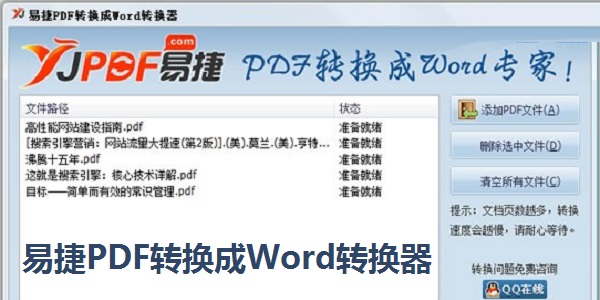
Easy PDF to Word converter software features
1. Supports conversion of various versions of Word documents to PDF.
2. Supports batch conversion of Word documents, which is very convenient for processing large amounts of documents.
3. The generated PDF document has strong compatibility and is error-free and messy.
4. The software is small (only 4M), green, and easy to carry with you.
5. The operation interface is simple, easy to use, simple and practical.
Features of EasyJet PDF to Word converter software
★ ★ Fast conversion speed: it only takes 1 minute to convert a hundred pages of electronic PDF papers.
★ ★ Good conversion effect: more than 90% of graphic and text PDF documents can be perfectly restored.
★ ★ Support batch PDF file conversion: Support dual-core and dual-thread conversion at the same time, converting a large number of documents faster!
Easy PDF to Word converter installation steps
1. Download the Yijie PDF to Word converter from Huajun Software Park, and unzip it to the current folder. Click on the YJPDFtoWord.exe application to enter the installation wizard interface, and then click Next.
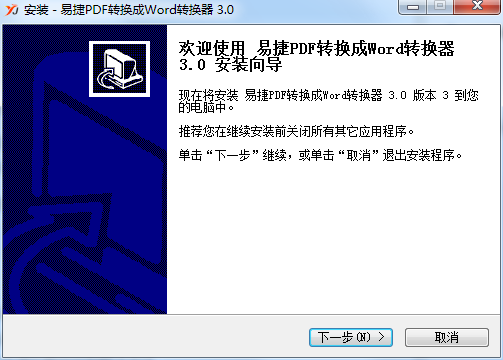
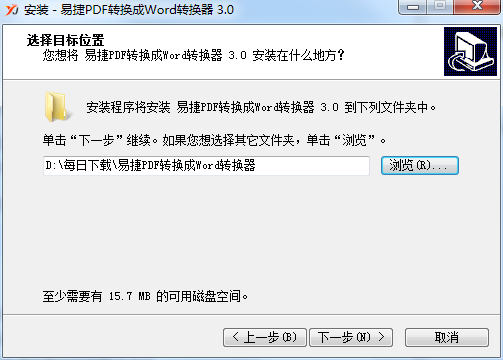
2. Select the software installation location interface. Huajun editor recommends that users install it on the D drive, select the installation location and click Next.
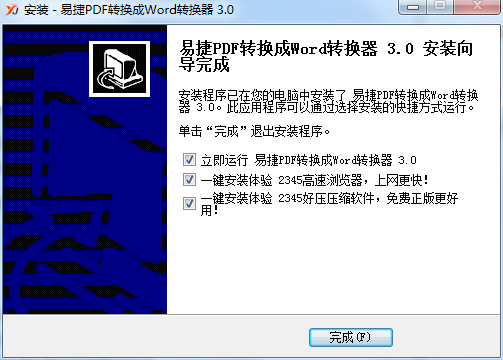
3. The installation of the Easy PDF to Word converter is completed, click Finish.
Easy PDF to Word Converter Frequently Asked Questions
Question: Why does it prompt "File incompatible" when converting documents using EasyJet PDF Converter?
Answer: 1. The common reason is that the current PDF document uses password encryption or has security restrictions, so the software cannot convert it normally. The solution is to use relevant software to first remove password restrictions or security restrictions in the PDF document, and then convert it. If you are not good at solving this type of problem yourself, you can contact Yijie customer service to manually convert it for you.
2. In rare cases, the PDF file production is not standard, resulting in the software not being able to recognize it well.
Question: Why does the interface of EasyJet PDF to Word converter show that this file has been occupied?
Answer: 1. If the file is occupied, it is mainly because the document to be converted has been opened or used by other applications. Please check whether the current document is open using a PDF reader? If so, please close the relevant software.
2. Some users have this kind of problem because some files have already been converted, and then they clicked the Convert Now button again. In this case, you need to close the converter, reopen it, and then convert again.
Question: Why are the documents converted by Jie PDF to Word converter blank or garbled?
Answer: The blank space is mainly due to the format of the PDF document being too complex and not standard enough. The garbled characters are mainly due to the use of very common embedded fonts when creating the PDF document. , for these two relatively common situations, it is actually very helpless. The causes are different, so the solutions are also different, so there is no PDF tool that can solve them all. If you encounter this kind of problem, it is recommended to consult Yijie customer service. They have rich conversion experience and can quickly help you find a solution.
Comparison of similar software
Almighty King PDF ConverterIt is a professional PDF file conversion and processing software that supports mutual conversion between PDF and Word, Excel, PPT, pictures and other document files, as well as PDF document batch compression, merge and split, watermark, encryption, etc. Almighty King PDF Converter also supports batch conversion of PDF files. Multiple PDF files can be converted in batches with one click, easily and quickly.
PDF ConverterThe official version is a conversion tool built for PDF files. PDF Converter can realize various conversion functions such as PDF to WORD, PDF to HTML, PDF to JPG, etc. PDF Converter can also perfectly support WindowsXP/2003/Vista/7 and is compatible with 32-bit and 64-bit systems.
Huajun editor recommends:
Easy PDF to Word Converter can easily convert PDF format files into Word format files (.doc.docx), making it convenient for you to browse documents on various platforms. The operation steps of the Easy PDF to Word Converter software are very simple and very fast, so users can use it with confidence. another










Useful
Useful
Useful