





- Green versionView
- Green versionView
- Green versionView
- Green versionView
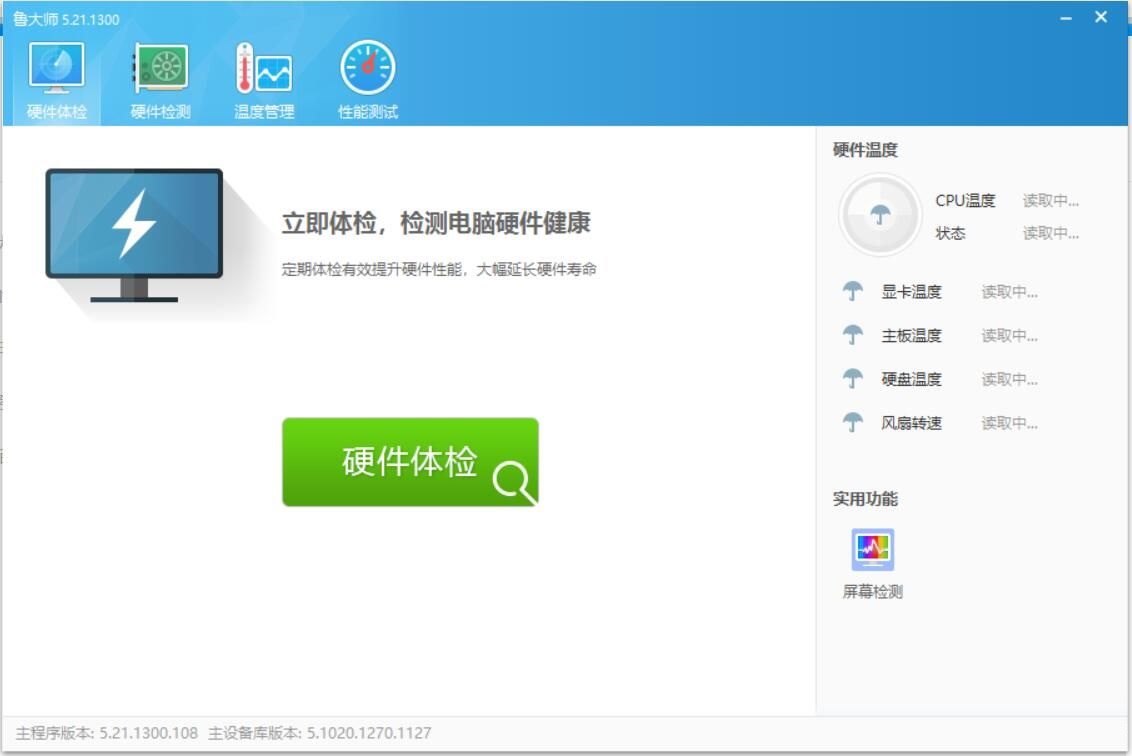
Master Lu Lite Game Introduction
No matter how the hardware detection software on the computer is updated, Master Lu can always provide the most advanced computer hardware information detection service in China. The software contains the most comprehensive hardware information database, and the generated reports are more concise, instead of a lot of parameter indicators that even professional and experienced users cannot understand. Because the original software is too bloated and many functions are basically unusable, the editor here specially brings a simplified version of Master Lu, which removes most of the functions, retains the information viewing function, performance testing function, etc., and supports display "CPUTemperature", "Fan speed", "Hard disk temperature", "Motherboard temperature", "Graphics card temperature" and other information can be obtained by simulating computer calculations to obtain CPU speed evaluation scores, as well as game performance evaluation scores obtained by simulating 3D game scenes.
Master Lu Lite version software functions
* * Remove software self-verification and remove redundant files
* Go to the built-in software 360 driver
* It is forbidden to open the official website after clicking the logo in the upper right corner
* Go to the bottom ad text link
* Go to the forum and feedback button in the upper right corner
* Go to Options Check for updates and official website button
* Go to the top of the interface to clean the optimization, driver management and mobile phone benchmark buttons
* Go to the function list on the right, wireless sharing, mobile phone recycling and new phone recommendation buttons
* Go to the hardware detection page My maintenance card and Weibo share button
* Go to the performance test page Weibo share button
* Go to experience list cleaning and optimization options
* Go to the experience list There is a problem with the hard drive, jeopardizing data security Options
* Go to the experience list. Computers are threatened by high temperatures and hardware is easily damaged. Options
* * The settings do not enable hardware protection and others by default. You can enable it yourself if needed.
* * Send ComputerZ_CN.exe to the desktop. Just change its name to Master Lu..
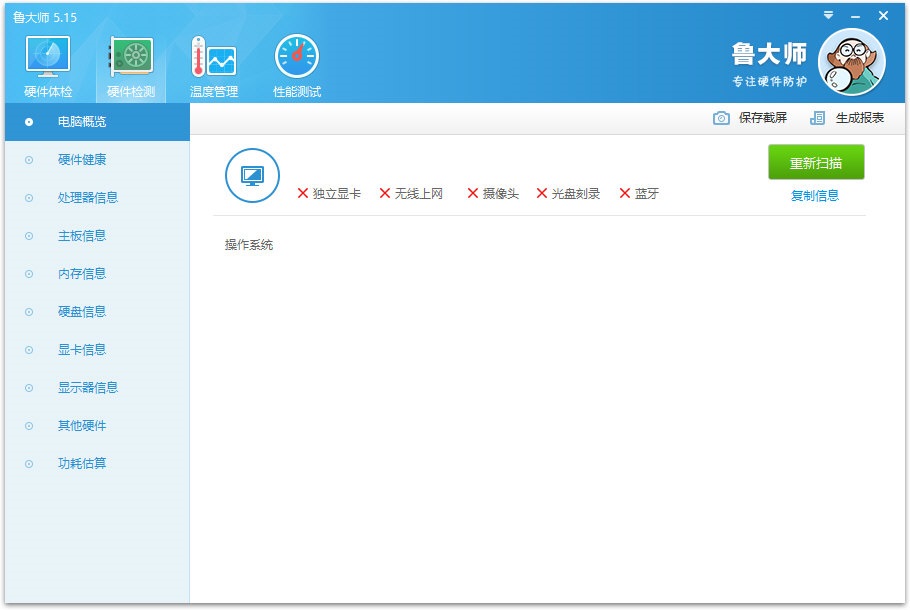
Features of Master Lu Lite Edition software
1. Hardware parameters
In Hardware Overview, Master Lu displays a concise report of your computer’s hardware configuration. The report includes the following:
Computer manufacturer (brand machine)
Operating system
Hardware detection
Processor model
Motherboard model
Chipset
Memory brand and capacity
Main hard drive brand and model
Graphics card brand and memory capacity
Monitor brand and size
Sound card model
Network card model
The detected computer hardware brands will have their brand or manufacturer icons displayed at the bottom left of the page. Click on these manufacturer icons to access the official websites of these manufacturers.
2. Hardware protection
In temperature management, Master Lu displays the temperature change curve chart of various types of computer hardware. Temperature management includes the following (depending on the sensors of the current system):
CPU temperature
Temperature detection
Graphics card temperature (GPU temperature)
Main hard drive temperature
Motherboard temperature
Memory temperature
Check the selection box on the upper left side of the device icon to display the temperature of the device in the curve chart. The temperature curve is the same color as the center area of the device icon.
Click "Save Monitoring Results" in the shortcut operation on the right to save the monitoring results to a file. Tip: You can minimize Master Lu while running temperature monitoring, then run the 3D game, and observe the changes in hardware temperature after the game ends.
3. Hardware evaluation
Comprehensive computer performance rating:
Master Lu’s computer comprehensive performance score is a comprehensive calculation of the CPU speed test score obtained by simulating computer calculations and the game performance test score obtained by simulating 3D game scenes. This score represents the overall performance of your computer. After the test is completed, the test results and suggestions will be output.
Computer comprehensive performance score supports Windows 2000/XP/Vista/2003/2008/7/8/10
After completing the test, you can click "How is the overall performance of the computer? Check your position in the performance rankings" to check the ranking of your computer in the overall performance rankings of Master Lu's computers.
Note: Please close other running programs during testing to avoid affecting the test results.
Master Lu Lite version update log
[New] Add serial number to the hardware parameter page display
[Fixed] The problem that the monitoring panel cannot be opened after overlay installation
[Fixed] The problem of abnormal pop-up of high temperature alarm pop-up window for newly installed users
[Fixed] The acceleration ball does not display the selected item and switches automatically.
[Fixed] Some UI and experience issues in the monitoring panel
[Optimization] Monitor 2k, 4k, 8k judgment
[Optimization] Optimize hardware detection module
Huajun editor recommends:
Master Lu Lite Edition is one of the best software in the industry. I believe that many friends will have used it. If you don’t use it anymore, you will be OUT. This site also prepares for you.NET,Batch Butler,Hard drive serial number reader,Quickly hide taskbar icon tool,Android Emulator Master

















Your comment needs to be reviewed before it can be displayed