





Highlights of Renrentong Space Software
Seamless connection between multiple roles
Supports switching between four roles: teachers, parents, students, and managers to meet the needs of different scenarios. For example, teachers can publish homework and correct it, parents can check their children's learning status in real time, students can submit multimedia homework, and administrators can coordinate the entire school's resources.
Mobile work and multimedia interaction
Breaking through traditional homework forms: students can submit homework through taking photos, recordings, videos, etc., and support complex content such as handwritten formulas and experimental reports to stimulate creativity.
Teachers’ marking is facilitated: it supports voice comments, graphic and text annotations, and the marking records are permanently saved to facilitate students’ review and parents’ review.
Intelligent course inspection and course selection system
Class patrol management: Customize class patrol indicators (such as classroom discipline, teacher-student interaction), automatically generate statistical reports, and help managers optimize teaching strategies.
Automated course selection process: After teachers declare courses, students can select courses through the mobile terminal, and the system automatically summarizes data to reduce manual statistical errors.
Data interoperability and intelligent push
Deeply integrated with the education cloud platform, to-do items and message notifications are synchronized in real time to avoid missing information. For example, homework assigned by the teacher will be automatically pushed to the parent terminal, and parents will feedback it to the teacher space after confirmation.
Personalized recommendations: Intelligent push resources based on user identity (such as subject, grade), for example, mathematics teachers receive subject competition information, and parents receive parenting guides.
Renrentong Space Software Features
Multi-terminal adaptation: Supports Android and iOS system deployment, provides consistency guarantee for web and mobile operation interfaces, and facilitates users to seamlessly switch between different devices.
Account management mechanism: Establish a unified account system that supports three types of role switching: teachers, parents, and managers. School administrators can set application permissions for different terminals to ensure data security and privacy protection.
Data interoperability architecture: To-do items are synchronized with the education cloud platform. Message notifications can be synchronized in real time between the platform and the APP. It supports resource cloud synchronization and electronic whiteboard interaction to improve teaching efficiency.
Personalized service: According to the basic attributes of different subjects, intelligently push or recommend resource information that meets the subject's personality to the space to meet personalized needs.
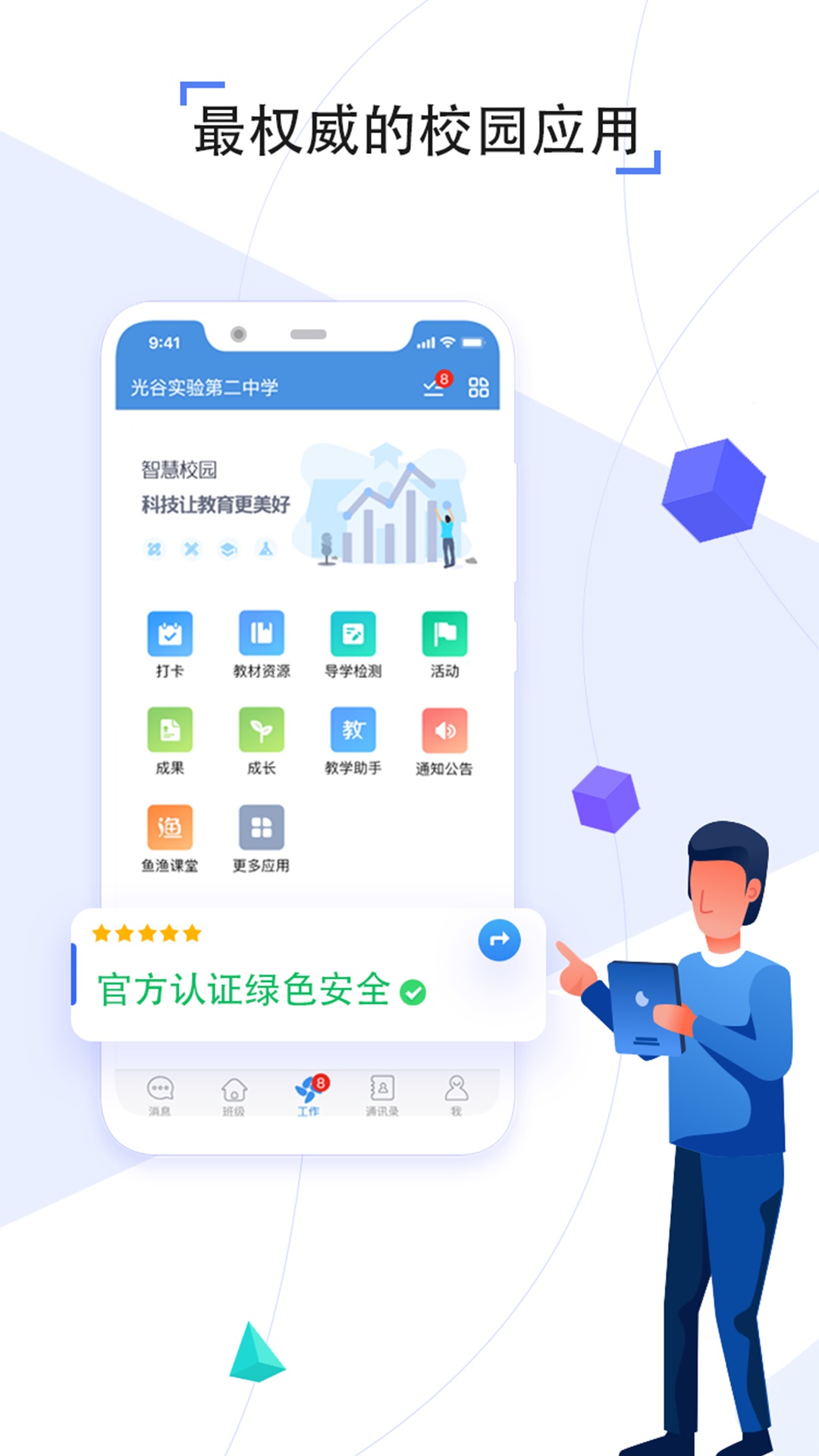
Renrentong space software functions
Course selection management system: supports teachers to apply for courses online, students to select courses on mobile devices, and realizes automatic data aggregation. At the same time, it provides course application review process and course selection result statistics functions.
Class patrol management module: Provides class patrol data collection function with custom indicator dimensions, and can generate statistical reports covering classroom discipline, teaching behavior and other dimensions.
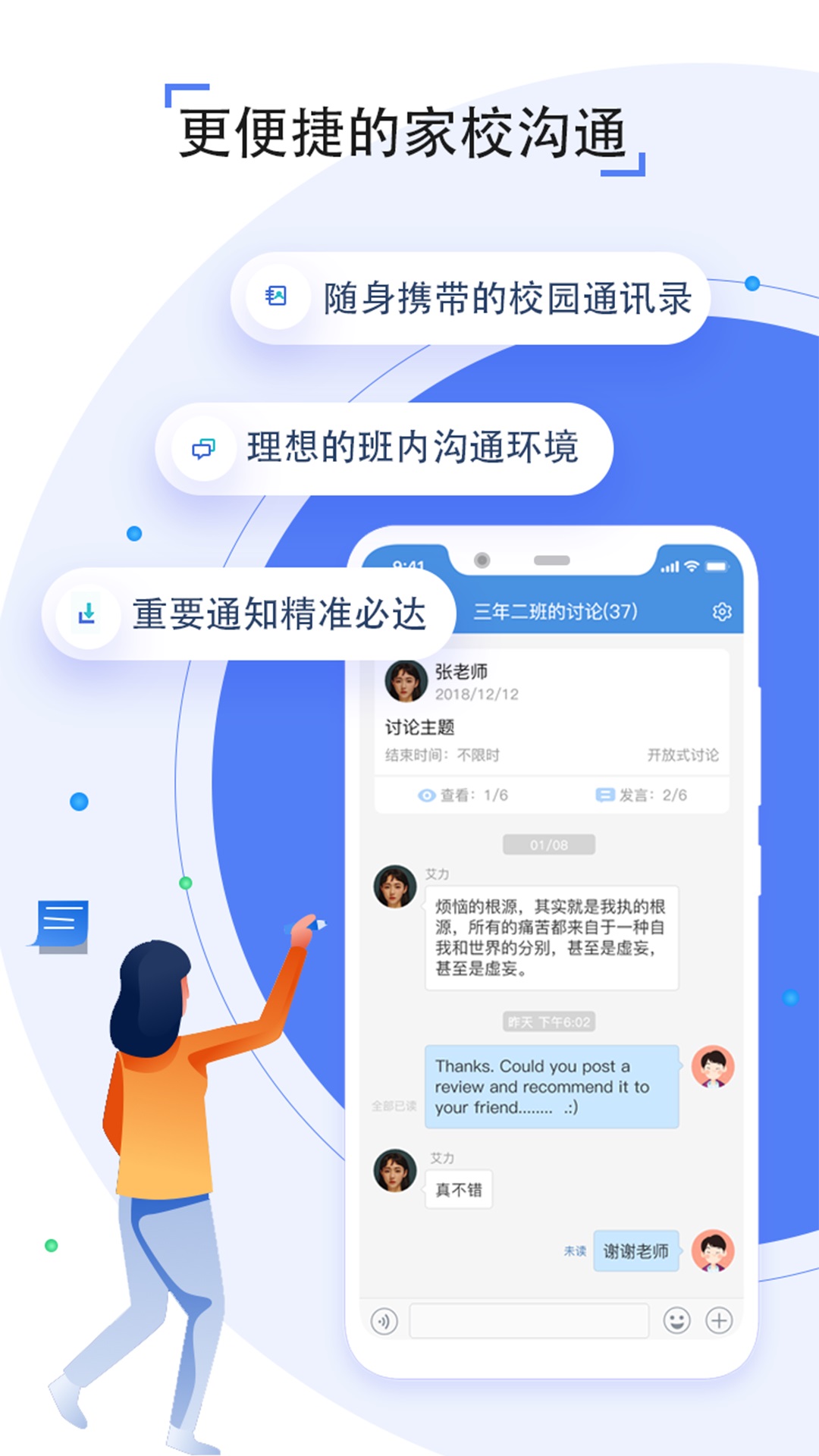
Home-school interactive service: Integrate instant messaging, notification and announcement push functions, support batch release of class notifications and parent-side message receipt confirmation feedback. In addition, teachers can publish tutoring tasks, upload lesson preparation resources and assign homework through the teacher space. Parents can receive subject notifications and communicate with teachers in real time.
Mobile homework function: Teachers can easily assign and review homework anytime and anywhere. Students can complete homework and preview offline, and submit homework by taking photos, recordings, etc. Parents can easily view their children's homework and teacher comments.
Multi-party communication platform: Teachers and parents can quickly create lesson preparation groups, parenting groups, etc. to communicate in real time around teaching and education. They can also share and interact in class circles anytime and anywhere to keep abreast of their children's learning and living conditions when traveling between home and school.
FAQ
Password reset:
Parents can modify student passwords through the "Personal Center" on WeChat; teachers need to contact the school administrator.
If you forget your password, click "Forgot Password" and follow the prompts to reset it (student accounts require assistance from parents or class teachers).
Login failed:
Check the network connection and confirm the account status (such as whether it is activated or frozen).
Contact customer service: 400-8336011 (Changsha area) or school administrator.
Installation steps
Special note: The installation package provided by Huajun Software Park contains the Android emulator and software APK files. For the computer version, you need to install the emulator first and then install the APK file.
1. First download the installation package from Huajun Software Park. The software package contains an Android emulator exe installation program and an APK file and unzip it. First click on the exe program to install the lightning simulator.

2. Double-click "Lightning simulator.exe" file to enter the installation interface. Users can click "Quick Installation" to select the system's default installation address for installation, or click "Custom Installation" to choose the installation path. Custom installation is recommended here.

3. WaitingLightning simulatorAfter the installation is complete, click "Try Now" to open the emulator.

4. Enter the main interface of the lightning simulator and clickRight column APK iconSelect the "Local APK Install" button.

5. In the pop-up window, click on the decompressed APK file, and then click to open.

6. After that, the software will enter the installation process. You need to wait for a moment. After the software installation is completed, it will appear in my software list. Click the icon and double-click to open it. 
Renrentong Space update log
1.Fix several bugs;
2. Optimize detailed issues;
Huajun editor recommends:
Renrentong Space is a good educational and teaching software. If you are interested, please download it and use it. I believe you will like it.Homework Help 2021,Homework Help 2021,Seewo College,Master of Laws Postgraduate Entrance Examination,Chinese Examination Online SchoolIt is also a good software and is recommended for students to download and use.




Useful
Useful
Useful