




Advantages of itools screen projection software
Screen projection computers are used by game anchors
High definition, smooth, no delay
Record videos and capture wonderful moments
Features of itools screen mirroring software
1. The official version of itools Screen Mirroring Master can help users watch photos on TV
When sharing photos with family and friends, there’s no need to huddle together and watch them all together on the sofa.
2. Watch videos on TV
AirPlayer screencast video, share the highlights of the series with your family
3. HIFI plays music
By connecting your computer to HiFi speakers, you can also listen to the music from your iPhone
4. Record video
Itools Apple Screen Mirroring Master helps you record passionate moments and preserve the beautiful memories forever
itools screen mirroring instructions
1. Open Apple Screen Recorder (after opening the Apple Screen Recorder program for the first time, the system will pop up "Whether the AirPlayer program is allowed to pass through the firewall", please select "Yes, allow access");
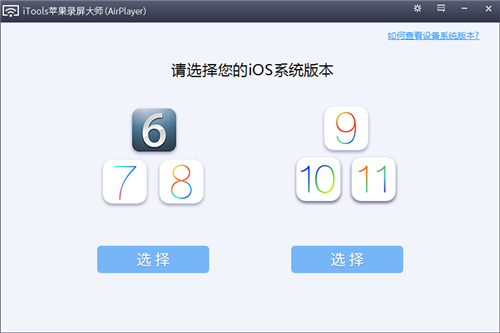
2. Select “iOS system version”;
3. Open the "Control Center" on the mobile phone (swipe up at the bottom of the screen to call it out), find the "AirPlay Mirroring" button, click and select "Projection Device".
itools screencast update log
1: Optimized performance
2: We are serious about solving bug problems
Huajun editor recommends:
The operation steps of itools screen mirroring software are very simple and very fast, so users can use it with confidence. Also recommendedMagic Show Live Companion,Paracraft creative space,MP3 automatic player timing editing software,Zhengdu screen reading software,Yijie competition party random question setting softwareDownload and use related software.




Useful
Useful
Useful