




HyperSnap-DX Introduction:
Provides professional-grade image effects and allows you to easily capture screen shots. It supports capturing game screens and DVDs using DirectX technology, and uses the new background removal function to allow you to remove unnecessary backgrounds from captured graphics; the preview function can also correctly display what your graphics will look like when printed out, etc.
When I often create software articles, I inevitably have to deal with various capture software. After using it for a long time, the requirements for the capture software become higher and higher.
First of all, it must be easy to operate and support hotkey operations, especially simple operations such as copying and pasting;
Secondly, it supports a variety of regional capture methods, such as rectangle, square, ellipse, custom graphics, etc.;
Third, the supported image formats must be wide and widely adapted to current cartographic needs;
Fourth, you must be able to make appropriate modifications and annotations to pictures;
Finally, it must have the function of continuous screen capture and quick saving.
Based on these five standards, I tested more than 20 domestic and foreign capture tools. In the end, only HyperSnap-DX and Capture Professional passed the preliminary test and entered the trial period. However, during use, I found that Capture Professional has two obvious shortcomings. First, it takes up a lot of system resources and is slow to start. Second, it is not intuitive enough when adjusting the image size, and there is no percentage display. Obviously, only the HyperSnap-DX passed the test and became an effective assistant in my account. HyperSnap-DX is an old classic image capture software. With each upgrade, not only does its image capture function become more powerful, but more importantly, its multi-polar image processing capabilities also gradually become more and more impressive. It can be said that after using HyperSnap-DX to capture pictures, there is no need to call other image processing software to modify the pictures, because it is fully qualified for the job itself.
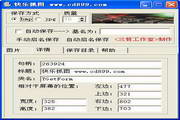
Software pictures:









Useful
Useful
Useful