




Tips
Reasons and solutions for slow right-click response on Windows 10 desktop
Turn on Bluetooth in all settings of the system (I use Win10 as an example), set the thing in the picture to "Enabled" in the Task Manager, open "Services" (under the service tab of the Task Manager), set the two services shown in the picture to start automatically, right-click on the icon on the desktop and you will find that it is much faster. If you have connected to other Bluetooth devices, it will also be displayed. The whole process is over, it's that simple.
Tutorial on how to set desktop icons in win10
1. The picture below shows the installed win10 operating system. Generally, the computer icon is not displayed here.

2. First, go to the blank space on the right desktop and select Personalize.

3. Select Change Desktop Icons. There are many beautiful pictures that you can try to change.
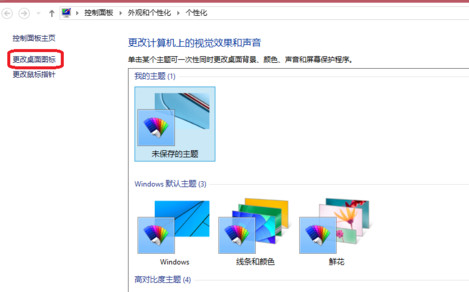
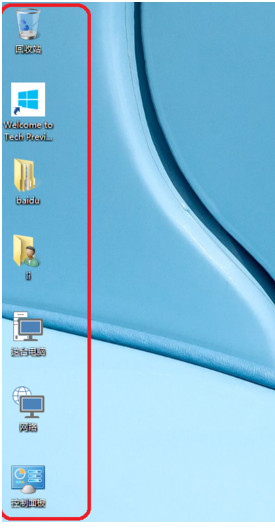
> 4. Check the computer, user's files, network, and control panel.

5. These icons can be changed! Click to change the icon. There are many icons here, just click to see if they are suitable.

6. After confirmation, you can see the computer and network icons when you return to the desktop.




Useful
Useful
Useful