






BBK point reader download tool software functions
1. The intelligent recommendation function removes redundant recommendation information based on the usage of your point reader or selecting your location. The recommendation is more accurate, and the service is more considerate and in place.
2. Add the user experience improvement plan function. Each of your valuable suggestions will be the driving force for our continuous improvement. With you here, we will feel more at ease.
3. The interface has been fully adjusted, and the unique and brand-new interface design will bring you a better operating experience.
4. Optimize the download management function, make the operation more user-friendly, and manage downloads easily.
5. Add a dynamic demonstration box to teach you how to use book barcodes and search for the book materials in your hand more quickly.
BBK point reader download tool software features
Universal search
Reading data, dictionaries, children's songs, stories, animations, etc., as long as they are available to the BBK reading machine, can be searched through this software.
Smart filtering
When the user enters keywords to search, this software can intelligently provide categories for the user to filter, so as to accurately locate the information the user wants.
Smart copy
When the data download is completed, if the computer detects that the reading machine is connected normally, the data will be automatically copied to the reading machine. Intelligent recommendations
When the reading machine is connected to the computer, this software can intelligently recommend the materials that the user may need to download based on the relevant information of the reading machine, making the data search more convenient.
Batch download, resume download after breakpoint
Users can select multiple files to download in batches. This software has a unique breakpoint resume function. When you reopen the download tool, the software will automatically detect the last unfinished download task and download it automatically.
BBK point reader download tool installation steps
1. Download the BBK point reader download tool from the Huajun Software Park and unzip it to the current folder. Click on the Grid++Report6.5.exe application to enter the interface for selecting the software installation location. The editor of Huajun recommends that users install it in the D drive, select the installation location and click Next.
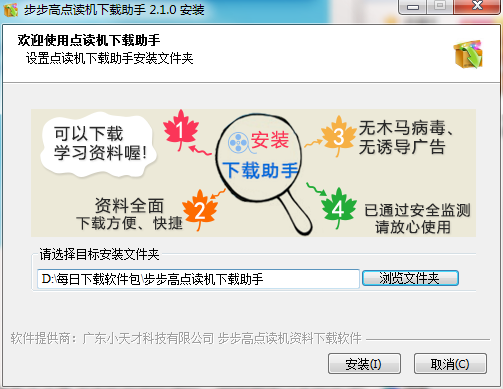
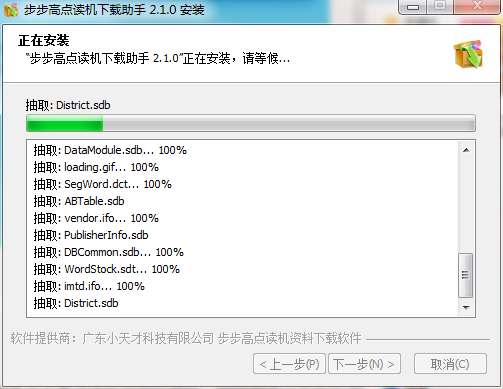
2. The BBK point reader download tool is being installed, users can wait patiently for a while.
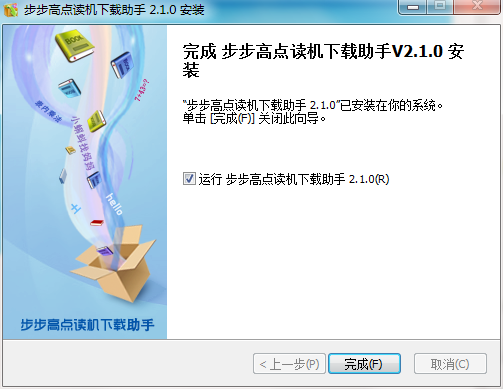
3. The installation of the BBK point reader download tool is completed, click Finish.
How to use the BBK point reader download tool
In the data download center, find the item you want to download and click on it.
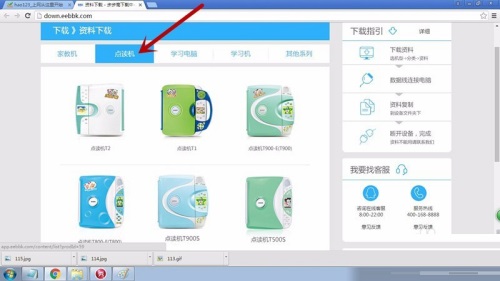
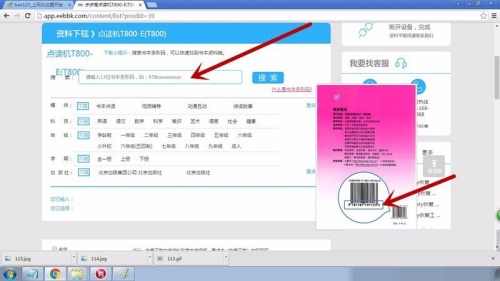
Enter the barcode of the book in the "Search" field. What is a barcode is explained very clearly above. The barcode is the bottom number of the bar pattern at the back of each book. See the arrow in the picture to indicate the position.
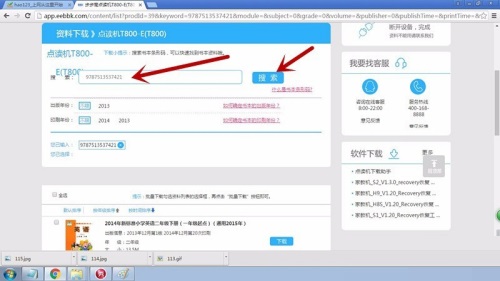
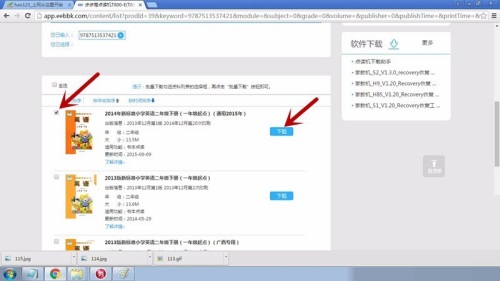
After clicking search, related books will appear. Find the book you want to download. After clicking, click to download.
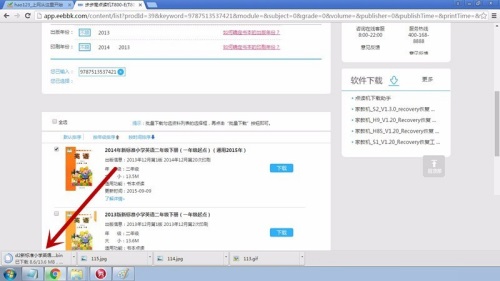
看右下方那里,显示下在下载中,等待下载成功。
BBK Point Reader Download Tool Frequently Asked Questions
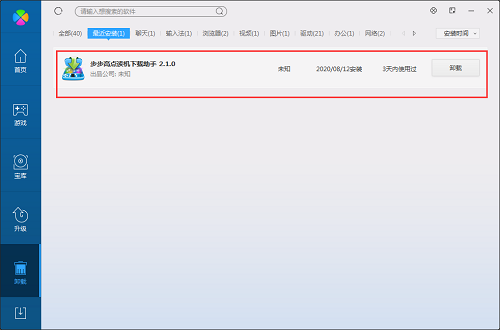
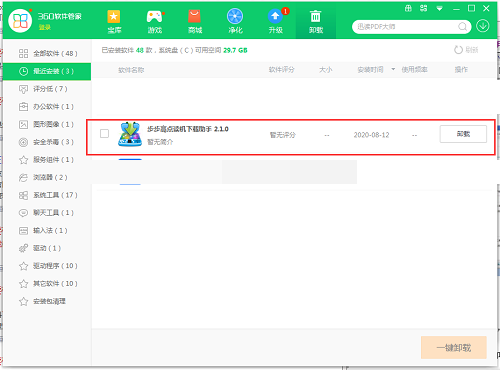
Question: How to uninstall the BBK point reader download tool?
Answer: Method 1: Install and open the computer housekeeper software, select the software management option, click the uninstall option, find the BBK point reader download tool in the list, and click uninstall
Method 2: Install and open360 software manager, find the BBK point reader download tool in the list of uninstall options, and click to uninstall it.
Comparison of similar software
Baidu library download toolConvenient and practical, green and compact, welcome to download and try it out! Baidu Wenku download tool includes: It has five major functions: document classification, document search, document preview, document copy and paste, and document download and save. You can download all documents in Baidu Library for free, including paid and free! No login is required, no points or wealth are required, everything is easy to download.
e-book download toolIt is currently the most popular PC e-book download software in China. E-books generally refer to text documents such as txt and word, such as some novels, classics, online articles, etc. In order to make reading more convenient, people will look for e-books online. This tool can help you analyze and download them.
Huajun editor recommends:
The BBK Point Reading Machine download tool can help students, friends, and parents of BBK Point Reading Machine download the BBK learning materials at home. The function of this latest version has been highly praised by many netizens. It is strongly recommended that everyone download and use it. In addition, there areMagic Show Live Companion,Paracraft creative space,Hanbang Hi-Tech Player,Zhengdu screen reading software,Yijie competition party random question setting softwareIt is recommended for everyone to download and use.




Useful
Useful
Useful