






Read more software features
1. Super free book search: instantly solve the problem of searching books;
2. Smart bookshelf: Brand-new UI design, you can customize bookshelf classification, local book search, and organize large quantities of books;
3. Excellent experience: intelligent extraction of chapter table of contents, full-text search, built-in dictionary, quick bookmarks, taking into account every detail of your reading;
4. Personalized settings: Choose from a variety of themes, match font sizes and spacing as you wish, and enjoy DIY; massive fonts, select the most dazzling effects, and support online font downloads;
5. Professional reading notes: Easily set up reading annotations, support notes/approve sharing to Weibo and Evernote, and the experience function supports cross-device synchronization;
6. VIP quality bookstore: Professional editors select high-quality new books, correct them twice, and mix professional graphics and texts to enjoy a VIP quality reading experience;
7. Cloud synchronization: Duokan Reading supports reading progress and note synchronization on all mobile terminals on all platforms, with multiple options for one account;
8. Original channel online: Duokan Bookstore has launched an original channel, supporting payment by chapter to meet the needs of more users;
8. Read more and enjoy your quality reading time.
Read more features of reading software
1. Massive good books to the next level
It has a high-quality e-book library and an excellent free public version library - Duokan Library
2. It’s great to watch the great work here
Gathering classic works of online literature over the past decade
3. Professional typesetting, perfectly showing the beauty of reading
Each Duokan finely arranged book is the painstaking work of the editor, whether it is the mixed arrangement of pictures and texts, the sorting, the gallery mode, or the pinyin, formulas, and other effects, it can be perfectly presented, and annotations, audios, videos, and multi-point interactions are integrated, making the text more beautiful.
4. The book list helps you discover more good books
看有趣人推荐的有料书单,也可以创建和分享你的书单
5. TXT, PDF reading artifact
Leading typesetting technology can intelligently analyze the TXT directory structure, making TXT elegant and beautiful. PDF of Unparalleled Martial Arts Intelligent rearrangement allows PDF to obtain the best presentation effect on mobile devices, making reading documents more comfortable
6. Reading notes, book excerpts, annotations, and dictionary functions are more addictive than paper books.
Rich reading tools provide more convenience for in-depth reading users and scholars
Read more installation steps
Huajun Software Park provides the computer version of Duokan Reading in a compressed package that contains the Android emulator and APK files. The computer version needs to install the emulator first, and then install the APK file.
1. First, download the Duokan reading computer version software compressed package in Huajun Software Park and unzip it to get an emulator exe installation program and an APK file. We first click on the exe program to install the emulator.

2. Double-click the "com.tencent.appmarket_600205478_NormalPackage_2527.exe" installation program, then enter the software installation wizard interface and click "Custom Installation"

3. Click "Browse" to customize the installation location of the software. It is recommended that you place it in a location other than the C drive.
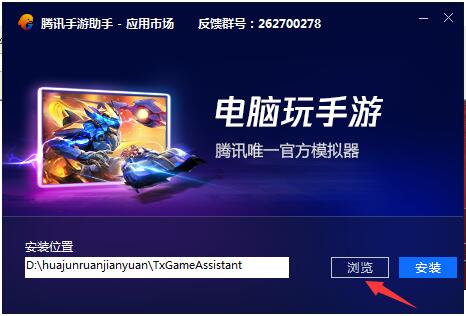
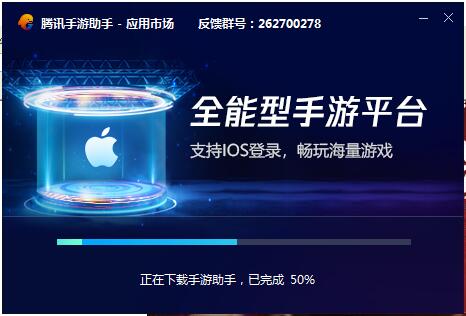
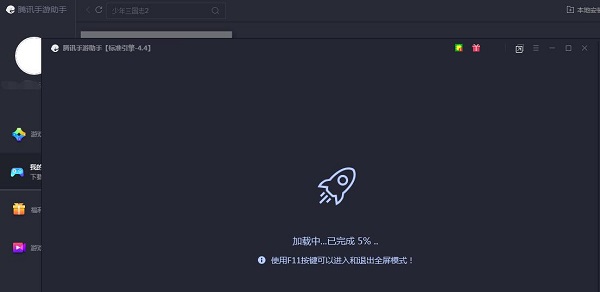
4.Tencent Mobile Game AssistantInstallation is in progress, please wait patiently.
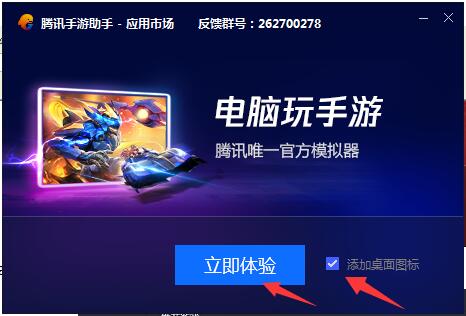
5. The simulator is installed. Here, the editor of Huajun Software Park recommends checking Add desktop icon to generate a desktop shortcut so that it can be quickly opened on the desktop the next time you open the simulator. Then we click "Try Now".
6. Run the emulator, then click "My Games" in the upper left corner, and then click the "+ Local Install" button in the upper right corner.

7. Then find the APK file decompressed in the software package downloaded from Huajun Software Park, and double-click to open it.
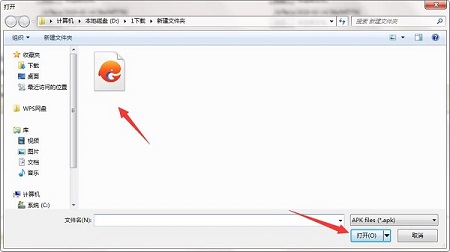
8. The game is being installed. Here we only need to wait for a moment. After the game is installed, it will appear in my game list. Click the icon to open and play.
Read more and read the instructions for use
1. Click the button in the upper right corner to select a book from the machine.
2. Select the file to open from the list.
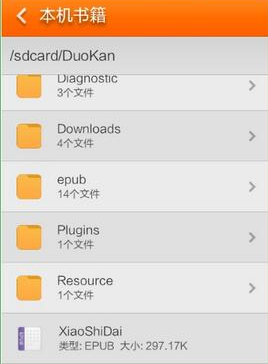
3. Then you can read an e-book while reading.
4. It has a high-quality electronic library and a free high-quality public library.
5. Every quotation book is a masterpiece, whether it is a drawing, rodeo, gallery model or spelling, formula, etc. All effects can be perfectly presented, more comments, more audio, more video and more interaction, so the text is more beautiful.

6. Reading more will help you find more good books.
7. You can read books recommended by interesting people, and you can also create and share your own books.
8. The most advanced typing technology can intelligently analyze the directory structure of TXT, so that TXT can also be elegant and attractive.

9. Reading more can include book excerpts, annotations, and dictionary functions.
10. Rich reading tools for in-depth reading.
Read more Frequently Asked Questions
Question: How to import books from Duokan Reading?
Answer: 1. Click to read more, click the options button in the upper right corner, and select local books.
2. Select the file to open from the directory
3. Then you can view the e-book in Duokan Reading.
Question: How to turn on night mode for Duokan Reading?
Answer: Open a book from the bookshelf, tap the center of the screen to bring up the reading menu, and tap the crescent moon (night mode) in the lower left corner of the screen to complete the switch.
Question: How to adjust the font of Duokan Reading?
Answer: Open a book from the bookshelf, click on the center of the screen to bring up the reading menu, and adjust it through the font options.
T: Select font style.
Traditional: Switch between Simplified and Traditional Chinese
A-: Font size becomes smaller
A+: The font size becomes larger
Comparison of similar software
Rice Husk ReaderIt is a reading tool that can support copying and reading PDF documents and printing them for free. This software is very compact and supports various formats. Rice Husk Reader can realize the function of online free reading light and can solve a series of tedious problems.
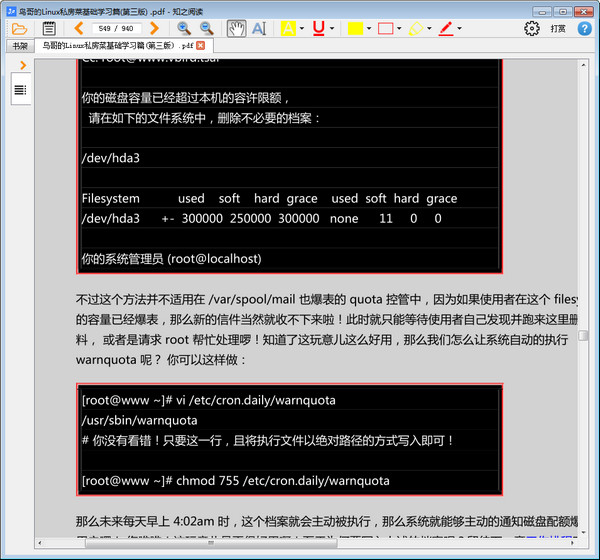
Jinzhou PDF Reader PDF ReaderIt is a lightning-fast and easy-to-use free PDF reading software that supports opening PDF/ePub/MOBI/XPS/DjVu/CHM/CBZ/CBR and other document formats. Jinzhou PDF Reader PDF Reader is small in size, fast to start up, very lightweight and takes up very little memory. It also provides personalized reading in single page, double page, and book mode. Directory extraction and precise search functions make your reading easier and less troublesome.
Huajun editor recommends:
Read moreIt has its own bookstore system, new interface and interactive design, simple and bright flat style, and industry-leading typesetting technology. After seeing the introduction provided by the editor of Huajun Software Park above, are you already ready to take action? Then quickly download and read the computer version to use it.











Useful
Useful
Useful