





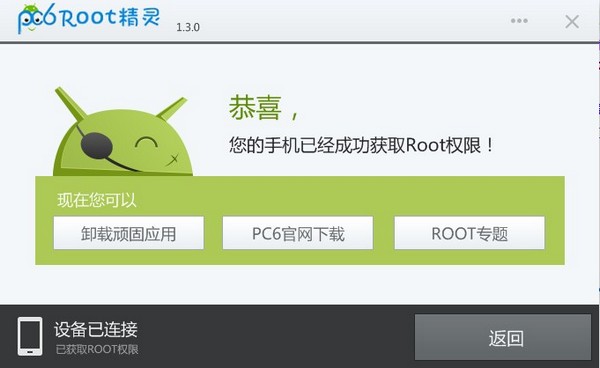
Root Wizard Software Advantages
1. Covers all current Android vulnerabilities and integrates multiple ROOT engines
2. Supports domestic and foreign brands such as ZTE, Huawei, Samsung HTC, etc., covering more than 300 models of Android 2.3-4.2
3. Safe, free and risk-free, easy to obtain ROOT permissions
Root Wizard software features
小、但很强———仅2M大小,且为绿色版,Root能力毫不逊色,现已支持超过300款机型一键Root
Link the mobile phone, click on Root, and root is as simple as one step.
After rooting, you can - flash into third-party ROMs to make your phone more personalized; streamline startup items and uninstall stubborn built-in apps!
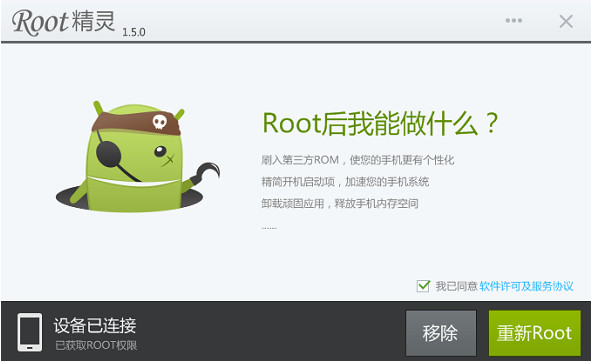
Root wizard function introduction
One-click flashing
Get ROOT permissions, MIUI, Hammer, Lewa are available for you to use
Uninstall pre-installed
Easily uninstall stubborn pre-installed applications, and the operator-customized machine can also be streamlined and pure
Boot acceleration
Clean up startup items, reduce startup burden, and speed up booting
Remove ads
Clean up redundant elements on web pages and block rogue application ads
Protect privacy
Installation authorization management, you have the final say who can obtain the authorization, be the real mobile phone owner
Reduce power consumption
Clean up background resident programs, reduce CPU activation behavior when the screen is turned off, and increase mobile phone standby time
Root wizard installation steps
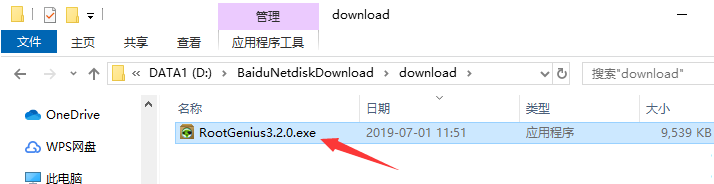
1. Download the Root Elf software package from Huajun Software Park and double-click with the left mouse button to open the installation file.
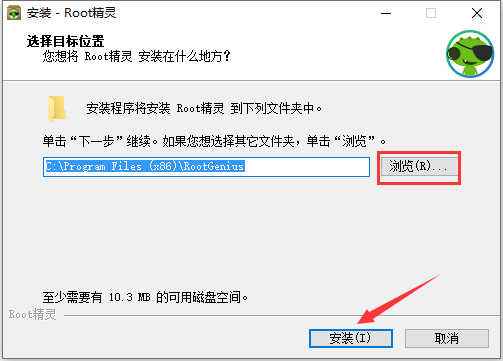
2. Click "Browse" to select the installation directory of Root Wizard. It is recommended not to install it on the C drive. After selecting, click "Install".
3. The installation process of Root Wizard takes about 2 minutes, please wait patiently.

4. The installation is complete. If you need to use it immediately, you can check the "Run Root Wizard" option, then choose whether to "Install the Root Wizard" as needed, and finally click "Finish".

How to use Root Elf
1. Download and run
ROOT itself is an act of obtaining permissions, which may cause some anti-virus software to report viruses. If this happens, please allow it to run and add it to the whitelist.
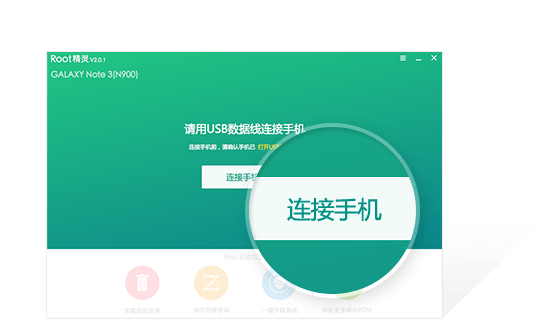
2. Connect your phone and click "One-click ROOT"
通过USB数据线,将您的手机连接到电脑,接着点击“一键ROOT”按钮
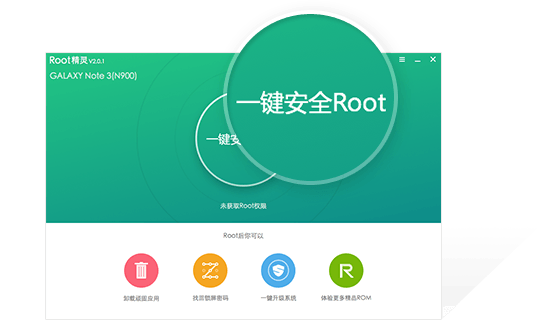
3. Wait a moment
The entire ROOT process lasts about 3 minutes. The phone may restart. Please wait patiently. Do not disconnect the USB connection of the phone during the process.

4. ROOT successful
Now you can flash your phone with one click, uninstall stubborn apps, clean up startup items... There is nothing you can’t do after ROOT, only things you can’t imagine.

ROOT Elf PC version update log
Fixed an issue affecting Root capabilities
Huajun editor recommends:
The editor of Huajun Software Park recommends that you download Root Elf. The editor personally tested it and it is simple and easy to use. In addition, Huajun Software Park provides you with360 mobile assistant computer version,Aisi Assistant,Deep brushing,Driver Wizard Speedy Installation Version For XP,360 Mobile Assistant PC Version BetaIt’s also a pretty good software, you might as well download it and give it a try if you need it! The editor is waiting for you in wind and rain!







Useful
Useful
Useful