




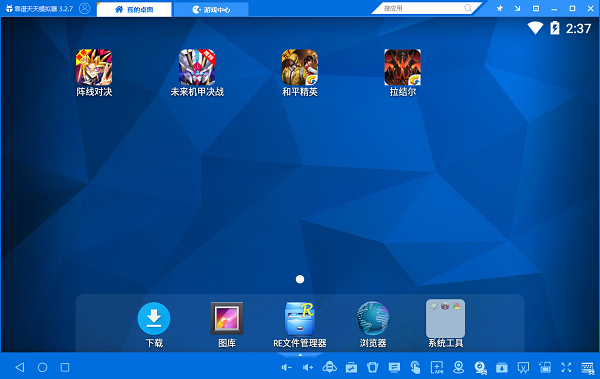
Features of Tiantian Simulator:
Excellent benchmark performance
Full frame rate of 60, running score of 60,000+, smoothness far exceeding that of mobile phones
Fully compatible
Supports 99% of mobile games on the market, including all popular masterpieces, whether they are large-scale online games such as My Name is MT, Wangxian, Million King Arthur, etc.plants vs zombies2. Popular stand-alone games such as Defend the Carrot can be run on the computer using the Tiantian Android engine, providing a more enjoyable experience with a larger screen.
Ultimate control
The keyboard is perfectly controlled, and the controller is plug-and-play, so you can play games faster; playing mobile games on a computer is more enjoyable with a controller.
Tiantian simulator installation steps:
1. Download the Tiantian simulator from this site, double-click the .exe, an installation interface will appear, click the "Custom Installation" interface

2. It is recommended to install the file on the D drive, or install it on the C drive by default. Click "Quick Install".

3. The Tiantian simulator is being installed. The process is very fast. Please wait patiently.
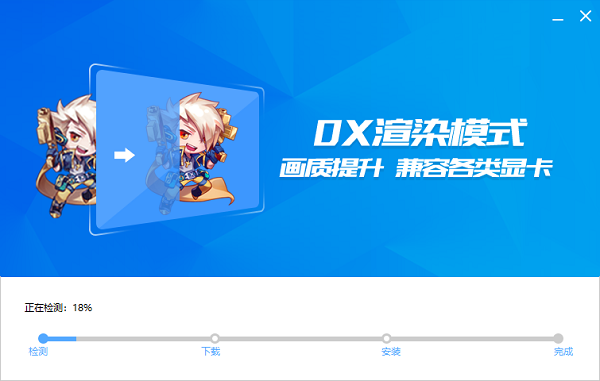
4. The Tiantian simulator is installed successfully, click "Start Now"

How to use Tiantian simulator:
Tiantian simulator button setting tutorial
The new version of Tiantian simulator supports cross direction keys, allowing you to operate in any of the eight directions! Kill mobile players instantly!
Take the recent popular game "Brawl Westward Journey" as an example.
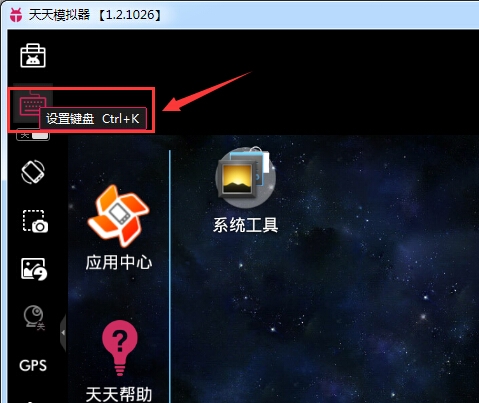
The first step is to click on the key settings in the upper left corner to start entering the key settings.
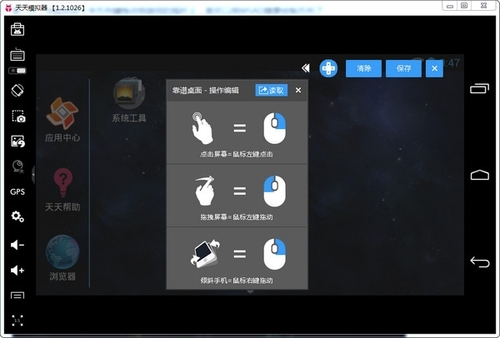
In the second step, use the mouse to drag the cross direction keys to the game joystick, and then you can use WSAD to control the direction at will.

The third step is to click the attack and skill keys with the mouse to set the keys on the keyboard, and then use the corresponding keys to release the skills.
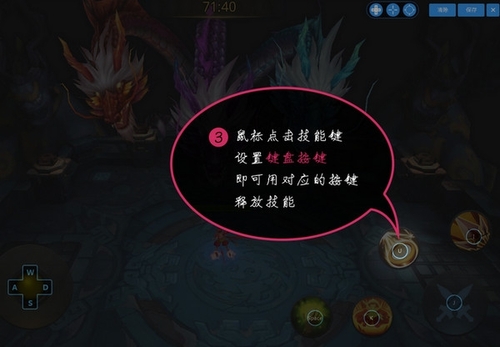
Step 4: Click Save and start enjoying the pleasure of keyboard operation!

Frequently Asked Questions about Tiantian Simulator:
1. How to import files into Tiantian simulator?
1. First, we put the files we want to import into the simulator into a folder.
2. Then open the "Share" function in the "Toolbar" on the left side of the Tiantian simulator.
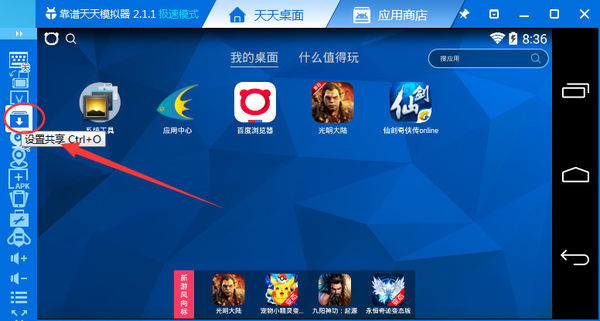
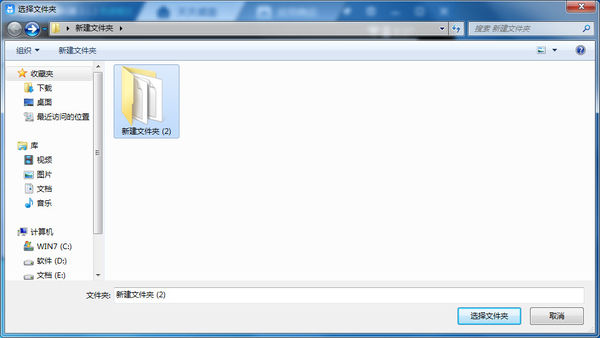
3. After clicking Share, select the folder we just prepared in the pop-up window and click "Select Folder". Then you can see the files we want to import to the simulator.
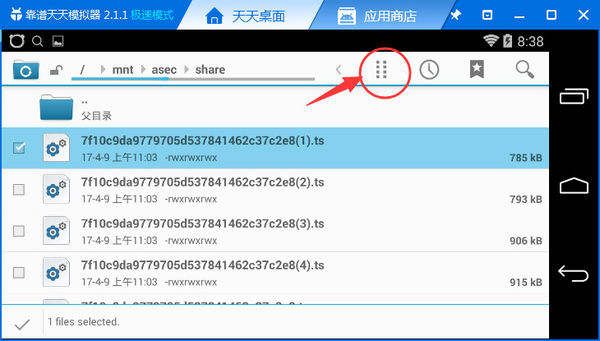
4. Then we select the file we want to import, click the button at the location shown below, select "Move" or "Paste" from the pop-up options, and then move the file to the location we want to store it.

5. The export method is the same as the operation
Which one is better, Tiantian Simulator or Night God Simulator?
Tiantian emulator is software that allows Android systems to run on Windows systems. This software was developed by the Chinese themselves. It is currently the best-performing Android emulator software. Tiantian emulator has stronger performance and supports more mobile games.
The Ye God Simulator Game Center has everything you need for new and hot games, allowing you to find your favorite in Ye God. The Yeshen simulator is powerfully compatible with all kinds of games, has super-smooth and user-friendly operation, is stable and reliable, and brings a super-smooth experience far beyond that of mobile phones.
In contrast, everyone can choose the emulator they like and download it.
Night God Simulator download address:http://softwaredownload4.com/soft/265582.htm
Daily simulator update log:
1. Optimize graphics performance, improve running performance, and play games without lags.
2. Optimize the startup process and fix the problem of various emulator startup failures.
3. Optimize the handle operation to achieve instant lighting, so you will never be able to find the buttons you set.
4. Optimize desktop software to prevent crashes and support more resolutions
5. Fix a bunch of known bugs
|
Huajun editor recommends: The Tiantian simulator allows users to experience the smooth feeling of Android phones on their computers, and they can easily install tens of thousands of Android software through the drag-and-drop method. Tiantian simulator is very easy to use and its operation is very simple. In addition, there are lightning simulators and Xiaoyao Android simulators recommended to everyone. You are welcome to download and use them. |













Useful
Useful
Useful