



Huawei Android mobile phone driver official version
The official version of Huawei Android mobile phone driver is a driver created for Huawei mobile phones. Huawei mobile phone driver can solve the problem of being unable to read files on the mobile phone when connected to the computer using a USB data cable. Huawei Android mobile phone driver also provides you with the most convenient and fastest driving experience to better complete the interconnection between mobile phones and computers. Huajun Software Park provides download services for Huawei Android mobile phone drivers. To download other versions of Huawei Android mobile phone drivers, please go to Huajun Software Park!

Huawei Android mobile phone driver introduction
Huawei mobile phone cannot recognize the USB device when connected to the computer? This official version of the Huawei mobile phone driver can help you solve the problem of the mobile phone not being able to connect to the computer and not being recognized by the computer. It is recommended that friends in need can download and install this driver. This driver is an automatic installation package, just follow the installation prompts to install it.
If an android phone user encounters this situation, such as the phone is connected to the computer with a USB data cable but cannot read the files on the phone, there is an unknown device with a yellow exclamation mark in the device manager, or the ADB driver is installed but the CDC is missing Serial driver, unable to Root or flash, etc. These situations are all caused by the phone not having the correct or complete driver installed. If the phone is Huawei, you can try to install the Huawei phone driver to solve the problem.
Huawei Android phone driver installation instructions
1. Download the official version of Huawei mobile phone driver and unzip it
2. Open the decompressed folder and open the Handset WinDriver installation package
3. Install according to the installation prompts

4. After the installation is completed, it is best to restart the computer so that the device can be used normally. Reconnect your Huawei smartphone via USB, then turn on the USB debugging function on the phone to connect normally.

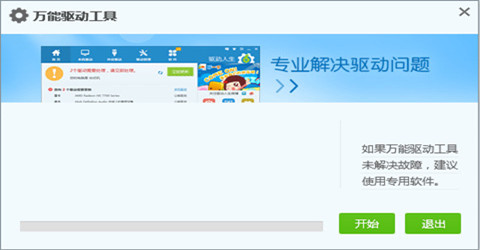
5. If the problem cannot be solved, the universal driver in the software package will detect and repair it. Or download Huawei Mobile Assistant to repair it.
How to use Huawei Android mobile phone driver
How to enable USB debugging on Huawei mobile phones?
1. Click “Settings” on the mobile phone desktop
2. Enter "About Phone" in the settings interface
3. Find “Version Number” and click the version number seven times in a row to enable developer options.
4. Return to the settings menu and enter "Developer Options"
5. Turn on "USB debugging mode" in developer options

Frequently Asked Questions about Huawei Android Phone Drivers
Question: What should I do if the USB driver installation on Huawei mobile phone fails?
Answer: Open "Device Manager" to find the device that cannot be connected, right-click on it, select "Update Driver Software" in the pop-up menu, click "Browse my computer for driver software" in the pop-up menu, then continue to click "Select from the computer's device driver list", find "Portable Device", and then select (standard MTP device) -> MTP in the pop-up list USB device. Then click "Next". Select "Yes" in the pop-up warning window.
Q: What should I do if my Huawei phone cannot recognize the USB device when connected to the computer?
Answer: The USB device cannot be recognized when a Huawei mobile phone is connected to the computer. If there is no problem connecting the computer to other USB devices and the data cable is no problem, it is likely that the USB debugging is not turned on in the mobile phone.
Comparison of similar software
Lenovo mobile phone driverThe official version is a driver created for Lenovo mobile phone users. Lenovo mobile phone driver PC version is an indispensable driver for users when using Lenovo mobile phones to connect to computers, allowing users to connect to computers with confidence. The Lenovo mobile phone driver is a necessary driver for downloading mobile phone software and flashing the phone using a computer. Users can use this driver to flash the phone and other operations.
360f4 mobile phone driverThe latest version is very easy to use and is officially launched by 360 and is suitable for 360 F4 mobile phones. A USB driver, after installing the latest version of 360f4 mobile phone driver software, your mobile device can minimize the power consumption and damage of the USB interface when connecting to computer equipment.
Huajun editor recommends:
Huawei mobile phone driver can solve the problem of being unable to read files on the mobile phone when connected to the computer using a USB data cable. It also provides you with the most convenient and fastest driving experience to better complete the interconnection between mobile phones and computers. Everyone has seen it, come and download it!










Useful
Useful
Useful