



- Green versionView
- Green versionView
- Green versionView
- Green versionView
- Green versionView
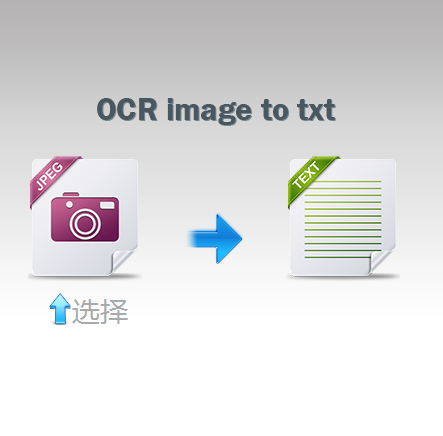
Introduction to Miracle OCR text recognition software
OCR text recognition software converts the pictures you upload into TXT, and converts the pictures into text and other editable text. One-click conversion, OCR recognition online is super fast and free!
Supports JPG, PNG, GIF, BMP, DOC and other image formats.
Miracle OCR text recognition software supports: OCR recognition, online uploaded pictures to convert text, OCR text recognition, OCR text recognition software, pictures to WORD, pictures to text.
How to use Miracle OCR text recognition software
1. After downloading Miracle OCR text recognition software from this site, get a compressed package locally on your computer and use360 compressionAfter the software is decompressed.
2. After decompression is completed, double-click the .exe file to open the software. Open the software and click on the camera icon.
3. In the select upload file window that opens, select the image file you want to convert. After the selection is completed, click [Open].
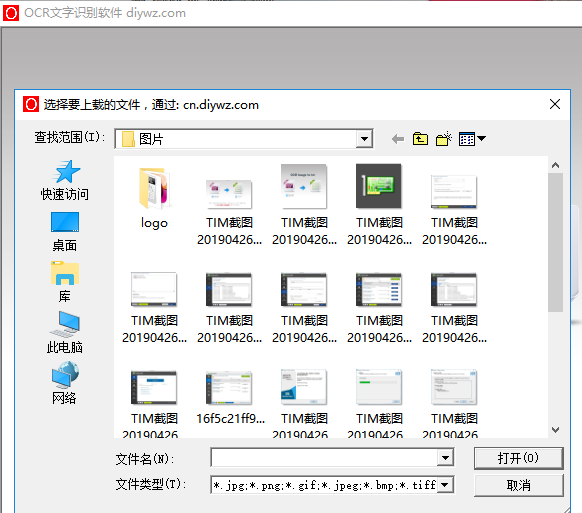
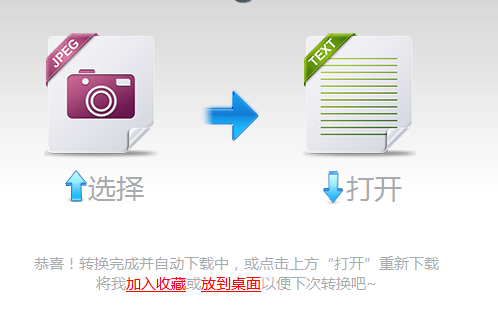
4. Wait patiently for Miracle OCR text recognition software to complete the conversion. After the conversion is completed, you can see the prompt that the conversion is completed. Click to open to see the converted text.
Miracle OCR text recognition software update log:
Sweep the bug out and carry it out to the end
Optimize user feedback issues and improve detailed experience
Huajun editor recommends:
Miracle OCR text recognition software is a free OCR text recognition software that converts images into TXT text. The recognition speed is fast and the operation is simple. Moreover, the software is free and supports images in JPG, PNG, GIF and other formats. If you don't like it, we still have itToday's goal,Hanwang Attendance Management System,Aimo mind map,WPS Office,Kuai Dao Ke platform softwareWaiting for software, welcome to download.









Useful
Useful
Useful