



Xiaomi 5 performance:
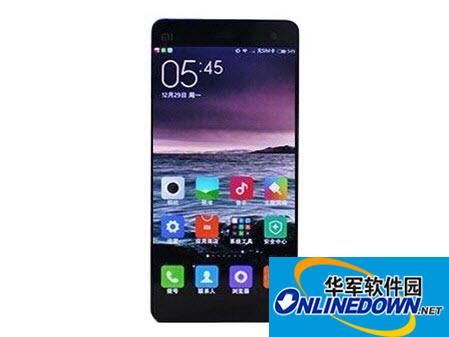
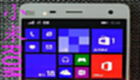
Judging from the renderings, the frame of the phone is very narrow. The camera and sensor on the top of the fuselage adopt a symmetrical layout. The middle one of Xiaomi's standard three touch buttons under the fuselage has also been replaced by a physical button. This inevitably makes people think that this opportunity will add a fingerprint recognition function. In addition to the Xiaomi logo on the back of the fuselage, the two cameras are also very eye-catching.
Although the authenticity of the rendering cannot be confirmed yet, there are rumors that the phone is Xiaomi Mi 5. Previously, there was news that Xiaomi Mi 5 will use a 5.7-inch screen with 2K resolution, equipped with Snapdragon 820 processor, 4GB RAM + 32GB ROM. Let us look forward to official news from Xiaomi about the configuration and appearance of the new phone.
Xiaomi 5 driver installation method:
Step 1: Download the driver package above: click on the driver address and I will download it fiercely. I don’t need to tell you this.
Step 2: After the download is complete, use decompression software to decompress the "xiaomi_usb_driver.rar" driver package in any location, but you must remember that point, because you will find it later (the desktop I chose has a small file and is easy to find).
Step 3: Of course, it is best to get the mobile phone (you can also install it without a mobile phone, so I won’t go into it here), because when the Xiaomi mobile phone is connected to the USB interface of the computer, the computer system will automatically pop up this:
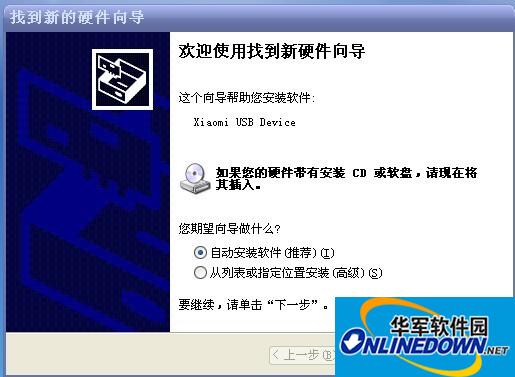
You are prompted to install the "xiaomi_usb_driver" driver.
Step 4:
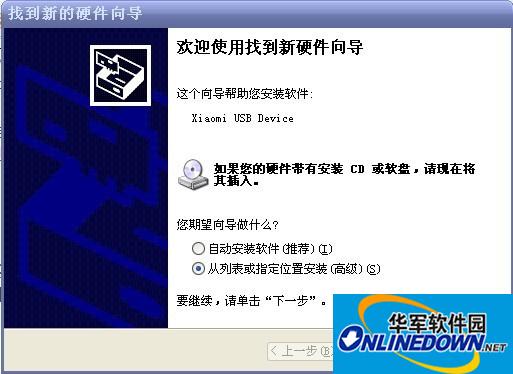
Note that you must select the option "Install from a list or specified location (Advanced) (S)" and click "Next" after selecting.
Step 5: The following window will pop up:
This is to tell you that you can select multiple options; just select one option below, which is faster.
Step 6: Select (check) "Include this location in searches"
(Note that what you see now is the system default. The default of each computer is different, so don’t worry about it).
Step 7: After entering the "Browse" option, select the "xiaomi_usb_driver" file in "Desktop":
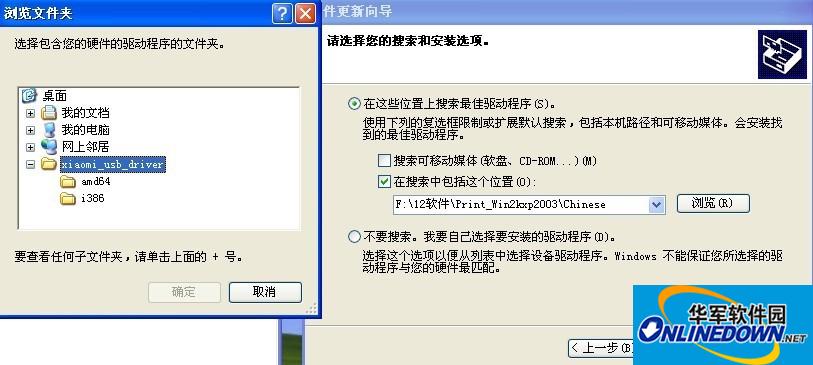
Just click on the folder and ignore the drop-down menu below; (note that it can be anywhere within the drive letter, provided you remember to find it at that point).
Step 8: Notice that the “Browse” option has changed! ! "C:Documents and SettingsAdministratorDesktopxiaomi_usb_driver"
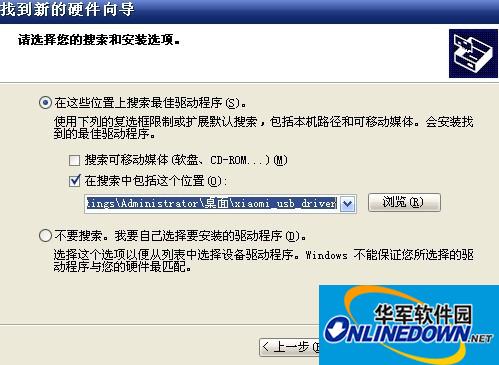
This is the location where I unzipped and where the files are stored.
Step 9: Click "Next" and the computer will automatically complete the installation:
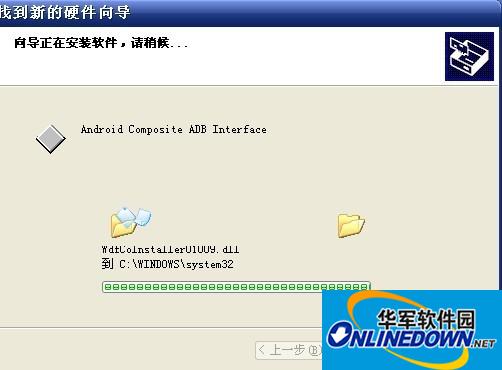
Click Next and forget about it. The computer will finish the job.
Step 10: Congratulations when you see this picture: you have learned it and the task is completed.
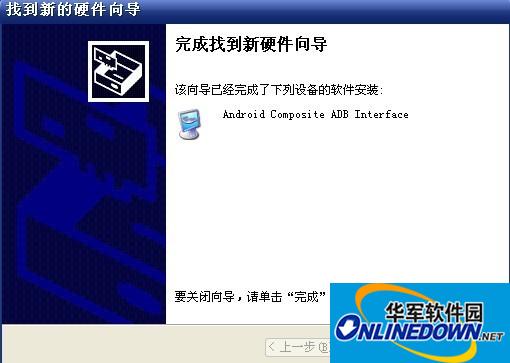
Click "Done"! !
If your Xiaomi phone finds that there is no "removable disk" when it is connected to the computer through USB (refreshed multiple times, there is still no), you must first execute the automatic installation software program command once, and then execute the above.
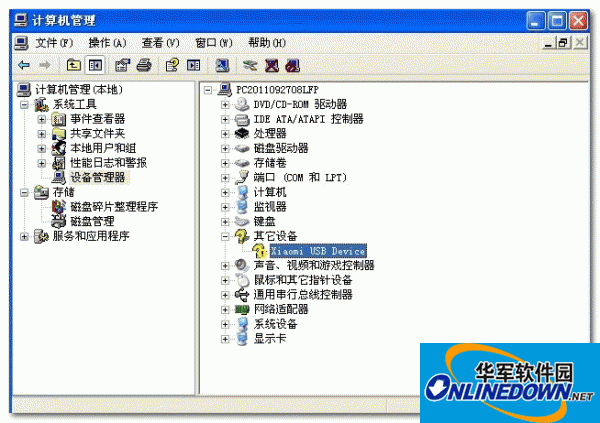
My Computer - Management - Device Manager:
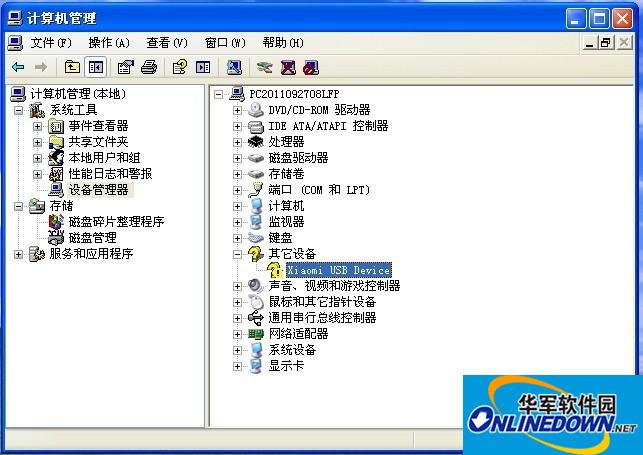
Only install Xiaomi's USB driver when this question mark appears.















Useful
Useful
Useful