




- Green versionView
- Green versionView
- Green versionView
- Green versionView
- Green versionView
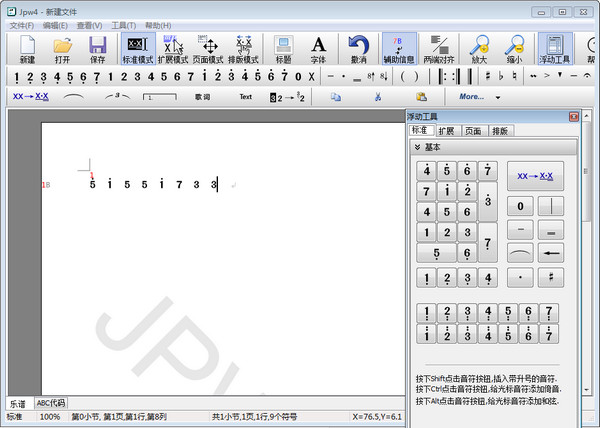
JP-Word musical notation editing softwareSoftware features
The operation method is like typing in Word, what you see is what you get, and the mouse and keyboard are mixed, making it easy to learn.
The original "switching note duration combination" function makes the input speed fast and efficient!
Powerful lyrics editing function. Supports automatic lyrics alignment and visual manual alignment. Vertical positioning of lyrics can be automatic or manual. Supports lyric rhythm lines (horizontal lines at the bottom of lyrics). Supports mixed Chinese and English lyrics. Supports lyric prefixes.
The official version of JP-Word musical notation editing software supports various notations such as umlauts, appliqués, legatoes, chords, gongs and drums, multi-layered arcs, houses, strengths and weaknesses, techniques, etc.
The symbol spacing and the connection of the subtracted time lines can be determined automatically or can be adjusted manually.
The positioning and size of each attached symbol can be adjusted arbitrarily.
It has hundreds of built-in symbols; supports external fonts; supports complex musical notation.
High-precision vector output; supports multiple output formats (pictures and Windows clipboard).
Real-time online rule checking effectively reduces errors.
The arc can be folded, and the dome can be turned into a flat top.
Supports text boxes similar to Word, which can have any text, any font, and any positioning.
内置JPW-ABc语言,可以文本方式记录和修改乐谱。
The purest green software can be run with a single executable file without modifying the registry or adding any files to the operating system.
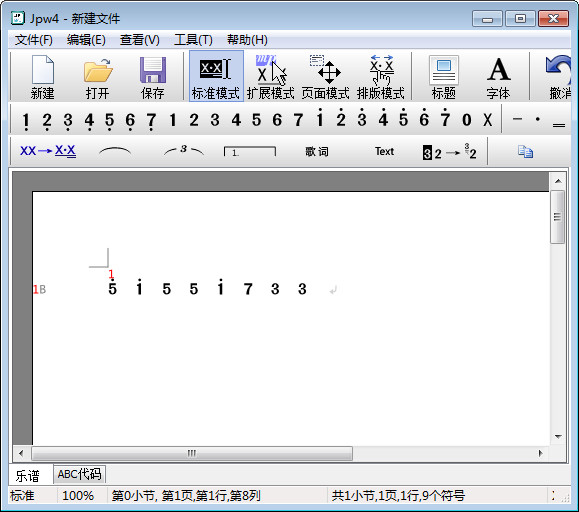
JP-Word musical notation editing softwareSoftware function
JP-Word is a simplified musical notation editing software. It is characterized by its small size, convenient input, what you see is what you get, and flexible typesetting. Text and music scores can be mixed and typeset, and the music scores can be output to Word for reprocessing and printing. Green software, does not modify the registry.
Inputting notes is like typing; music scores and text can be mixed and typed; what you see is what you get; mouse and keyboard can be mixed together; easy to learn.
The unique “switch note duration combination” function doubles the input speed!
Multiple fonts, multiple sizes, multiple styles, multiple colors.
Supports multi-layered arcs, arcs can span lines and segments; supports more than 200 common musical symbols such as legato, appoggiata, skipping, intensity, repetition, and hopscotch.
Supports chords and braces, so simple multi-part music can be recorded.
The spacing and line spacing of notes can be easily adjusted manually.
Supports text boxes similar to Word, which can have any text, any font, and any positioning.
Supports background images, supports output to multiple image formats, and supports image printing.
You can insert musical scores into Word in the form of vector images for reprocessing and vector printing.
JP-Word musical notation editing softwareChange log
1. Modify user-submitted bugs
2.Add new features
Huajun editor recommends:
JP-Word musical notation editing software feels really good! The editor specially tested it for this purpose, and it works really well.Adobe Audition CC,CD to MP3 format converter,silence magician,Composer Master music software simplified musical notation and five-line musical notation combined version,Adobe Audition CC 2020These are all very good software tested by the editor, come and choose the one that suits you!




Useful
Useful
Useful