





Tianxuanji desktop pet software introduction
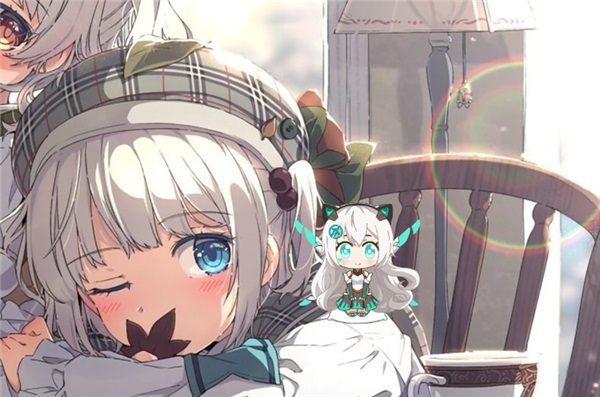
The latest version of Tianxuanji Desktop Pet is a desktop pet software launched by ASUS. The desktop pet of Tianxuanji adopts the cute image of Tianxuanji. Users can interact with her in multiple ways. It also supports alarm clock setting, power-on startup, upper-layer display, etc. The Tianxuan Ji Desk Pet software has a variety of action modes, cute shapes, is safe and compact, and supports multiple versions of Windows systems.
Features of Tianxuanji desktop pet software
1. The latest version of the pet on the Tianxuanji desktop supports minimization. If you are disturbed, you can shrink it to the taskbar.
2. Supports top-level display. No matter how many tasks are on the desktop, your pet is always at the front.
3. It supports a variety of kawaii actions, and users who like it will definitely be obsessed with it.
How to use the Tianxuanji desktop pet
1. After the latest version of Tianxuanji Desktop is installed and run, it will appear on the desktop;
2. It also supports custom setting size;
3. Do you think that the Chosen Princess can only be dragged with the mouse? No, no, you can also interact in real time by pressing buttons.
4. In the desktop state, press the direction keys "←" and "→" to control the cute pet to walk left and right.
5. If you don’t want her to move around, you can press the direction key “↓” to make her sit down, and she will “squat” obediently and accompany you quietly. Press the up direction key “↑” to make her stand up.
6. In addition to the direction keys, it also comes with a switch between "active" and "quiet" states. Press the "O" and "P" keys on the keyboard to switch between different static images. There are heroic fighting images and cute cross-legged images, allowing you to find the feeling that best suits your current mood at any time!
7. In the desktop state, right-click and select the Desktop Pet. You can adjust the details of her image, such as the display size ratio. If you do not need to use the "full image" to appear temporarily, you can select "Easy Mode" and it will become a simple icon. If you need to hide it, select "Minimize" to hide it in the status bar.
8. Support setting alarm clock. After the setting is completed, the "small clock" below will display the specific time, and there will be a corresponding alarm to remind you!
9. It is worth mentioning that there are many different "skins" for players to update. When playing games, the characters they control will be updated with holiday skins during festivals. However, these skins are "expensive", but the skin of the Chosen Princess can be updated for free and can be used directly. You can give your wife a new outfit and have a new experience anytime, anywhere!
The Chosen Desktop Pet Update Log
1.Fix several bugs;
2. Optimize detailed issues;
Huajun editor recommends:
The Tianxuanji desktop pet software feels really good! The editor specially tested it for this purpose, and it works really well.Daystar win7 desktop weather forecast software,AcerGridVista desktop split screen tool,Hide windows with one click,Take regular breaks,Desktop Notes for Kids Latest VersionThese are all very good software tested by the editor, come and choose the one that suits you!




Your comment needs to be reviewed before it can be displayed