





Things to note:
Friends who use Mac to install or download application software often encounter the following three error situations. The editor here provides you with solutions to help you solve the Mac error problem:
1. "...the software is damaged and cannot be opened. You should move it to the Trash"
2. "The xxx software cannot be opened becauseApple can't check if it contains malware"
3. "Cannot open xxxsoftware because it comes from an unidentified developer"
Don’t panic if you encounter the above three situations, follow the editor’s instructions and solve them easily.
1. Turn on any source in the computer settings.Open any source.
2. Opening any source will solve the problem of most software error reports. If it does not work, it means that you need to bypass application signature authentication by executing command line code. Execute command bypassiosnotarizationGatekeeper.
3. If the above operations still cannot solve the problem, then you need toCloseSIPSystem integrity protectionOnly then can.
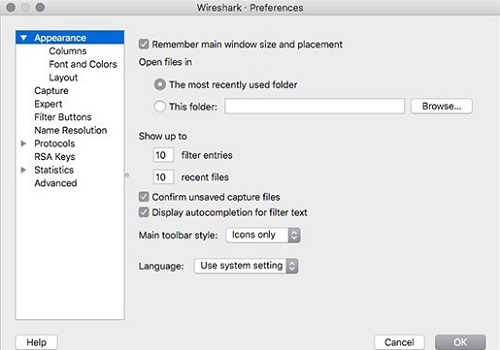
Wireshark Features
Real-time packet capture and protocol analysis
Supports capturing traffic from all network interfaces (wired, wireless, VPN, etc.) on macOS systems.
In-depth analysis of hundreds of protocols (such as HTTP, DNS, TCP/IP, SSL/TLS, QUIC, MQTT, etc.), including the complete protocol stack from application layer to link layer.
Supports custom protocol parsing (via Lua script extension).
Advanced filtering and searching
Display filters: Filter packets in real time based on protocol fields, IP addresses, port numbers and other conditions.
Capture filter: Set conditions before capturing packets to reduce irrelevant traffic.
Search function: supports full-text search, hexadecimal value search, regular expression matching, etc.
Traffic statistics and analysis
IO graph: Draw trend charts such as packet rate and byte count in real time.
Protocol layered statistics: classified statistics based on protocol type, traffic size, session duration and other dimensions.
Geographical distribution of traffic (requires GeoIP database): Visually displays the source and destination of data packets.
Packet export and replay
Supports export to PCAP, CSV, JSON and other formats for easy integration with other tools (such as Python scripts, Excel).
Automatic packet capture and analysis can be achieved through the tshark command line tool.
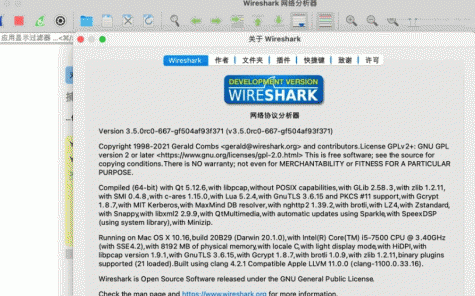
Wireshark function introduction
In-depth inspection of the creation time of hundreds of protocols
Real-time capture and offline analysis
Standard three-pane view includes browser compatibility
Multi-platform support: runs on Windows, Linux, Mac OS X, Solaris, Free eBSD, NetBSD and other platforms
The captured network data can be viewed through a graphical user interface, or through the TTY mode tshark utility
The most powerful display filter in the industry
Rich VoIP analytics
Read/write many different capture file formats
Use gzip compression to compress and encrypt real-time captured data
You can get Wireshark data in real time
Encrypted files support for many protocols including IPSec, ISAKMP, Kerberos, SNMPv3, SSL/TLS, WEP and WPA/WPA2
Can be applied to packet lists for quick, intuitive analysis
Output can be exported to XML, PostScript, CSV or plain text files
Wireshark FAQ
Q: How does Wireshark export data?
Answer: 1. Open wireshark->Capture->Interface->Select your network card (checked)->Start
2. OK to start capturing packets. There is stop on the toolbar. Click to stop capturing packets.
3. Filtering, you can see a question I answered before. Or look it up online. For example tcp && tcp.len >
4. There are options under Fire->Save, choose filtered, all, or selected.
5. Enter the file name.
Question: How to clear historical filter records in Wireshark?
Answer: crtl+shift+Dor editing -> ignore all displayed groups
Wireshark update log
1. Optimized some functions
2. Solved many intolerable bugs
Huajun editor recommends:
Wireshark has the same complete functions as the official product, the interface is more beautiful and elegant, and the design is more perfect. Welcome to download it to continuously meet the needs of users. Those who are interested can also downloadGoogle Chrome,windmill signature,Course opening cloud,PCSuite-Mobile Assistant,GreenTurtle Alibaba Cloud IoT Assistant













useful
useful
useful